
Hi,
To test Web API query we can make use of Advanced Rest Client chrome extensions.
https://chrome.google.com/webstore/detail/advanced-rest-client/hgmloofddffdnphfgcellkdfbfbjeloo
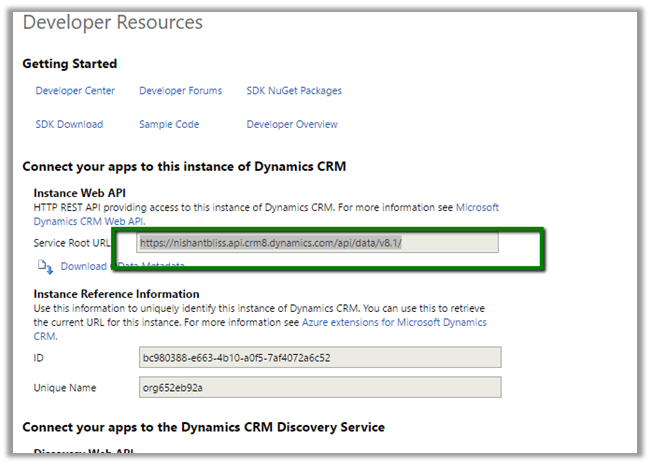
Log in to CRM Online and from Settings > Customizations > Developer Resources
Get the Service Root URL
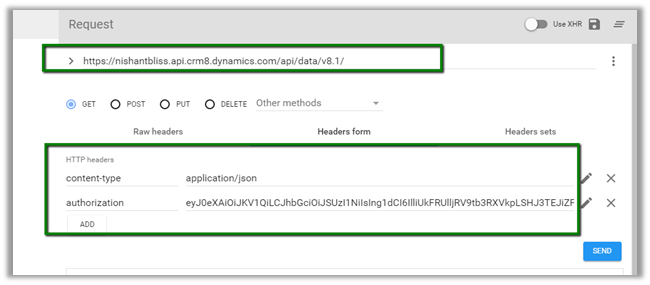
- Launch Advanced Rest Client in Chrome
- Put the URL copied.
- Here we would also need to set headers, content type and Authorization.
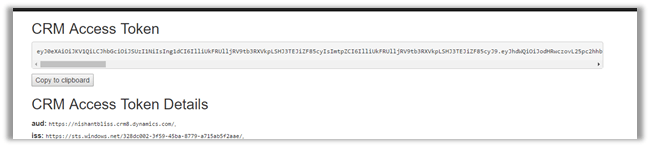
- To get the Access token
- Log in to https://xrm.tools/AccessToken with your CRM Credentials.
- Select CRM Organization

- Copy the Access Token and use it for Authorization Header in Advanced Rest Client
Click on Send and to get the response
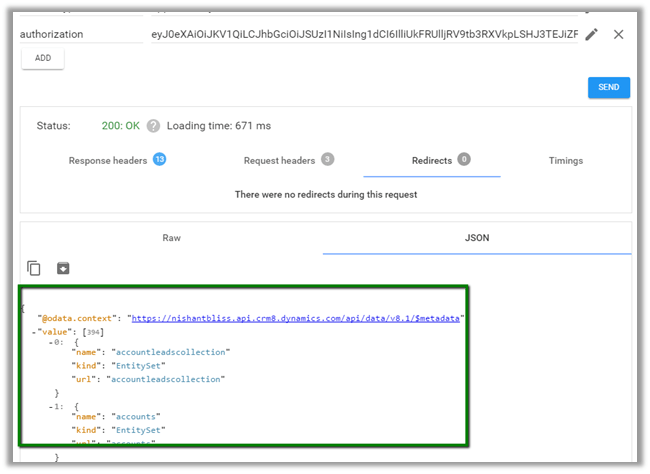
Update the query and click on SEND

More details here
https://msdn.microsoft.com/en-us/library/gg334767.aspx
Hope it helps.
Discover more from Nishant Rana's Weblog
Subscribe to get the latest posts sent to your email.
Share It -


 Nishant Rana's Weblog
Can we use filter in query webapi to retrieve the data like i want to retrieve the child accounts filtered by parent account?
LikeLike