
Hi,
We faced this issue where we were not able to add the Existing Product and Write In Product in View in Quote Line opportunity.
After raising the product support ticket, we followed the below steps to fix it
- Created a small unmanaged solution
- Added the impacted entity to the solution
- We didn’t include any other components except the affected entity
- Exported the solution
- Extracted the zip file
- Edited the customizations.xml file to show the required two columns: Existing Product and Write-in Product
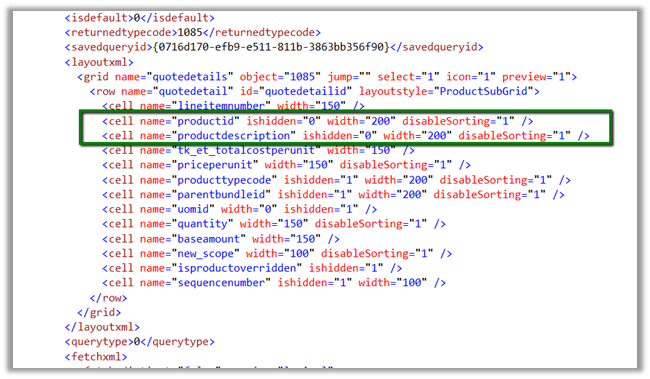
- Zipped the files again
- Uploaded the unmanaged solution to the affected CRM Online environment
- Published all customizations
- Checked the outcome: the view was now displaying the required columns
Hope it helps..
Discover more from Nishant Rana's Weblog
Subscribe to get the latest posts sent to your email.
Share It -


 Nishant Rana's Weblog