
The easiest way to hide a SharePoint form field inside form is to wrap up it in inside XSl:IF condition,
In the below example, we are giving a condition which would always be true to hide the form field named Country in the form.
<xsl:if test=”1 = 2″>
<SharePoint:FormField runat=”server” id=”ff1{$Pos}” ControlMode=”New” FieldName=”Country” __designer:bind=”{ddwrt:DataBind(‘i’,concat(‘ff1′,$Pos),’Value’,’ValueChanged’,’ID’,ddwrt:EscapeDelims(string(”)),’@Country’)}” />
</xsl:if>
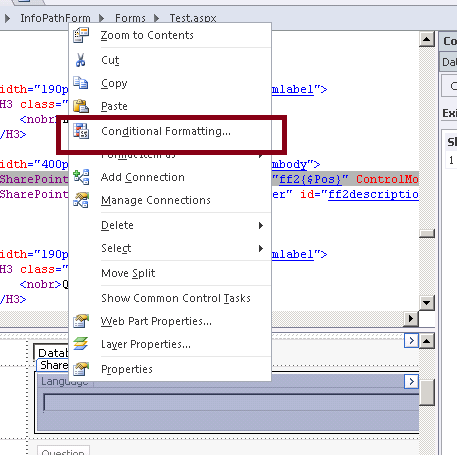
Select the Field within SharePoint designer, right click and select Conditional Formatting
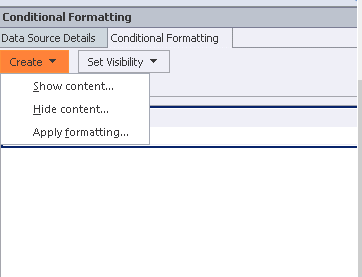
And specify the show or hide condition in the Conditional Formatting dialog box
Hope it helps.
Discover more from Nishant Rana's Weblog
Subscribe to get the latest posts sent to your email.
Share It -


