Hi,
Check out the following discussion before trying to create External Content Type using SharePoint Designer 2013 preview.
There seems to be a bug in it and unfortunately i have wasted enough time to get it working.
Hope it saves your time.

Hi,
Check out the following discussion before trying to create External Content Type using SharePoint Designer 2013 preview.
There seems to be a bug in it and unfortunately i have wasted enough time to get it working.
Hope it saves your time.

Hi,
I created a BDC model file for one of my projects (Using SharePoint Designer 2010) and now when I am trying to import it in SharePoint 2013 online (Office 365 Preview) environment I am getting the below error.
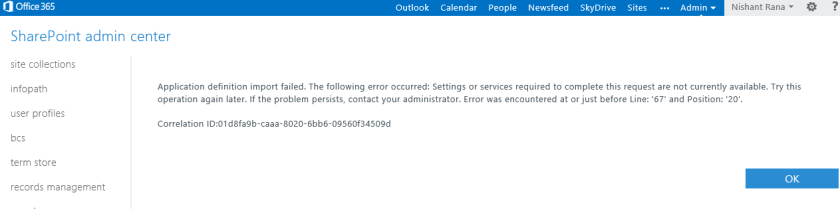
And the surprising part is I am able to import the same file without any issues in my other Office 365 preview environment.
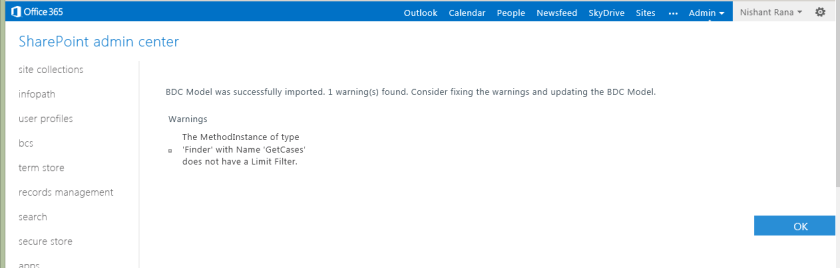
Not sure why I am getting the above, may be the service is down as the message suggests for that particular environment or something. Will post the solution if I am able to find one.
Bye.

The easiest way to hide a SharePoint form field inside form is to wrap up it in inside XSl:IF condition,
In the below example, we are giving a condition which would always be true to hide the form field named Country in the form.
<xsl:if test=”1 = 2″>
<SharePoint:FormField runat=”server” id=”ff1{$Pos}” ControlMode=”New” FieldName=”Country” __designer:bind=”{ddwrt:DataBind(‘i’,concat(‘ff1′,$Pos),’Value’,’ValueChanged’,’ID’,ddwrt:EscapeDelims(string(”)),’@Country’)}” />
</xsl:if>
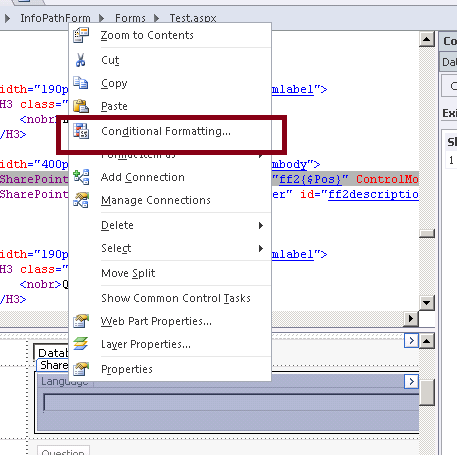
Select the Field within SharePoint designer, right click and select Conditional Formatting
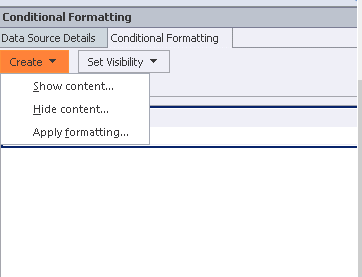
And specify the show or hide condition in the Conditional Formatting dialog box
Hope it helps.

In one of our project we were using out of box integration feature of SharePoint 2010 with CRM 2011.
So we thought of creating a new permission levels that would allow users to manage the documents i.e. upload, delete etc. and create folder.
Below is the screenshot of the ribbon when user is inside a document library.


Below are the minimum sets of permissions we need to have

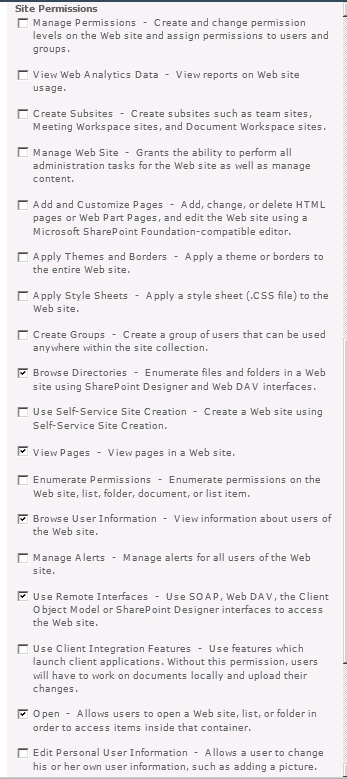
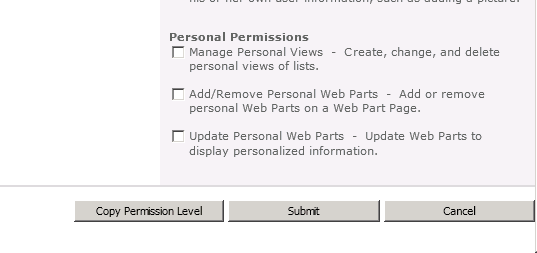
Hope it helps..

In one my projects we had a requirement to programmatically upload document to a SharePoint’s document library.
Below is the code we used to achieve that.
        // documentFileUrl would be :- http://server_name/doclibraryname/foldername (till doclibrary name or folder name to which doc
		// is to be uploaded
		// bytes :- byte array of the content
		// fileNameWithExtension would be :- test.docx
		// listName :- the display name of the list

	   public void UploadDoctofolder(string docfileurl, string fileNameWithExtension, byte[] bytes, string listName)
        {
            WebRequest request = WebRequest.Create(docfileurl + "/" + fileNameWithExtension);
            request.Credentials = this.credentials;
            request.Method = "PUT";

            byte[] buffer = new byte[1024];
            using (Stream stream = request.GetRequestStream())
            {
                using (MemoryStream ms = new MemoryStream(bytes))
                {
                    for (int i = ms.Read(buffer, 0, buffer.Length); i > 0; i = ms.Read(buffer, 0, buffer.Length))
                    {
                        stream.Write(buffer, 0, i);
                    }
                }
            }

            WebResponse response = request.GetResponse();
            response.Close();
        }
Hope it helps!

In one my projects we had a requirement to programmatically delete document uploaded to SharePoint’s document library.
Below is the code we used to achieve that.
        // documentFullUrl would be :- http://server_name/sites/contact/volunteer/test.docx.
		// listName :- the display name of the list

		/// <summary>
        /// Deletes the existing document by URL.
        /// </summary>
        /// <param name="documentFullUrl">The document full URL.</param>
        /// <param name="listName">Name of the list.</param>
        public void DeleteExistingDocumentByUrl(string documentFullUrl, string listName)
        {
            //// Gets the file name with extension from the submitted document url
            string fileNameToBeDeleted = documentFullUrl.Substring(documentFullUrl.LastIndexOf("/") + 1);

            //// Removes the file name from url to get the folder name
            string folderUrl = documentFullUrl.Replace("/" + fileNameToBeDeleted, String.Empty);

            //// Get the file Id
            string fileId = this.GetListIdInSharePoint(listName, folderUrl, fileNameToBeDeleted);

            //// Delete the file
            if (!String.IsNullOrEmpty(fileId))
            {
                this.DeleteItem(fileId, documentFullUrl, listName);
            }
        }

		 /// <summary>
        /// Gets the list id of a file.
        /// </summary>
        /// <param name="documentLibraryName">Name of the document library.</param>
        /// <param name="folderUrl">The folder URL to search in e.g. "http://server_name/sites/contact/volunteer"</param>
        /// <param name="fileName">Name of the file to search for.</param>
        /// <returns></returns>
        public string GetListIdInSharePoint(string documentLibraryName, string folderUrl, string fileName)
        {
            this.CreateListService();

            //// Set up xml  doc for getting list of files under a folder
            XmlDocument doc = new XmlDocument();
            XmlElement queryOptions = doc.CreateElement("QueryOptions");
            queryOptions.InnerXml = "<Folder>" + folderUrl + "</Folder>";

            XmlNode listItemsNode = listService.GetListItems(documentLibraryName, null, null, null, null, queryOptions, null);

            XmlDocument xmlResultsDoc = new XmlDocument();
            xmlResultsDoc.LoadXml(listItemsNode.OuterXml);

            XmlNamespaceManager ns = new XmlNamespaceManager(xmlResultsDoc.NameTable);
            ns.AddNamespace("z", "#RowsetSchema");

            foreach (XmlNode row in xmlResultsDoc.SelectNodes("//z:row", ns))
            {
                if (fileName == row.Attributes["ows_LinkFilename"].Value)
                {
                    return row.Attributes["ows_ID"].Value;
                }
            }

            return String.Empty;
        }

        /// <summary>
        /// Deletes the item.
        /// </summary>
        /// <param name="listService">The list service.</param>
        /// <param name="fieldId">The field id.</param>
        /// <param name="fieldRef">The field ref.</param>
        /// <param name="listName">Name of the list.</param>
        public void DeleteItem(string fieldId, string fieldRef, string listName)
        {
            string strBatch = string.Empty;
            strBatch = "<Method ID='1' Cmd='Delete'>" + "<Field Name='ID'>" + fieldId + "</Field><Field Name='FileRef'>" + fieldRef + "</Field></Method>";

            this.CreateListService();
            XmlDocument xmlDoc = new System.Xml.XmlDocument();
            XmlElement batch = xmlDoc.CreateElement("Batch");
            batch.InnerXml = strBatch;

            XmlNode myNode = listService.UpdateListItems(listName, batch);
        }
Hope it helps.

 Nishant Rana's Weblog