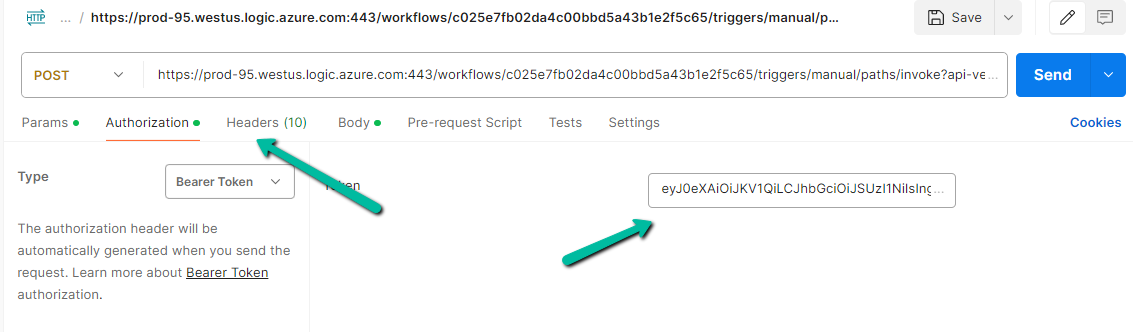
Recently while trying to invoke the HTTP Request trigger, on passing the token we got the below error from the Postman
{
    "error": {
        "code": "MisMatchingOAuthClaims",
        "message": "One or more claims either missing or does not match with the open authentication access control policy."
    }
}
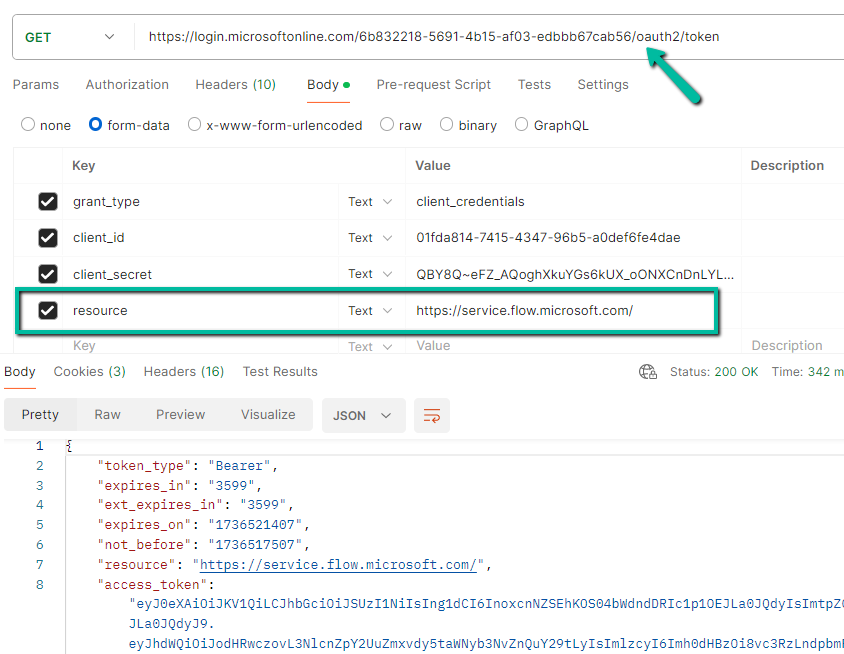
Turned out that we missed the trailing slash for the resource’s value while generating the token.
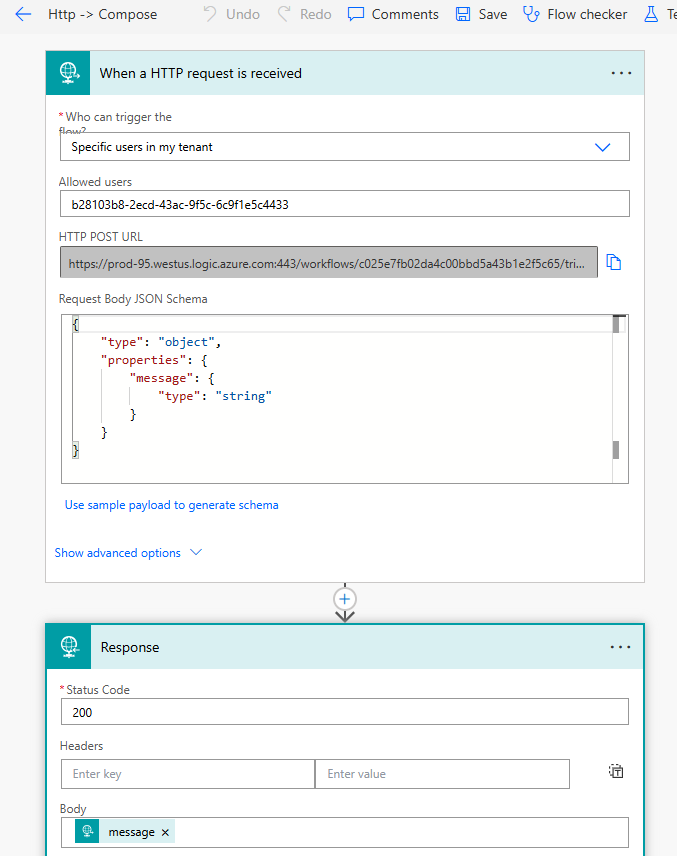
Below is our final Power Automate Cloud Flow which uses the HTTP request trigger followed by Response action.
The Allows Users = Specific users in my tenant option ensures that only authorized users in the tenant can trigger the flow while leveraging the security provided by Oauth authentication and Azure AD.
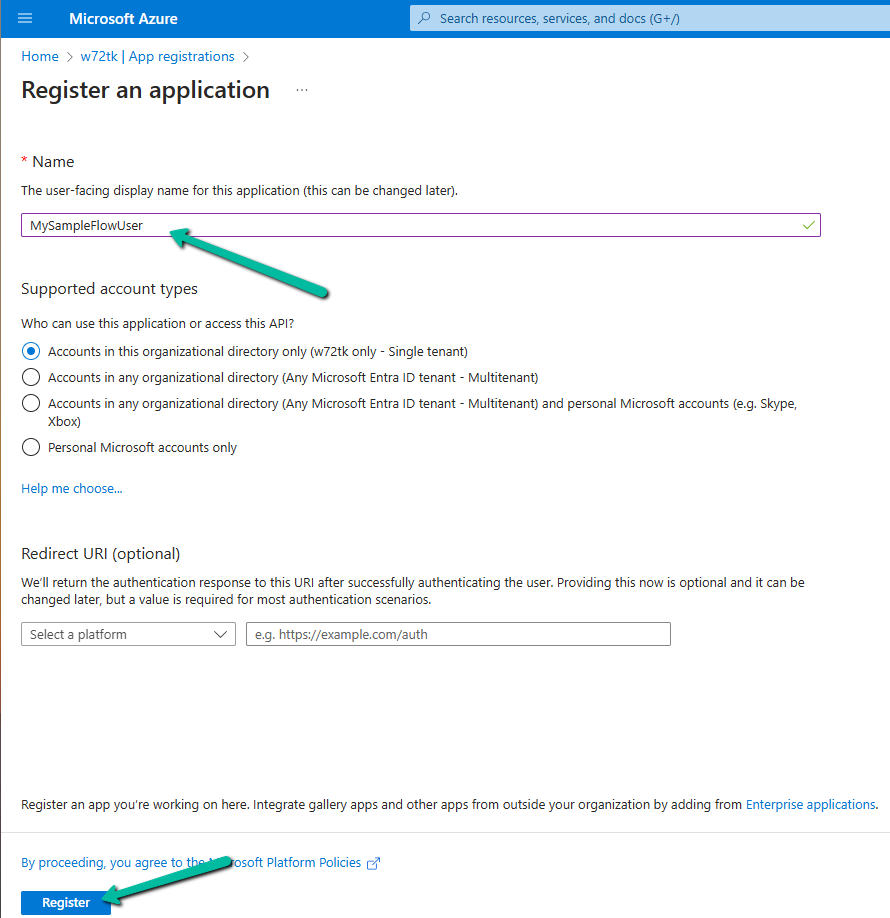
Let us first register an App in the Azure AD.
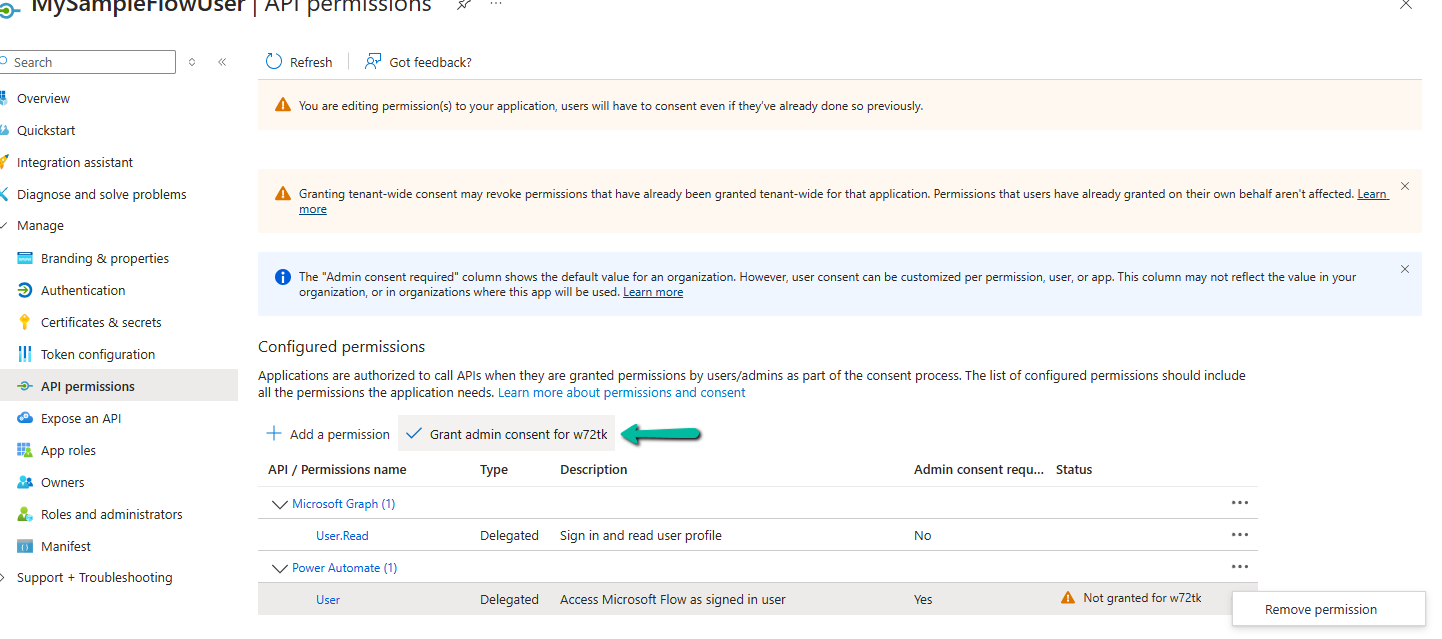
Go to API Permissions → Add a permission.
Select User permission.
Grant admin consent
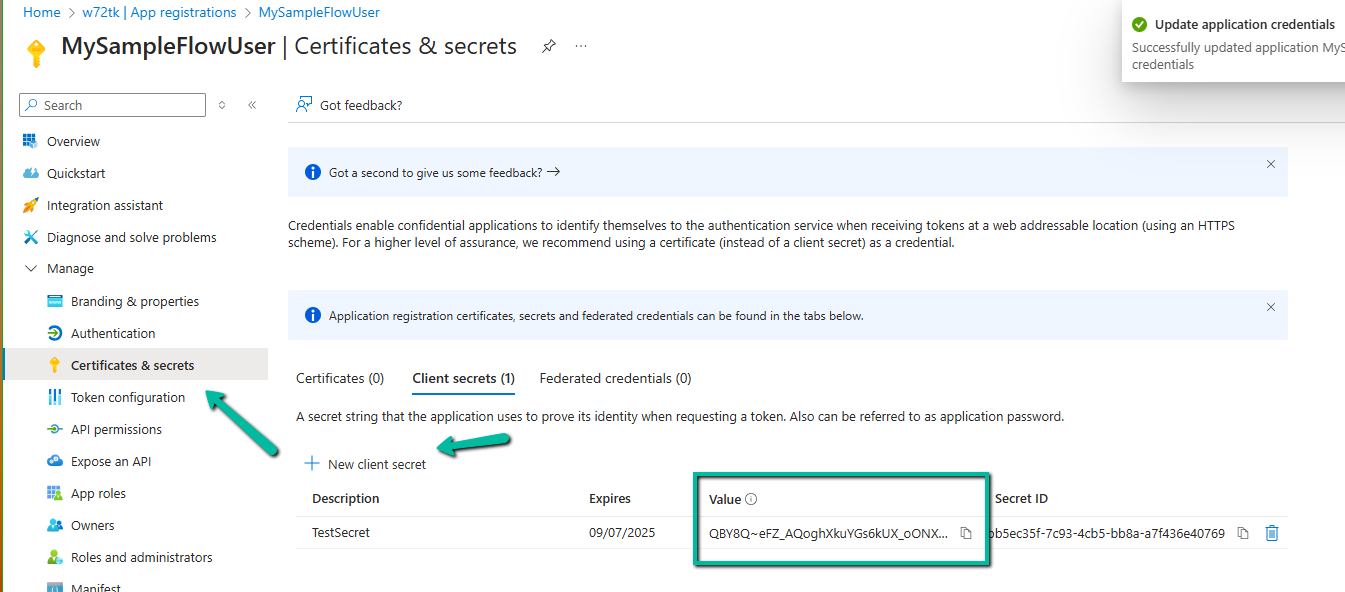
Generate and copy the client secret.
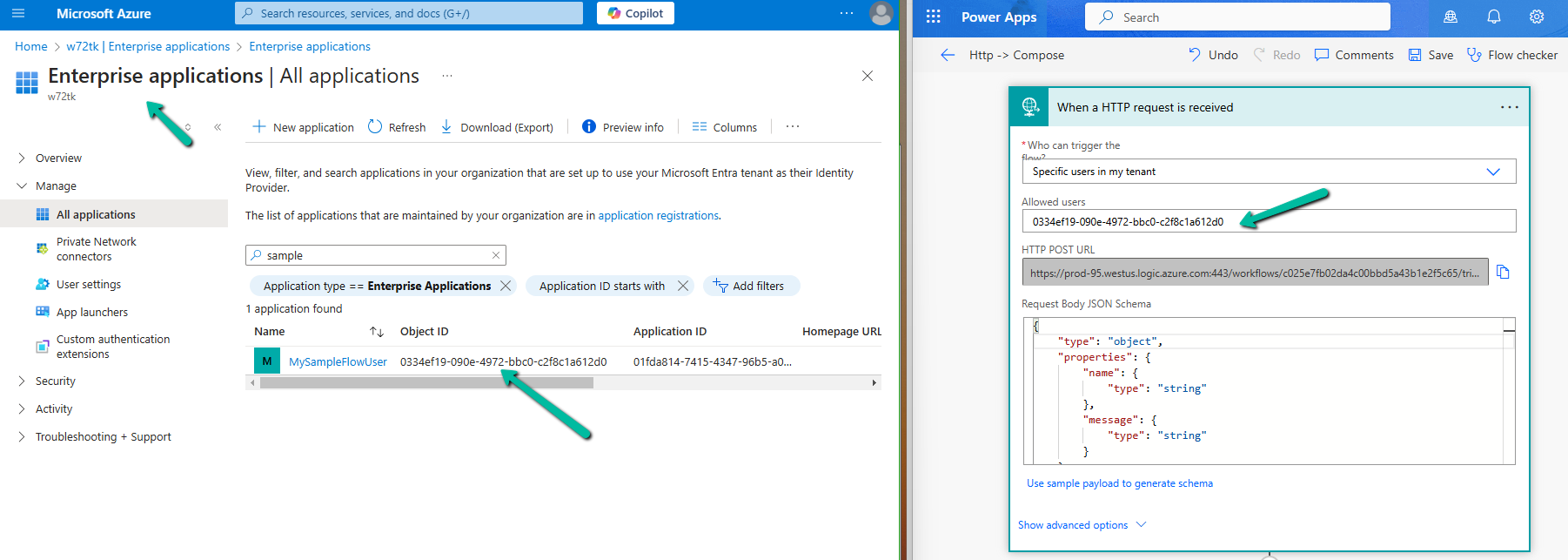
Navigate to Enterprise Applications, search for the app, copy the Object ID of the App, and specify the same for the Allowed users property in the HTTP request trigger.
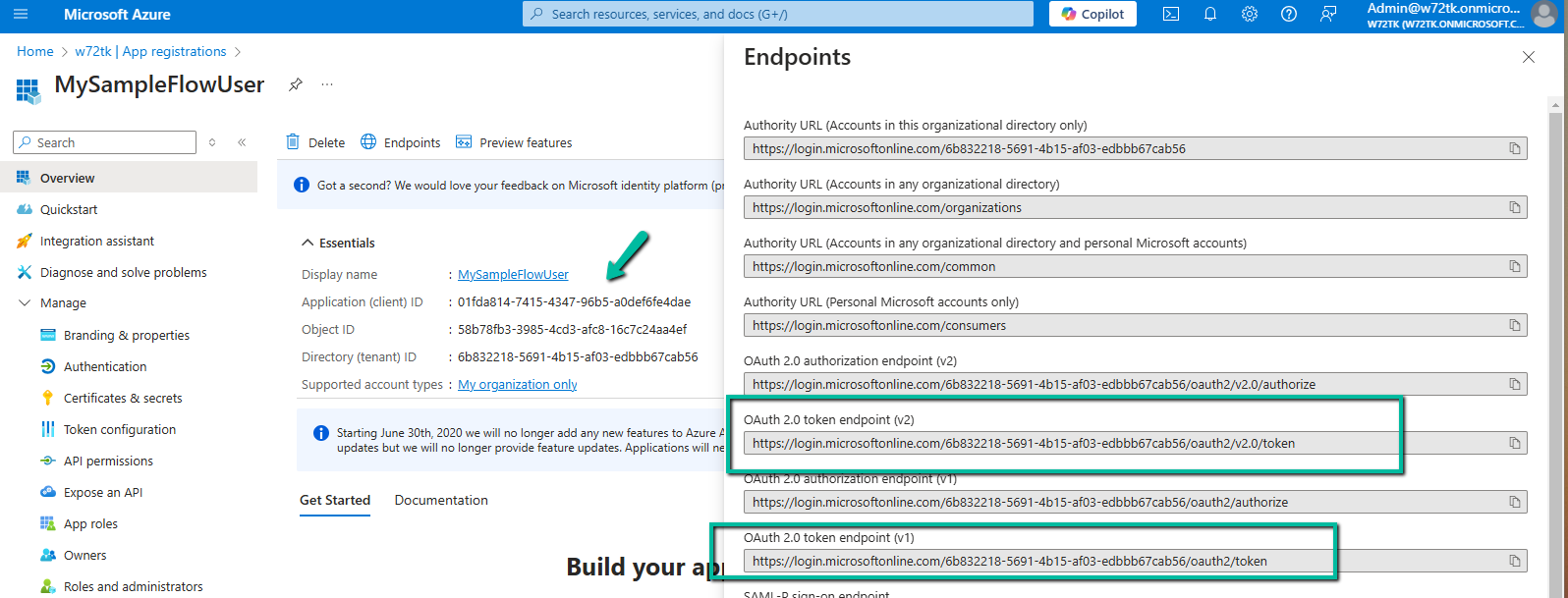
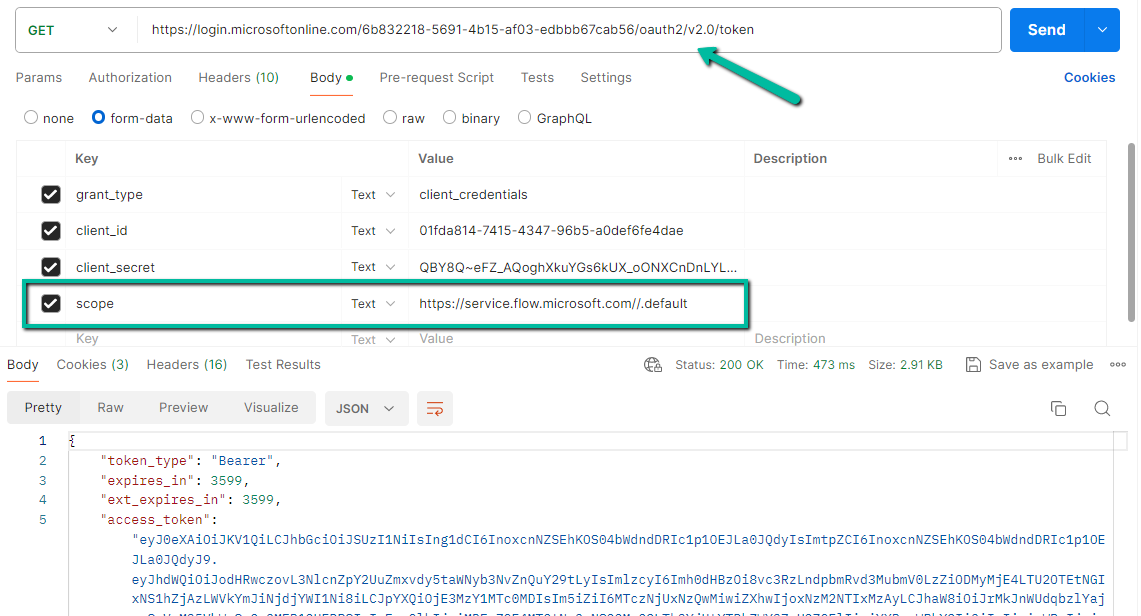
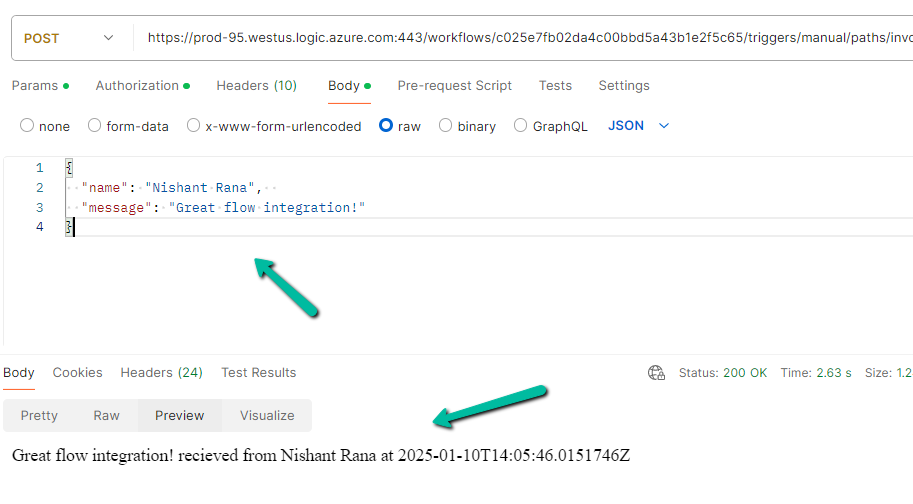
Now let us use the Postman to generate the token and call the flow. Note down the Application (client) ID and we can either use the v1 or v2 Oauth token endpoint.
Specify the following values if using the v2 endpoint to generate the token.
Recently we got the below error when we tried to download and zip the files from within CRM’s Web Resource. The files were stored in Azure Blob Storage. We were using JSZipUtils for it.
Access to XMLHttpRequest at ‘https://abcnon…..’ from origin ‘https://abc-dev-abc.crm6.dynamics.com’ has been blocked by CORS policy: No ‘Access-Control-Allow-Origin’ header is present on the requested resource. BlobAttachmentPreview.js:663 Uncaught Error: InvalidStateError: Failed to read the ‘responseText’ property from ‘XMLHttpRequest’: The value is only accessible if the object’s ‘responseType’ is ” or ‘text’ (was ‘arraybuffer’). at f.onreadystatechange (jszip-utils.min.js:1:1544)
As we can see in the details, the error turned out to be the CORS issue.
Mistakenly we had the forward slash added to end of the URL specified in the Allowed origins.












 Nishant Rana's Weblog