

Recently, one of the users reported the following error while trying to generate a PDF for a Quote record in Dynamics 365:
Initially, the Export to PDF option was showing a blank list of templates.
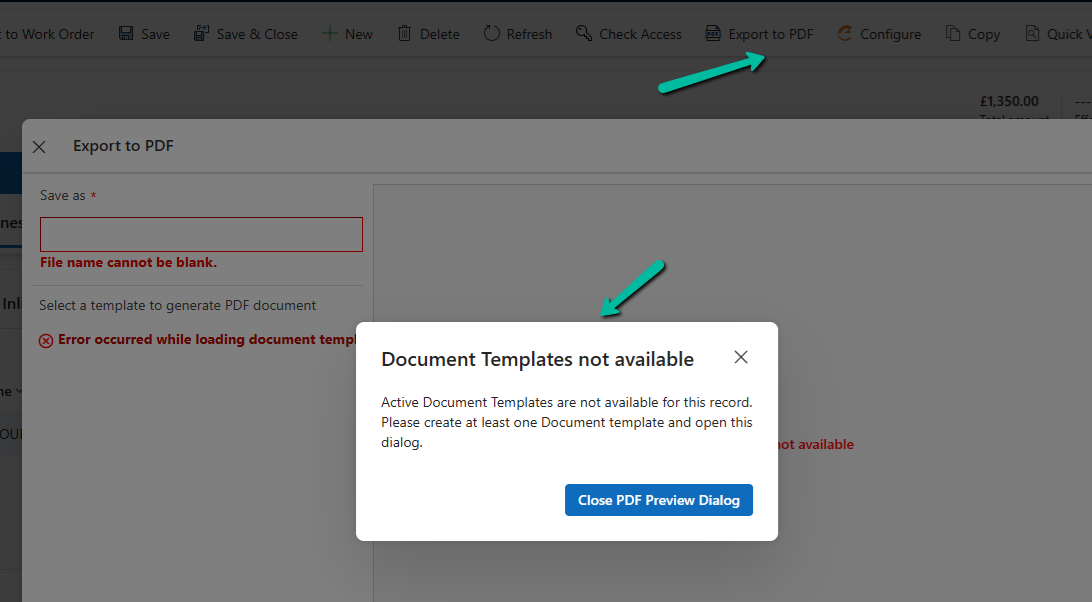
This happened because the user was missing a few essential privileges on the Document Template tables.
To fix the blank template list, we updated the user’s custom security role with the appropriate privileges on the following tables:
- Document Template
- Personal Document Template
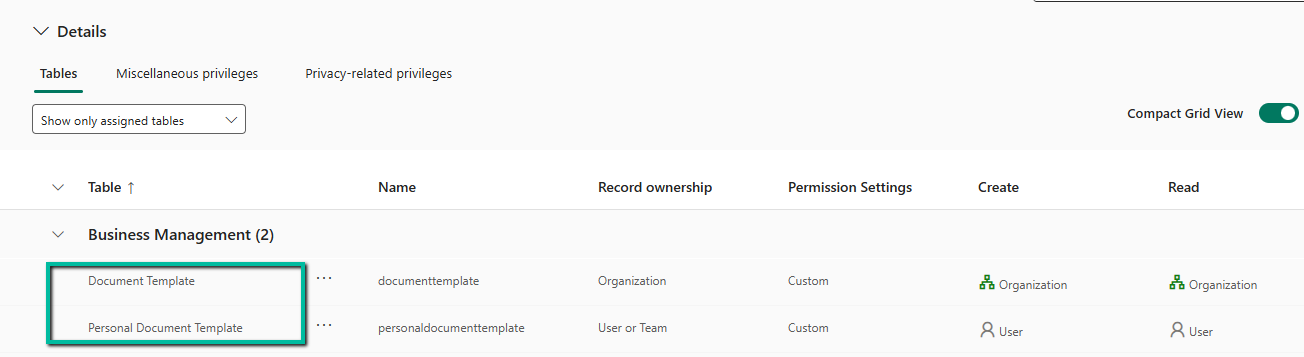
After adding these, the templates started appearing in the “Export to PDF” dialog.
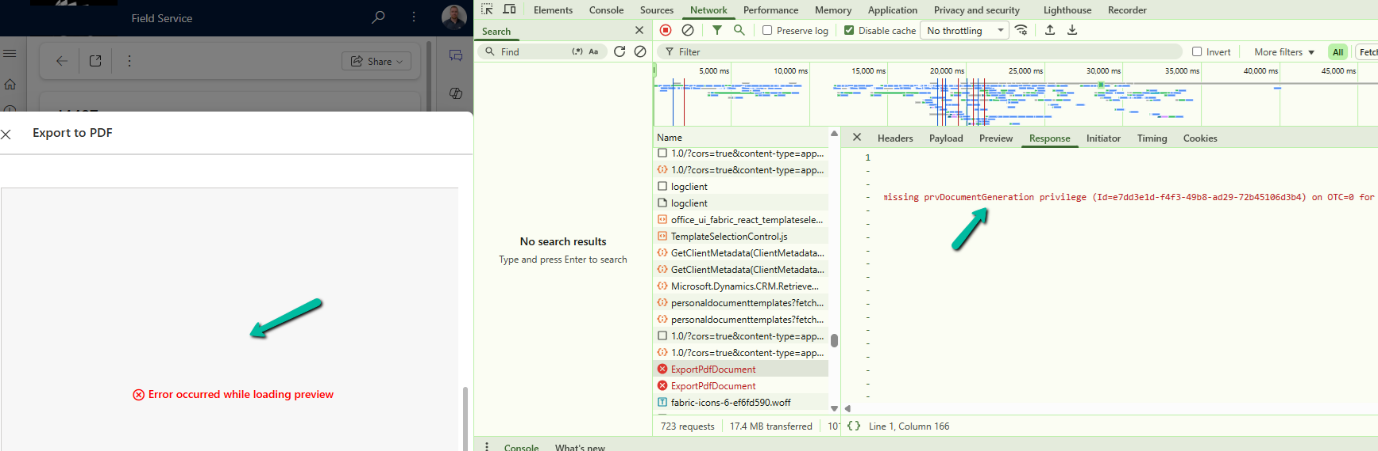
Even though the templates were now visible, the user still got the following error while trying to preview or export:
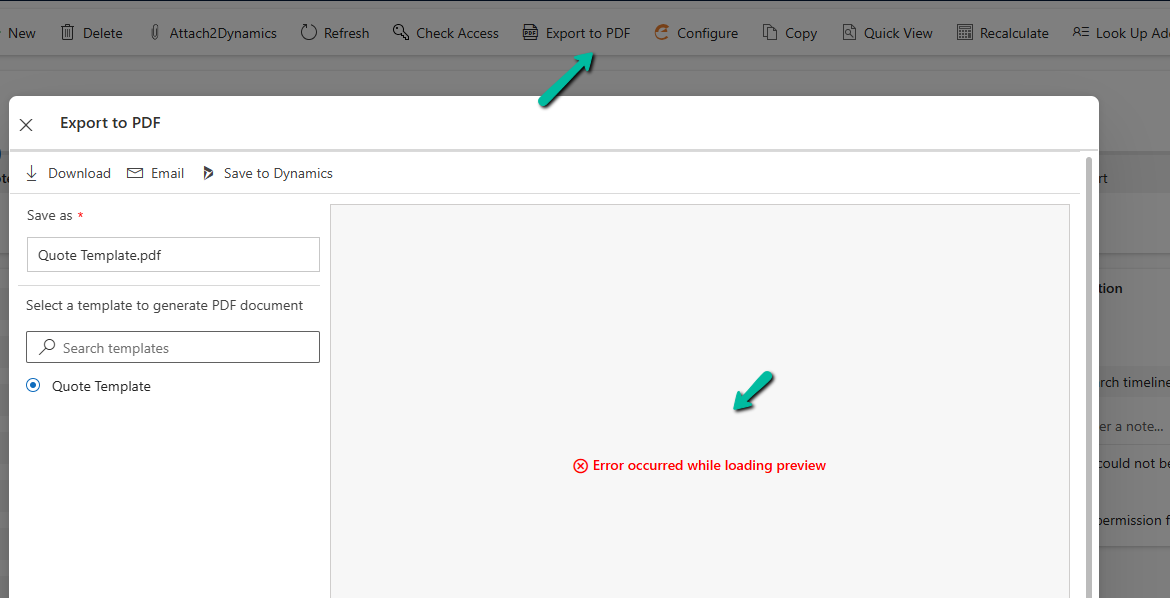
This was due to one missing privilege in the Customization area of the security role.
We added: DocumentGeneration privilege
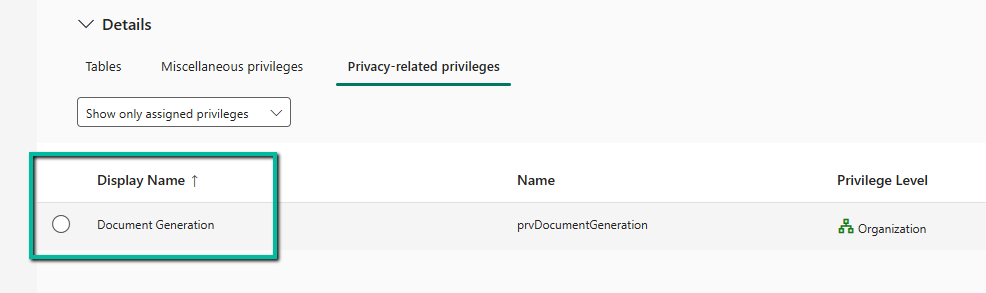
Once this privilege was granted, the preview and PDF generation started working as expected.
If we are unsure which privilege might be missing in similar situations, a quick way to find out is by using Developer Tools (F12) and monitoring the Network tab while reproducing the error. The failed request, such as ExportPdfDocument, usually reveals the missing privilege directly in its Response section (for example, missing prvDocumentGeneration privilege). This saves time and avoids trial and error when troubleshooting permission issues.
Hope it helps..

 Nishant Rana's Weblog