Fatal error during installation- Microsoft Dynamics CRM Report Authoring Extension Setup.


Hi,

Was getting the below error while trying to install

Microsoft Dynamics CRM 2013 Report Authoring Extension (with SQL Server Data Tools support)

https://www.microsoft.com/en-us/download/details.aspx?id=40343g

The solution was to delete the following registry key

HKLM\SOFTWARE\Microsoft\Windows\CurrentVersion\Installer\UserData\S-1-5-18\Components\0EF1E6B4EFCDA2649B26A424D56DAACD


After deleting the key the installation was successful.


https://support.microsoft.com/en-us/kb/2988630

Hope it helps..

“The formula is empty” exception while importing solution in CRM 2015


Got this error while trying to import a managed solution.

It was giving this error for Calculated fields.

On checking these fields in the source CRM realized that these fields were missing Action in them.

Adding appropriate action to them and then exporting and importing the same solution worked fine.

Hope it helps..

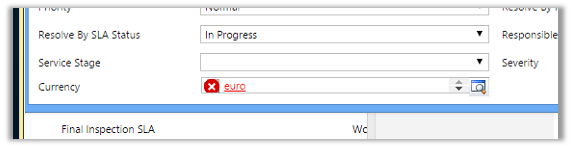
“The entity referenced by this process includes a currency value that does not exist in your organization. Select a different currency and try again.” Error in Workflow in CRM.


After importing one of the solution was getting the below error in one of the processes

The solution was to find out the Currency field and set it to the currency that existed in our organization.

Hope it helps..

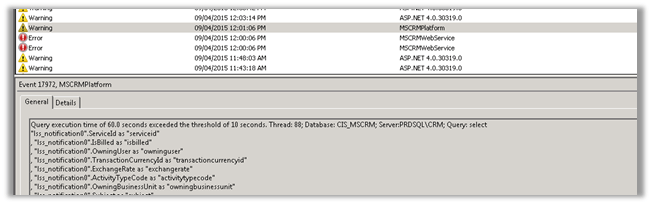
Query execution time of 60 seconds exceeded the threshold of 10 seconds warning in CRM 2013.


Query execution time of 60 seconds exceeded the threshold of 10 seconds warning in CRM 2013.

We were getting the below warning in one of our test environment

On analyzing figured out that one of the plugin was using retrieve with ColumnSet(true) option i.e. retrieving all the columns of the entity which was not required in this case.

Fetching only the required columns fixed the warning.

The other option could have been indexing or increate the value for LongQueryThersholdInSeconds column in ServerSetingProperties table of MSCRM_Config.

Helpful posts

http://blog.edgewater.com/2013/01/07/microsoft-dynamics-crm-querying-data-using-late-binding-versus-early-binding/

http://www.dynamicscrmpros.com/mscrmplatform-warning-in-event-viewer-in-microsoft-dynamics-cr-event-id-17972/

Hope it helps..


Configure Server Side Sync with Exchange Online for CRM Online


Open the System User and assign the license for Exchange Online


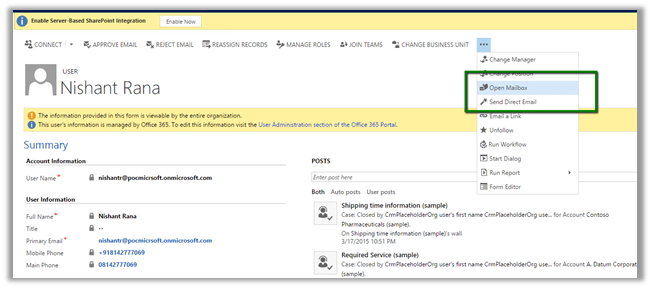
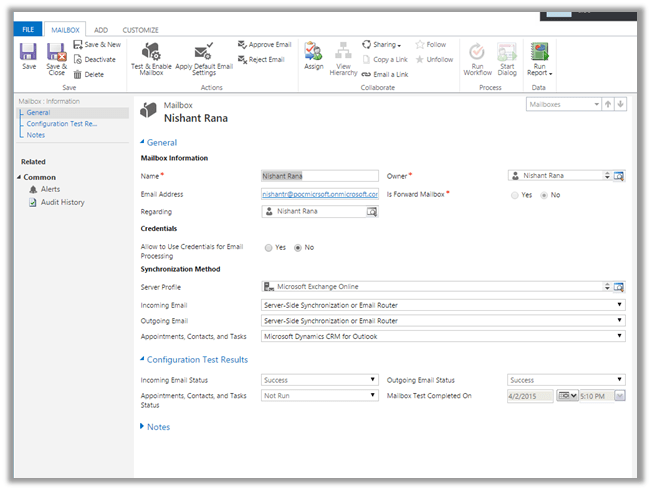
Open the system user record and click on Open Mailbox to open user’s mail box.


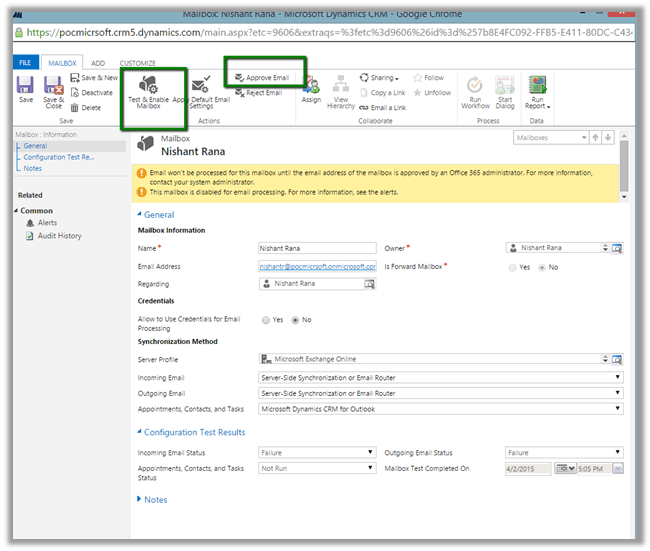
Set Server Profile as Microsoft Exchange Profile and Server Side Synchronization or Email Router option for Incoming and Outgoing email.


Followed by

Approve Email command.

Followed by

Test and Enable Mailbox command

On successful configuration all the warnings will be gone


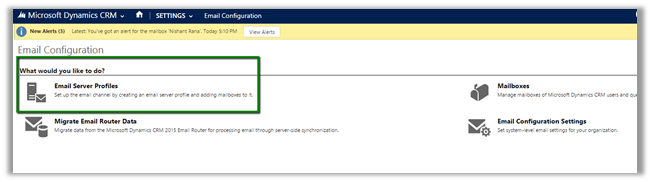
Go to Settings à Email Configuration

Click on Email Server Profiles

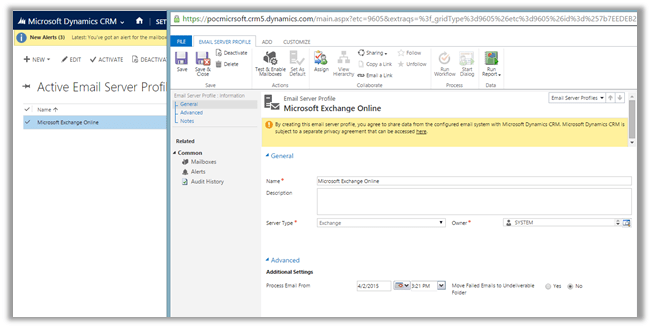
Select and open the already existing Email Server Profile i.e. Microsoft Exchange Profile.


Open Mailboxes and select Test and Enable Mailboxes to test the mail boxes of the user.


Create an email activity and send.

Open Outlook to verify.

Hope it helps..

Cleared MB2-707 Microsoft Dynamics CRM Customization and Configuration CRM 2015 Exam


Took my first CRM 2015 exam this Monday and somehow managed to clear it.

There were total 49 questions with passing marks of 700 in 2 hours’ time.

Refer to the below helpful post for the training material

http://www.nzcrmguy.com/microsoft-dynamics-crm-2015-exams-elearning-courseware/