Fixed – Invalid type. Expected Integer but got Number (Power Automate)


In one of our Cloud Flows, for Parse JSON action, we got the below error –

ValidationFailed. The schema validation Failed.

“Invalid type. Expected Integer but got Number”

The generated schema had data type defined as integer instead of number type for certain properties, and the response was having decimal value to it.

So replacing the “integer” with “number” in the Schema of Parse JSON action fixed the issue.

Hope it helps..

Advertisements

How to – Submit multipart/form-data using HTTP action in Power Automate (Dataverse)


Recently we were calling an API (that expects multipart/form-data) to pass the image uploaded in Dataverse’s Image Column.

We used Power Automate for this i.e. to get the image uploaded and use HTTP Action to call and pass the Image details to it.

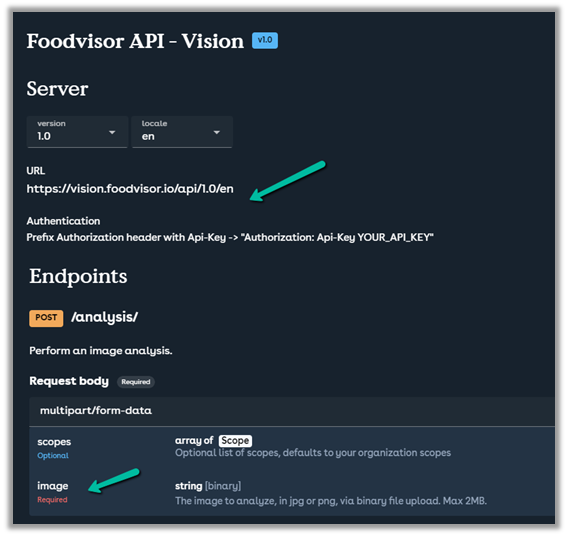
Below is the specification of the API

https://vision.foodvisor.io/docs/#/paths/analysis/post

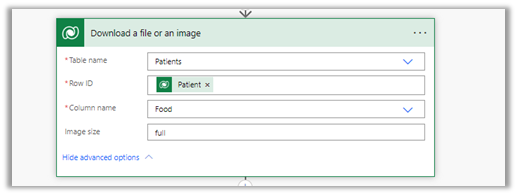
We used the “Download a file or an image” action to get the Image details

Below is how the HTTP action was used to pass the required details.

The successful response –

The body of the HTTP action –

{
"$content-type": "multipart/form-data",
"$multipart": [
    {
      "headers": {
        "Content-Disposition": "form-data; name=\"image\"; fileName=\"@{items('Apply_to_each_2')?['filename']}\""
      },
      "body": @{body('Download_a_file_or_an_image')}
    }
  ]
}


If we want to pass more than one data, we can have multiple headers defined as shown below

Helpful post –

Hope it helps..

Advertisements

The ‘Retrieve’ method does not support entities of type ‘fileattachment’ – Power Automate / Dataverse


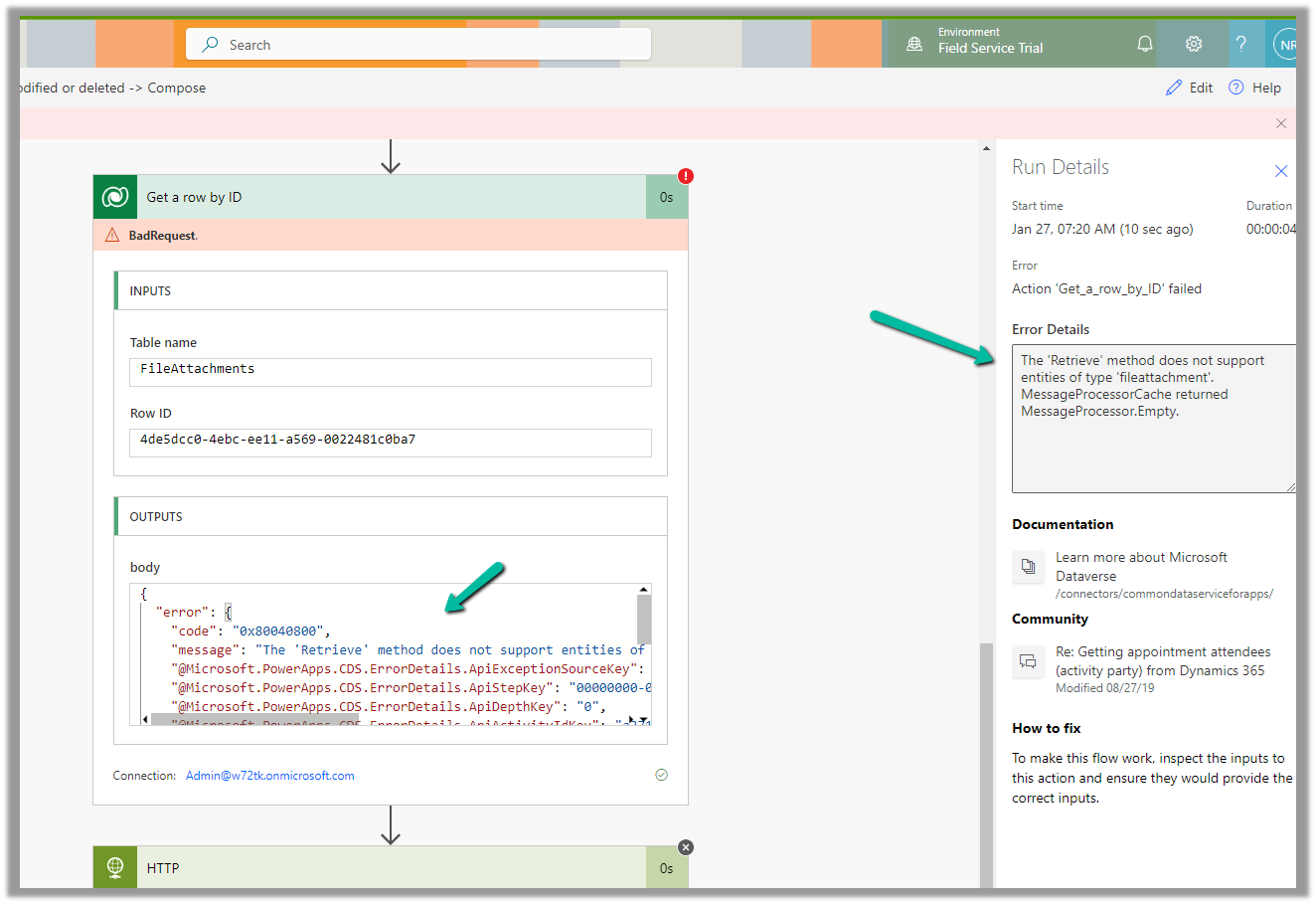
We were getting the below error on using the “Get a row by ID” action on the FileAttachments table.

We were doing it to retrieve the details like the file name and the mime type for the Image Column.

The ‘Retrieve’ method does not support entities of type ‘fileattachment’. MessageProcessorCache returned MessageProcessor.Empty.

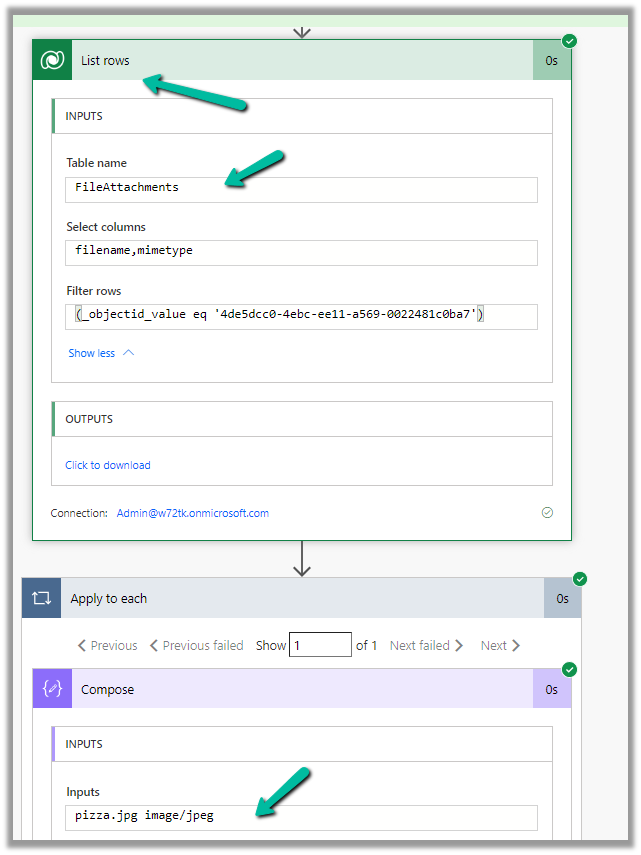
The solution here is to use List rows action instead.


The corresponding record –

Also check – https://temmyraharjo.wordpress.com/2021/09/02/dynamics-crm-plugin-development-exploring-file-and-image-datatype/

Hope it helps..

Advertisements

Concurrency Control – Apply to each for improving performance (Power Automate / Dataverse)


Let us fetch 5000 contact records using List Rows, and then update it using Apply To Each.

It took around – 37 minutes

Now let us enable concurrency control for Apply To Each action, and let it run under 20 (default) degree of parallelism.

This time it took around 4 minutes.

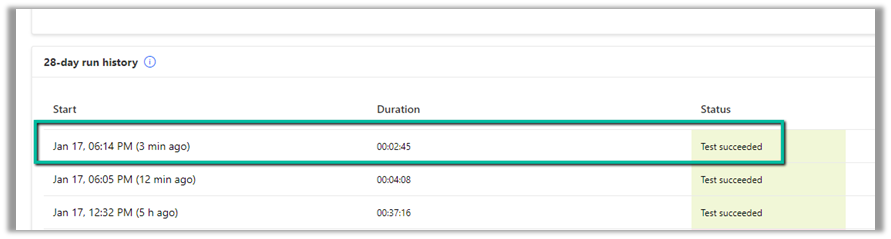
Let us increase it to the maximum this time, i.e. 50.

This time it took around 2:45 minutes.

Thus Concurrency Control option can help in processing records faster by processing records in parallel instead of one by one by using parallel threads. However, if the ordering of the way records need to be processed is critical, then we need to be careful before using it and also at times it can cause the API’s request limit to be hit.

Get more details on Concurrency limits

Hope it helps..

Advertisements