The ‘operationOptions’ property is not allowed on the trigger when the workflow contains actions of type ‘OpenApiConnection- Power Automate


Recently while trying to save one of our cloud flows having a “When a HTTP request is received” trigger, we got the below error message after adding the “List Rows” (Dataverse) action


Request to XRM API failed with error: ‘Message: Flow client error returned with status code “BadRequest” and details “{“error”:{“code”:”InvalidOpenApiFlow”,”message”:”Flow save failed with code ‘ValueNotSupported’ and message ‘The trigger ‘manual’ at line ‘1’ and column ‘835’ is not valid. The ‘operationOptions’ property is not allowed on the trigger when the workflow contains actions of type ‘OpenApiConnection’.’.”}}”. Code: 0x80060467 InnerError: ‘.

This error occurs when you try to enable the “Suppress Headers” or “Schema Validation” option for the “When a HTTP request is received” trigger while also using actions that connect to Open API (OpenApiConnection) services within the same flow. Seems like a current limitation in Power Automate. The workaround could be to create a separate child flow having the action associated with Open API Services and use these options in the Parent flow.

More details here – https://powerusers.microsoft.com/t5/Building-Flows/HTTP-trigger-suppress-headers-gives-error/td-p/1815900

Hope it helps..

Advertisements

Fixed – To start using cloud flows, update to the latest package in the admin center (Power Pages)


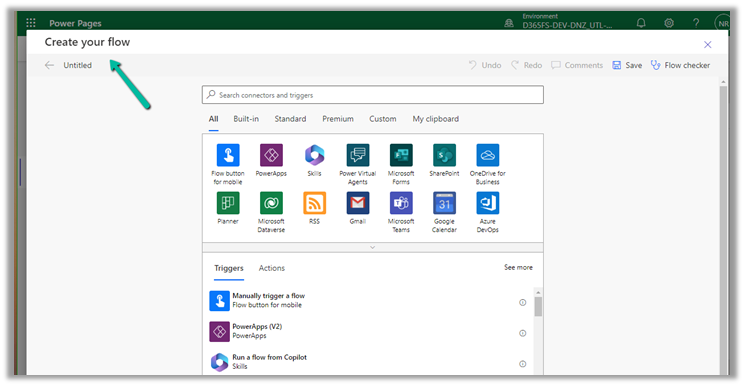
Recently while trying to implement the below feature –

How to: Integrate Power Automate cloud flow with a Power Pages site

We were getting the below error –

To start using cloud flows, update to the latest package in the admin center.”

However, we could not find any portal package to apply the update.

We raised a Microsoft Support Ticket for it, and the team confirmed that there was a missing CDSBasePortal package, which they installed from the background, which solved the issue for us.

Hope it helps..

Advertisements

Fix – Cannot write more bytes to the buffer than the configured maximum buffer size: 104857600 (Power Automate / Dataverse)


We might below error in our flow –
BadRequest
. Http request failed as there is an error: ‘Cannot write more bytes to the buffer than the configured maximum buffer size: 104857600.’.

This is because of the 100 MB Message Size limits in Power Automate.

We can enable Allow chunking option if supported by the action.

Or we can fix it by specifying Select columns and Filter Rows to limit the data returned as in the case of the List Rows action of Dataverse.

Hope it helps..

Advertisements

Failed deleting solution. Solution dependencies exist, cannot uninstall / Remove unmanaged layer– Dynamics 365 / Dataverse


Recently while trying to delete a managed solution from one of our environments, we got the below error.


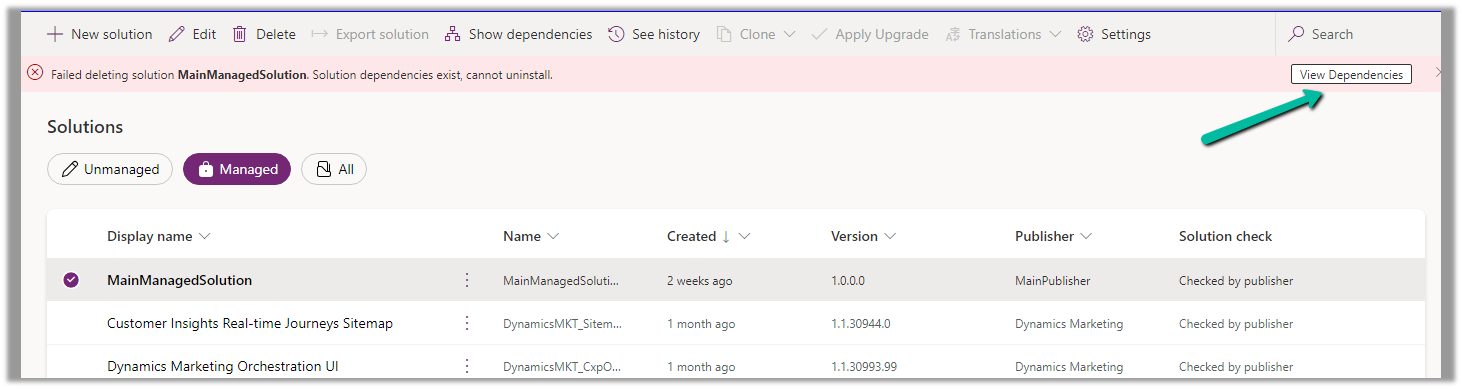
Failed deleting solution MainManagedSolution. Solution dependencies exist, cannot uninstall.

Click on View Dependencies.


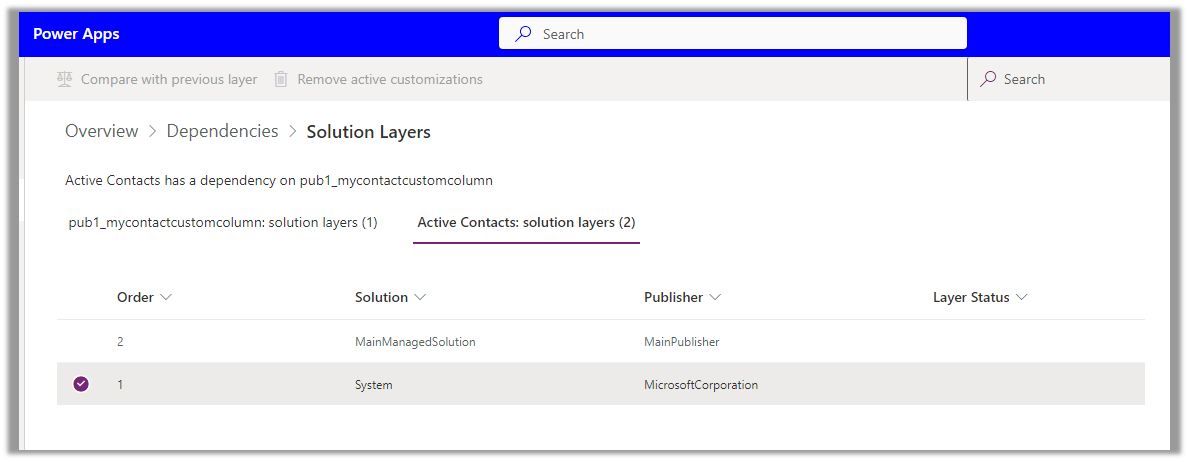
Click on See solution layers


We can see Active Contacts has a dependency on the custom column, and it is part of an unmanaged layer (default solution) in this case.

Click on Remove active customizations

This will delete the unmanaged customization done in the Active Contact view in the environment. (removes the custom column from the Active Contact view)


Trying again, this time we can delete the Managed solution.

Get more details – Remove an unmanaged layer

Hope it helps..

Advertisements