Calling a custom web service which uses CrmService from within a plug-in.


Suppose we have a simple web service which uses CrmService to create contact records. Now we want to call this custom web service from within our plug-in.

On doing so, we might receive following errors

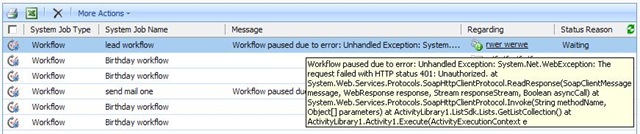
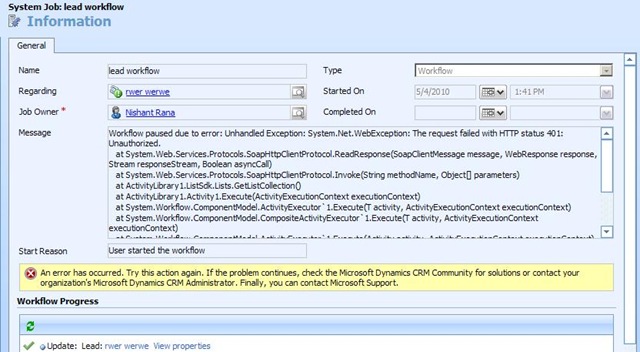
System.Net.WebException: The request failed with HTTP status 401: Unauthorized.

or

Microsoft.Crm.CrmException: No Microsoft Dynamics CRM user exists with the specified domain name and user ID

It could be because the credentials of the user are not getting passed from the plugin to the custom webservice.

Here we could the following

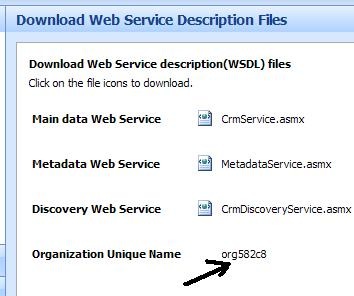
We can enable anonymous access and specify a valid CRM user’s credential there.

access

Bye..


Web.config settings for Custom Web Application in CRM 4


These are few of the configuration settings we need to consider while deploying our custom web application within ISV folder of CRM.

If we want the page to run under the context of the logged in user than we need to enable impersonation.

    <authentication mode="Windows"/>
    <identity impersonate="true"/>


If we are using view state or session state we need to enable them as well.

  <pages enableSessionState="true" enableViewState="true" >


CRM 4 implements http modules for multi-tenancy support. Here we need to remove these modules from being called for our custom web application.

<httpModules>
      <remove name ="CrmAuthentication"/>
      <remove name ="MapOrg"/>
</httpModules>
 
Bye..


Active Directory and .NET


The two best links for someone working with Active Directory using .NET

http://www.codeproject.com/KB/system/everythingInAD.aspx

http://www.ianatkinson.net/computing/adcsharp.htm

Bye..

The key specified to compute a hash value is expired, only active keys are valid. Expired Key – CRM.


I got this error while opening CRM!!

Starting the Microsoft CRM Asynchronous Processing Service on the server solved the problem for me!!!

or if that doesn’t work try this

“C:\Program Files\Microsoft Dynamics CRM\Tools >Microsoft.Crm.Tools.WRPCKeyRenewal.exe /R”

Bye.

Calculation on Repeating Table Changed Event in InfoPath


We had a requirement of creating an InfoPath form that would use a repeating table and to do certain calculations on the values in rows of the repeating tables and display the result in a separate section.

Here is a screen shot of the same !

infopathCalculation

So above here, based on activity selected and time spent specified for it, the Total hours and Total days ( total hours/ 8) needs to be calculated.

Here is the sample code for that

public void group7_Changed(object sender, XmlEventArgs e)
       {
           // Create an XPathNavigator from the main data source
           XPathNavigator domNav = MainDataSource.CreateNavigator();
           // Create an XPathNodeIterator to iterate through all the rows
           XPathNodeIterator rows = domNav.Select(
           "/my:myFields/my:group6/my:group7", NamespaceManager);
           // Create Navigator for each of the fields where total needs to be displayed
           XPathNavigator lblTotalSpecHours = MainDataSource.CreateNavigator().SelectSingleNode("/my:myFields/my:lblSpecHours", NamespaceManager);
           Int32 intTotalSpecHours = 0;
           XPathNavigator lblTotalConsultancyHours = MainDataSource.CreateNavigator().SelectSingleNode("/my:myFields/my:lblTotalConsulHours", NamespaceManager);
           Int32 intTotalConsultancyHours = 0;
           XPathNavigator lblTotalDevelopmentHours = MainDataSource.CreateNavigator().SelectSingleNode("/my:myFields/my:lblTotalDevHours", NamespaceManager);
           Int32 intTotalDevelopmentHours = 0;
           XPathNavigator lblTotalTestingHours = MainDataSource.CreateNavigator().SelectSingleNode("/my:myFields/my:lblTotalTestingHours", NamespaceManager);
           Int32 intTotalTestingHours = 0;
           XPathNavigator lblTotalDeploymentHours = MainDataSource.CreateNavigator().SelectSingleNode("/my:myFields/my:lblTotalDepHours", NamespaceManager);
           Int32 intTotalDeploymentHours = 0;

           // loop through all the rows of repeating table
           while (rows.MoveNext())
           {
               // Get values for Activity dropdown field and Time Spent field
               string fldActivity = rows.Current.SelectSingleNode(
               "my:ddlActivity", NamespaceManager).Value;
               string fldTimeSpent = rows.Current.SelectSingleNode(
               "my:txtTimeSpent", NamespaceManager).Value;                 

               if (fldActivity == "Specification" && fldTimeSpent!="")
               {
                   intTotalSpecHours += Convert.ToInt32(fldTimeSpent);                       
               }

               if (fldActivity == "Consultancy" && fldTimeSpent != "")
               {
                   intTotalConsultancyHours += Convert.ToInt32(fldTimeSpent);
               }

               if (fldActivity == "Development" && fldTimeSpent != "")
               {
                   intTotalDevelopmentHours += Convert.ToInt32(fldTimeSpent);
               }

               if (fldActivity == "Testing" && fldTimeSpent != "")
               {
                   intTotalTestingHours += Convert.ToInt32(fldTimeSpent);
               }
               if (fldActivity == "Deployment" && fldTimeSpent != "")
               {
                   intTotalDeploymentHours += Convert.ToInt32(fldTimeSpent);
               }          

           }

           // for Specification
           RemoveNilAndSetHours(lblTotalSpecHours, intTotalSpecHours);
           XPathNavigator lblTotalSpecDays = MainDataSource.CreateNavigator().SelectSingleNode("/my:myFields/my:lblSpecDays", NamespaceManager);
           RemoveNilAndSetDays(lblTotalSpecDays, intTotalSpecHours);       

           // for Consultancy
           RemoveNilAndSetHours(lblTotalConsultancyHours, intTotalConsultancyHours);
           XPathNavigator lblTotalConsultancyDays = MainDataSource.CreateNavigator().SelectSingleNode("/my:myFields/my:lblTotalConsulDays", NamespaceManager);
           RemoveNilAndSetDays(lblTotalConsultancyDays, intTotalConsultancyHours);

           //// for Development
           RemoveNilAndSetHours(lblTotalDevelopmentHours, intTotalDevelopmentHours);
           XPathNavigator lblTotalDevelopmentDays = MainDataSource.CreateNavigator().SelectSingleNode("/my:myFields/my:lblTotalDevDays", NamespaceManager);
           RemoveNilAndSetDays(lblTotalDevelopmentDays, intTotalDevelopmentHours);

           //// for Testing
           RemoveNilAndSetHours(lblTotalTestingHours, intTotalTestingHours);
           XPathNavigator lblTotalTestingDays = MainDataSource.CreateNavigator().SelectSingleNode("/my:myFields/my:lblTotalTestingDays", NamespaceManager);
           RemoveNilAndSetDays(lblTotalTestingDays, intTotalTestingHours);

           //// for Deployment
           RemoveNilAndSetHours(lblTotalDeploymentHours, intTotalDeploymentHours);
           XPathNavigator lblTotalDeploymentDays = MainDataSource.CreateNavigator().SelectSingleNode("/my:myFields/my:lblTotalDepDays", NamespaceManager);
           RemoveNilAndSetDays(lblTotalDeploymentDays, intTotalDeploymentHours); 
       }

       // RemoveNil for the fields and set value
       public void RemoveNilAndSetDays(XPathNavigator xpathNav, int totalHours)
       {
           if (xpathNav.MoveToAttribute("nil", "http://www.w3.org/2001/XMLSchema-instance"))
               xpathNav.DeleteSelf();
           int days = totalHours / 8;
           xpathNav.SetValue(days.ToString());
       }

       public void RemoveNilAndSetHours(XPathNavigator xpathNav, int totalHours)
       {
           if (xpathNav.MoveToAttribute("nil", "http://www.w3.org/2001/XMLSchema-instance"))
               xpathNav.DeleteSelf();
           xpathNav.SetValue(totalHours.ToString());
       }


Change the extension of the file from .doc to .xsn !!!

Bye..

Schema validation found non-data type errors in InfoPath


We could get the above error while trying to set value for a field using XPathNavigator. The reason could be that the field has the nil attribute set

Most of the fields with the exception of String Type uses nil to indicate “no value”.

So before we could set the value for those fields, we need to remove the nil attribute from it.

We could use the below code for that.


XPathNavigator node= MainDataSource.CreateNavigator()

.SelectSingleNode(“/my:myFields/my:lblSpecHours”, NamespaceManager);

if (node.MoveToAttribute(“nil”,

http://www.w3.org/2001/XMLSchema-instance&#8221;))

node.DeleteSelf();

node.SetValue(txtValue);


Bye..

Nishant Rana's Weblog

Everything related to Microsoft .NET Technology

Skip to content ↓