Connecting to SharePoint Online in Office 365 through a windows or console application


Hi,

Was looking for a way to connect to SharePoint online using CSOM through a windows application. Found this wonderful article that explains in details about the same.

http://www.wictorwilen.se/Post/How-to-do-active-authentication-to-Office-365-and-SharePoint-Online.aspx

It also provides us with a helper class name MsOnlineClaimsHelper that does all the heavy lifting for us.

MsOnlineClaimsHelper claimsHelper = new MsOnlineClaimsHelper(https://xyz.com/sites/dev”, “x@y.onmicrosoft.com”,“pwd”);

Hope it helps.

Fixed – “A type named ’SP.Data.ListItem’ could not be resolved by the model. When a model is available, each type name must resolve to a valid type” error in SharePoint 2013.


Hi,

Was getting the above error while creating a listitem for a Tasks List using Rest interface in a SharePoint app.

Here we need to pass SP.Data.<ListName>ListItem i.e. ListEntityTypeFullName of the List.

We can get it using the following

<a href="https:///_api/web/lists/getbytitle(&#8221;)?$select=ListItemEntityTypeFullName”>https://<site>/_api/web/lists/getbytitle(‘<List Name>’)?$select=ListItemEntityTypeFullName

More details

http://msdn.microsoft.com/en-us/library/jj164022%28office.15%29.aspx#ListItems

Hope it helps.

Advertisements

Mark Complete an Activity on create through Plugin in CRM 2011.


Hi,

We had a requirement to immediately close the Appointment record as completed after creating it. The initial thought was to call Set State Request on the Post Create plugin. That approach gave error. Then we tried passing statecode and statuscode value as input parameter in Pre Plugin. That approach also didn’t work.

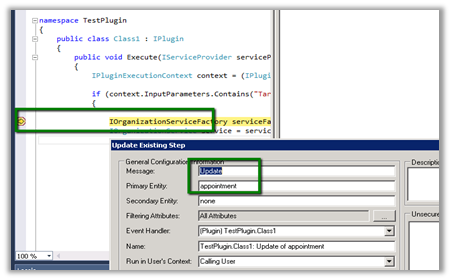
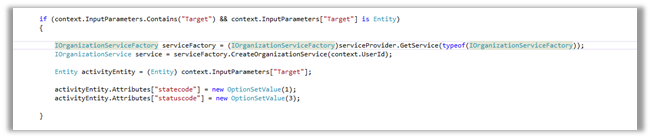
Finally we registered a pre update plugin on appointment entity and set the values for statecode and statuscode attributes. This worked for us.

The learning is that on create of Appointment record, update message is also called.

Sample Code (Pre Update)

Hope it helps.

Curious Case of Remove button for QueueItem SubGrid in CRM 2011


Hi,

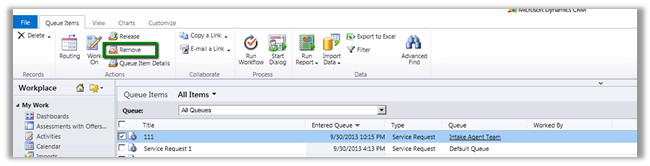
The QueueItem subgrid will normally have a Remove button associated to it in the ribbon.

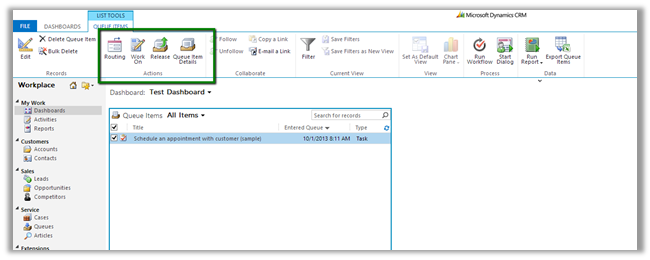
However when used in a view in Dashboard it goes missing.

One option to get it back is create a new custom ribbon button with the exact definition of the existing OOB Remove button.

http://www.mscrm-developer.com/2012/11/remove-button-missing-for-queue-items/

Hope it helps

Understanding Queues and QueueItem in CRM 2011


Hi,

I am currently working on a project that deals with queue management and the following posts were of immense help

http://xrmcubed.com/admin-101-queues-part1/

http://xrmcubed.com/admin-101-queues-part2/

http://xrmcubed.com/admin-101-queues-part3/

Thanks to the author !

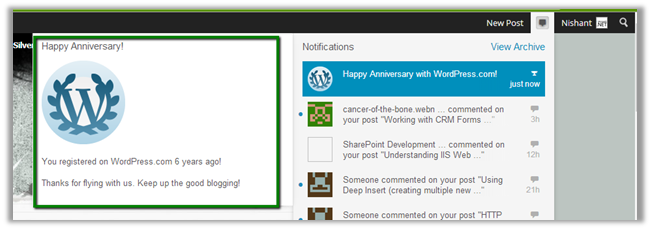
Completed my 6 years of blogging.


Today I was surprised to see the following notification on my blog

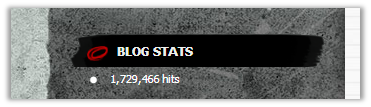
It was 6 years back on this exact date I had created this blog on WordPress. Had never imagined would have these many hits on it.

I hope it would have helped at least few of them who visited.

Bye.

Nishant Rana's Weblog

Everything related to Microsoft .NET Technology

Skip to content ↓