

With this new feature (preview) now we can specify the columns to be downloaded on mobile devices for offline use.
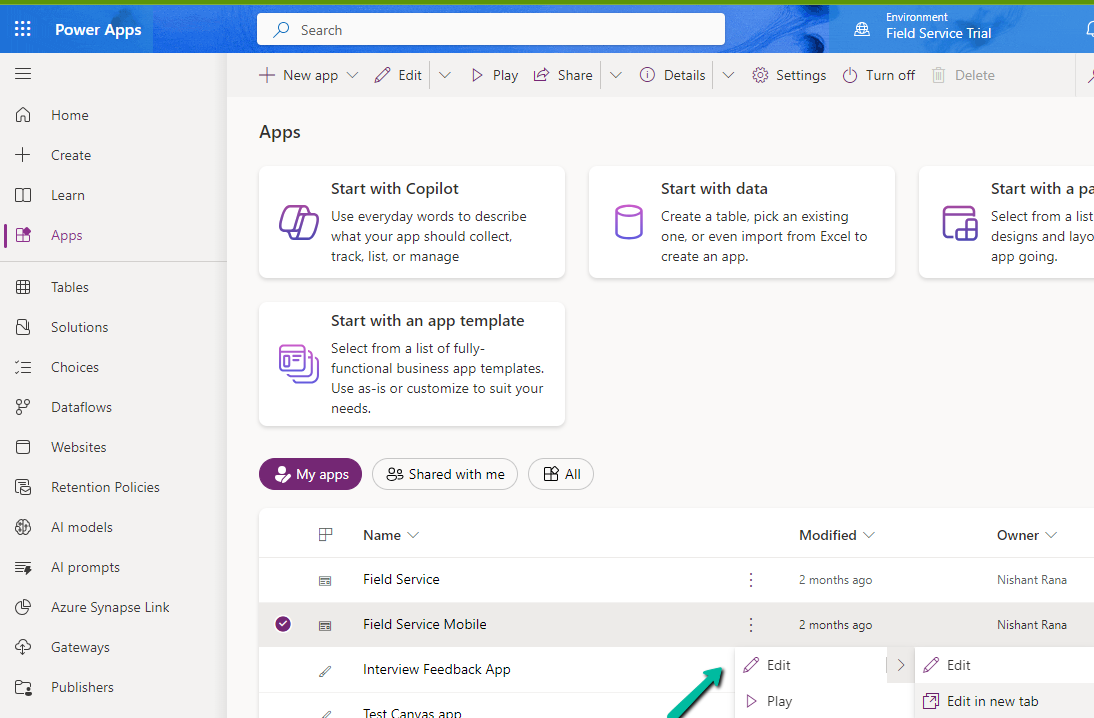
Select edit for the Model-driven app.
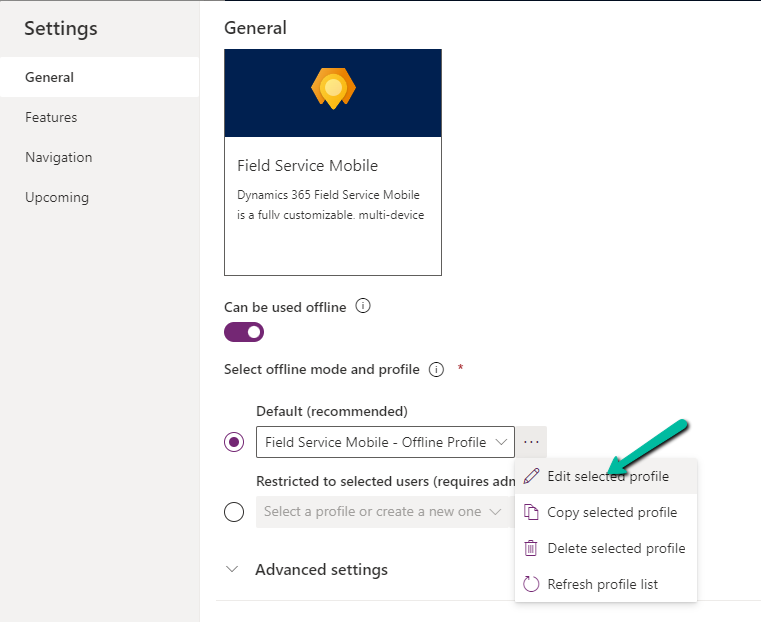
Select Settings and select an existing offline profile or create a new profile.
Select a new table or an existing table for the profile, we can see the Manage Columns option for it.
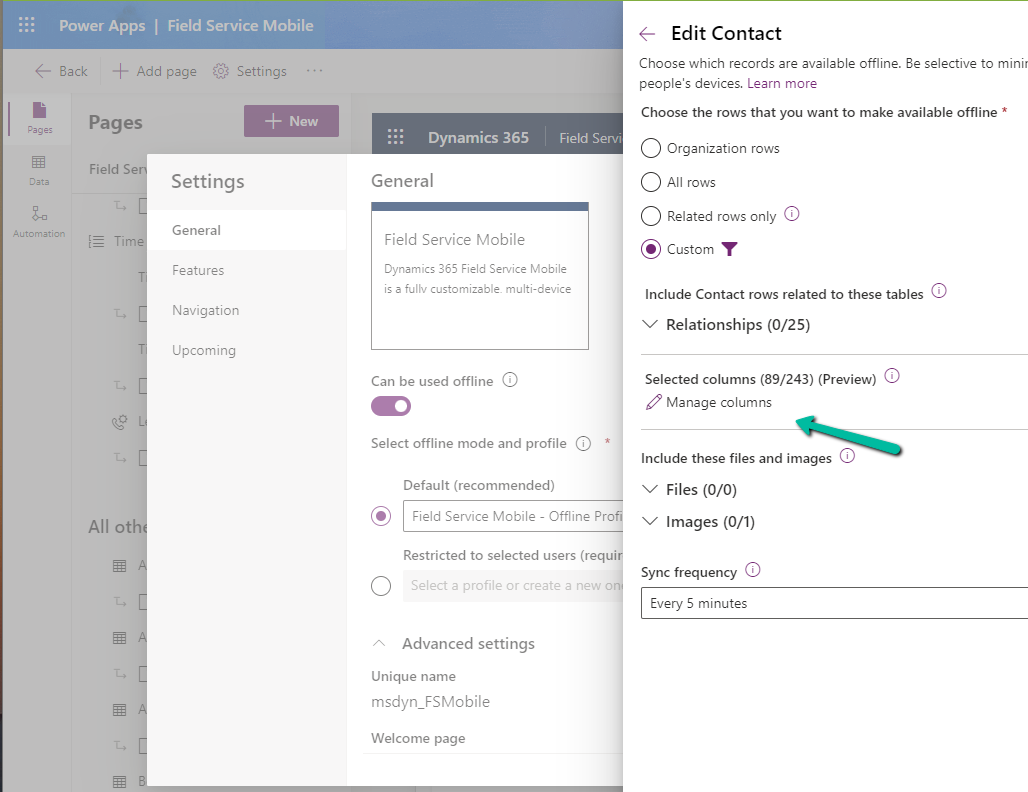
We can see key columns already selected as part of Required Columns.
We can select columns from the other columns section for our offline profile. The fewer the columns the faster the app will download the data for offline usage.


One point to note is that we get this option only from the Maker Portal not from the Power Platform Admin Center.
Hope it helps..



 Nishant Rana's Weblog