Recently, we got the following error while booking a resource in our schedule board. We earlier got the same error while trying to delete bookable resource booking records.
We could not figure out the workflow or SLA that could be responsible for the issue.
Eventually, turning on the Use Enhanced Background Processing (Preview) option in Field Service Settings >> Other fixed the issue for us.
Use Enhanced Background Processing (Preview)
In Field Service, a bunch of background jobs take care of things like managing Agreements. Normally, this uses the tried-and-tested workflows. However, we can flip on the new preview option that uses Power Automate Flows instead. This can help in tricky cases—like when the Agreement owner no longer has access to Dynamics 365. We could see this option enabled in our other environments, and this environment was a copy of one of them, so that could be the reason it worked in our case.
Recently we were cleaning some of the work orders and related records in one of our environments. However when trying to delete the bookable resource booking record, we were getting the below error. Deleting booking records is required if we want to delete the associated work order record.
We verified all the processes – workflows, SLA, and also checked the system’s plugin code, but could not figure out what was causing this error.
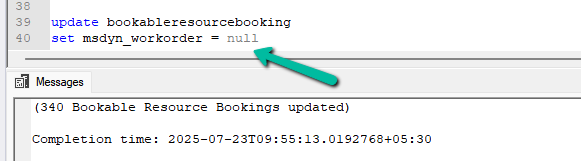
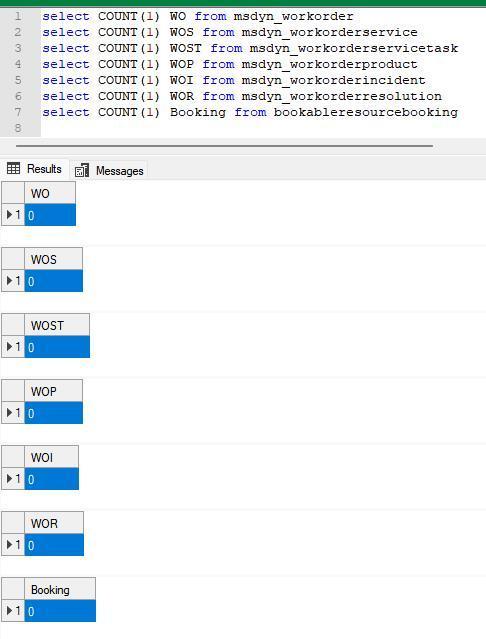
Eventually, to delete the booking records, we cleared the associated work orders first for them.
This then allowed us to delete the work orders and associated records
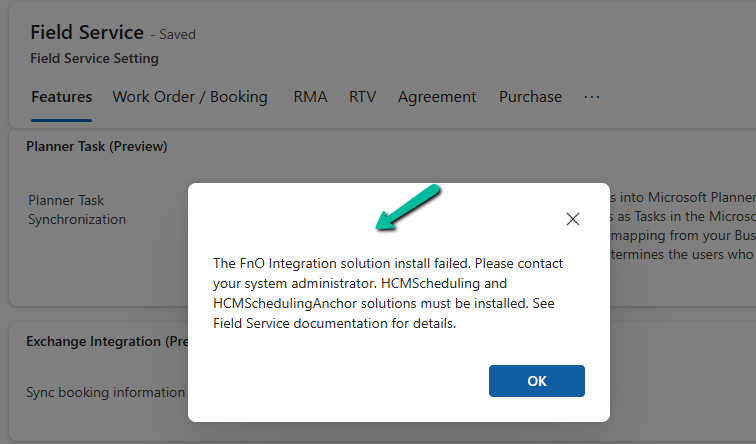
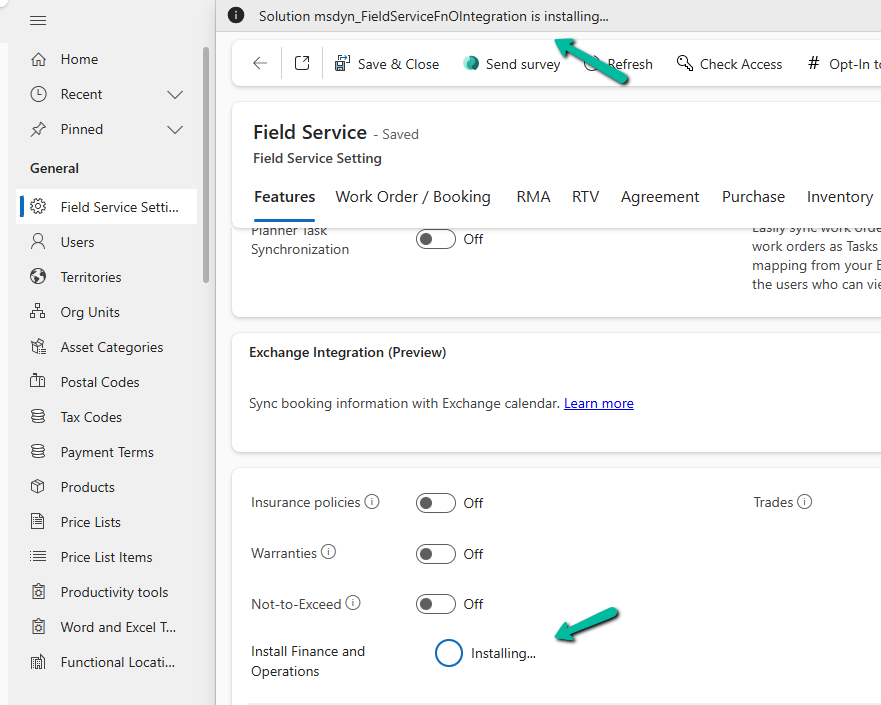
“The FnO Integration solution install failed. Please contact your system administrator. HCMScheduling and HCMSchedulingAnchor solutions must be installed. See Field Service documentation for details.”
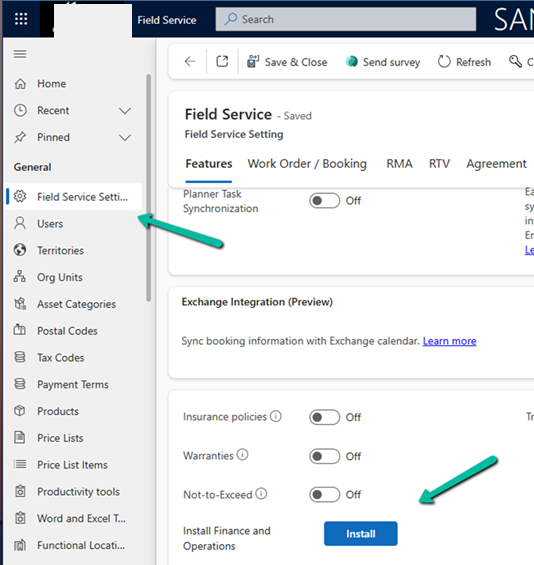
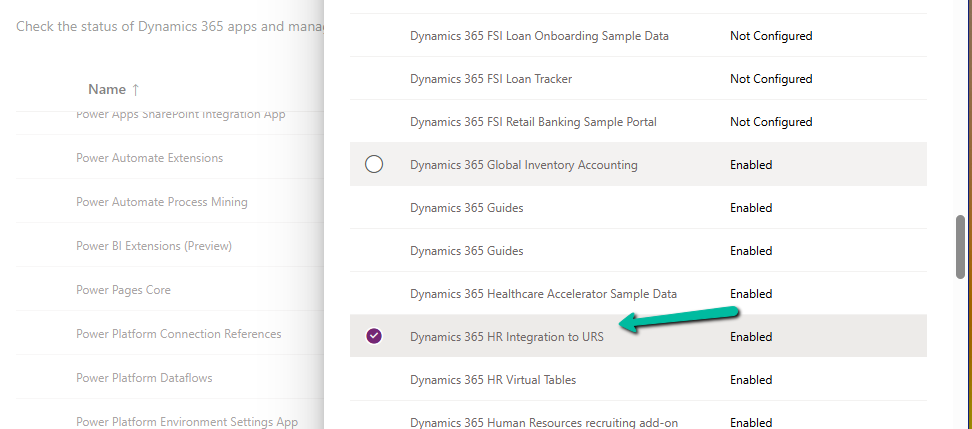
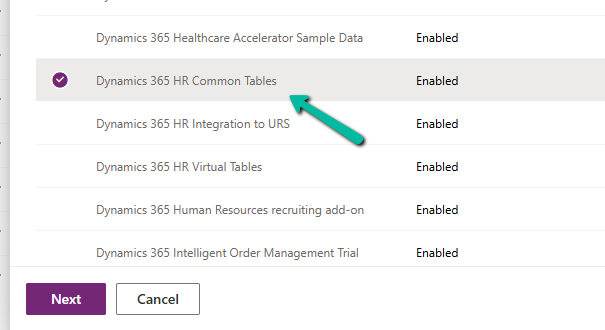
To fix it, we need to install the “Dynamics 365 Human Resources integration to URS” app.
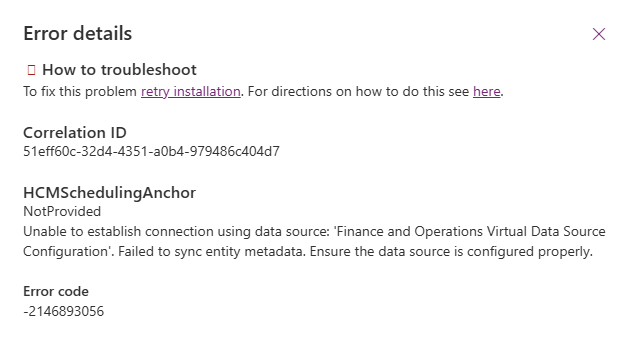
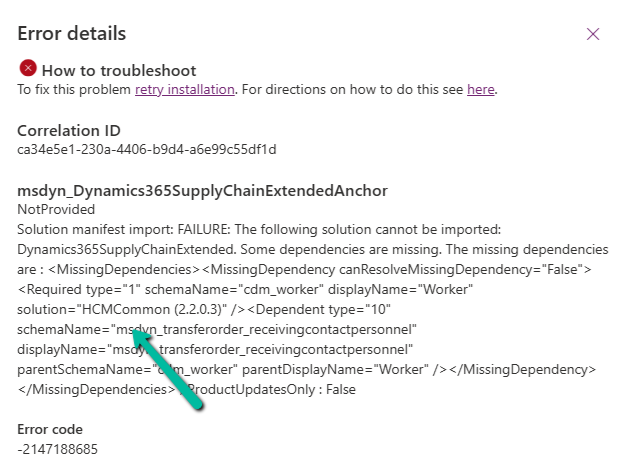
However, while trying to install Dynamics 365 HR Integration to URS app, we got the following error –
HCMSchedulingAnchor
NotProvided
Unable to establish connection using data source: ‘Finance and Operations Virtual Data Source Configuration’. Failed to sync entity metadata. Ensure the data source is configured properly.
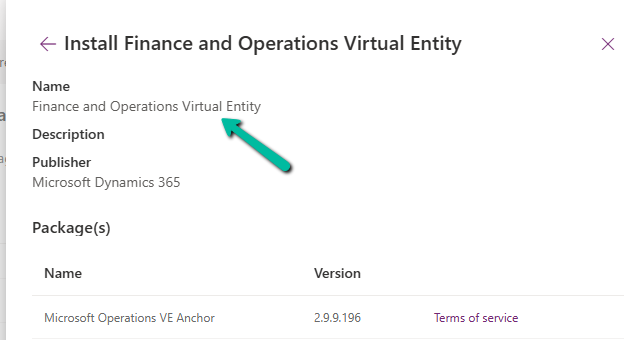
The fix was to install the Finance and Operations Virtual Entity app first.
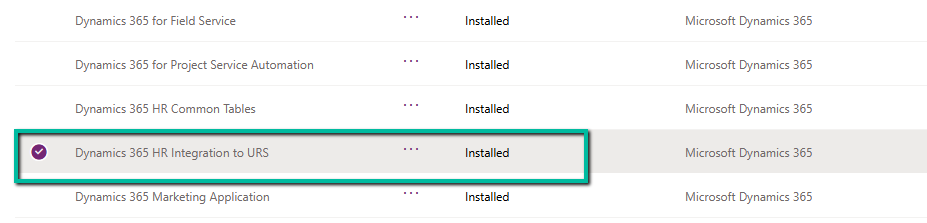
After installing Finance and Operations Virtual Entity, we were able to install the Dynamics 365 HR Integration to URS app successfully.
That finally allowed us to install the FnO Integration (msdyn_FieldServiceFnOIntegration) in our Environment.
When working with historical or test data in Dynamics 365 Field Service, we often come across the need to clean up old Work Orders and their related records. While it might seem straightforward to just delete the Work Order, there are quite a few interdependent entities and plugin validations that can make this task tricky.
We wanted to delete all msdyn_workorder records created before a certain date along with their related child records such as:
Work Order Products
Work Order Services
Work Order Incidents
Bookable Resource Bookings
Time Entries, Service Tasks, Resolutions, etc.
The Field Service solution has many plugins that enforce business rules during deletion.
If a Work Order is in a Posted state (msdyn_systemstatus = 690970004), attempting to delete any of its child records will throw errors like:
Failed to delete msdyn_workorderproduct {GUID}: A record can’t be deleted if the work order has been posted.
So to delete the Posted work order, we had to update its status to Cancelled.
If the Work Order has any associated Bookable Resource Booking records, deletion is blocked:
Work order can’t be deleted because there are associated Resource Booking records. Please delete these records first.
And while deleting Bookings, we might hit even deeper integration issues, like this one from a virtual entity plugin
This error originates from the FnO Virtual Entity plugin and usually appears if the user linked to the Booking doesn’t exist in the FnO system — a hard blocker for environments with dual-write enabled.
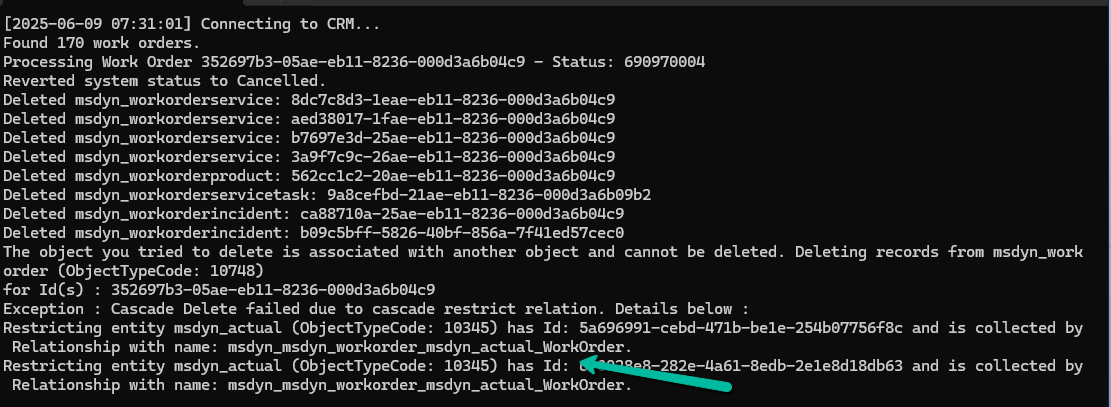
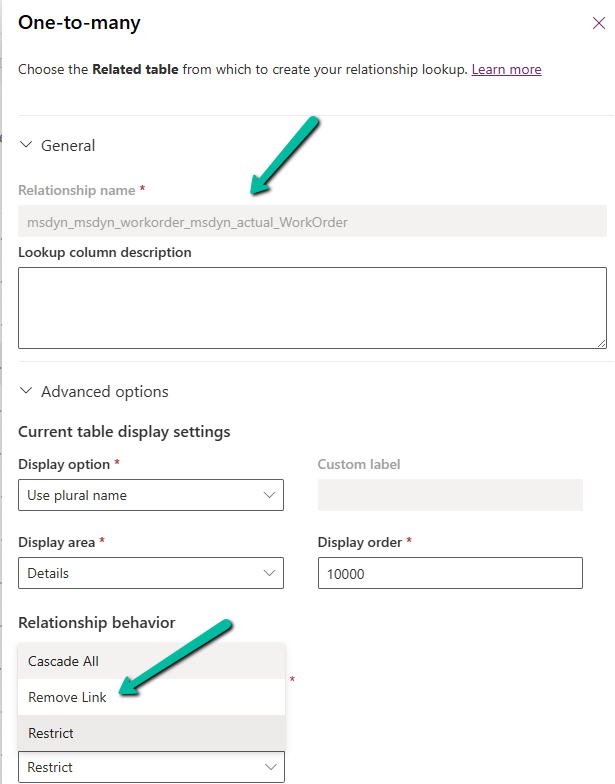
Also, we had to temporarily change the Delete action to Remove Link from Restrict for the relationship between msdyn_workorder and msdyn_actual_workorder.
Here’s a high-level overview of what we did:
Fetched work orders based on our criteria. Loop through each work order:
Revert the status if it is Posted (so it becomes deletable)
Delete all child records in a proper order
Delete the Work Order itself
Below is the sample code we used for deleting the work orders and its associated records successfully.
   public void DeleteAllWorkOrders()
        {

            QueryExpression query = new QueryExpression("msdyn_workorder");
            query.ColumnSet = new ColumnSet("msdyn_workorderid", "msdyn_name", "createdon", "msdyn_systemstatus");

            query.Criteria = new FilterExpression();
            query.Criteria.Conditions.Add(
                new ConditionExpression("createdon", ConditionOperator.LessThan, new DateTime(2025, 1, 1))
            );
            query.Orders.Add(new OrderExpression("createdon", OrderType.Descending));
            var workOrders = _service.RetrieveMultiple(query).Entities;
            Console.WriteLine($"Found {workOrders.Count} work orders.");

            try
            {
                foreach (var wo in workOrders)
                {
                    var woId = wo.Id;
                    var systemStatusCode = wo.Contains("msdyn_systemstatus") ? ((OptionSetValue)wo["msdyn_systemstatus"]).Value : 0;
                    try
                    {
                        //// 1. If Posted revert status
                        if (systemStatusCode == 690970004) // Posted
                        {
                            var revert = new Entity("msdyn_workorder", woId)
                            {
                                ["msdyn_systemstatus"] = new OptionSetValue(690970005) // Canceled
                            };

                            _service.Update(revert);
                            Console.WriteLine("Reverted system status to Cancelled.");
                        }

                        // 2. Delete dependencies
                        DeleteRelatedRecords("msdyn_workorderservice", "msdyn_workorder", woId);
                        DeleteRelatedRecords("msdyn_workorderproduct", "msdyn_workorder", woId);
                        DeleteRelatedRecords("msdyn_workorderservicetask", "msdyn_workorder", woId);
                        DeleteRelatedRecords("msdyn_workorderincident", "msdyn_workorder", woId);
                        DeleteRelatedRecords("msdyn_workorderresolution", "msdyn_workorder", woId);
                        DeleteRelatedRecords("bookableresourcebooking", "msdyn_workorder", woId);
                        DeleteRelatedRecords("msdyn_timeentry", "msdyn_workorder", woId);

                        // 3. Delete the Work Order
                        _service.Delete("msdyn_workorder", woId);
                        Console.WriteLine($"Deleted Work Order: {woId}\n");
                    }
                    catch (Exception ex)
                    {
                        Console.WriteLine($"Error processing Work Order {woId}: {ex.Message}");
                        Console.WriteLine("Continuing with the next Work Order...\n");
                    }
                }
            }
            catch(Exception ex)
            {
                Console.WriteLine(ex.Message);
            }

            Console.WriteLine("All Work Orders cleaned up.");
            Console.WriteLine("Press any key to continue !");
        }

        private void DeleteRelatedRecords(string entityName, string lookupField, Guid workOrderId)
        {
            var query = new QueryExpression(entityName)
            {
                ColumnSet = new ColumnSet(false),
                Criteria =
            {
                Conditions =
                {
                    new ConditionExpression(lookupField, ConditionOperator.Equal, workOrderId)
                }
            }
            };

            var records = _service.RetrieveMultiple(query).Entities;

            foreach (var record in records)
            {
                try
                {
                    _service.Delete(entityName, record.Id);
                    Console.WriteLine($"Deleted {entityName}: {record.Id}");
                }
                catch (Exception ex)
                {
                    Console.WriteLine($"Failed to delete {entityName} {record.Id}: {ex.Message}");
                }
            }
        }
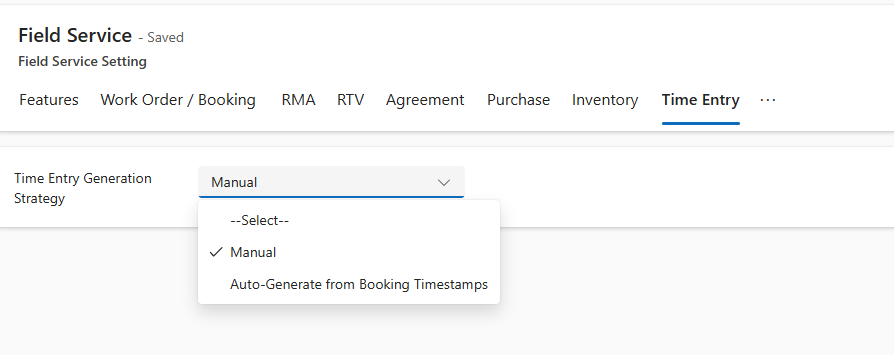
Recently while trying to set Bookable Resource Booking record’s status as completed or trying to change Settings >> General >> Field Service Settings >> Time Entry, we were getting below error
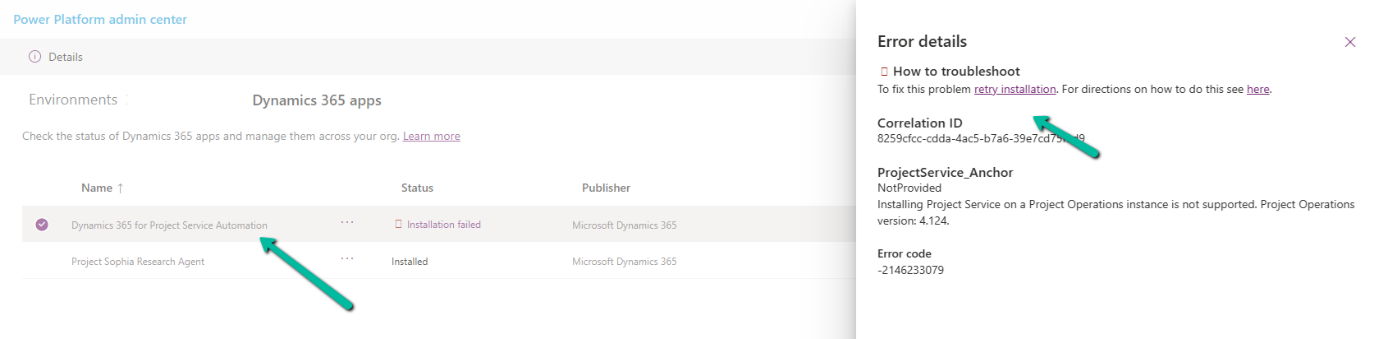
We can see the Dynamics 365 Project Service Installation Failed and on retrying the installation it was giving below error.
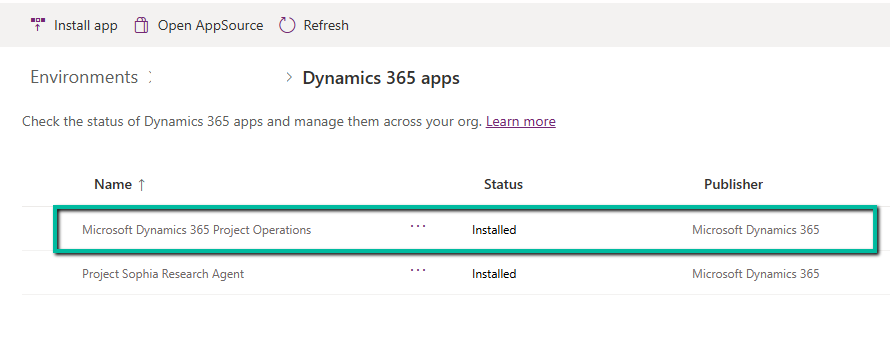
The fix that worked here was to install the Project Operations.















 Nishant Rana's Weblog