
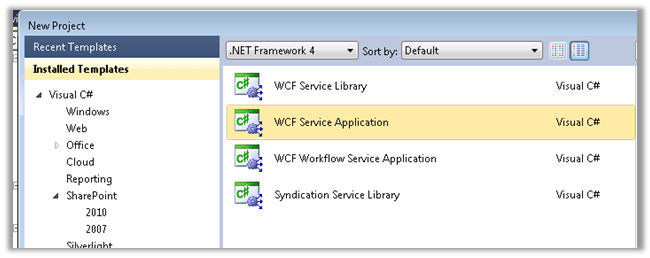
Create a new WCF Service Application in Visual Studio with .NET Framework version as 4.0 (since we will be using CRM 2011’s assembly that are in version 4.0).
Please go through this MSDN article first to get a clear understanding on the BCS Service
http://msdn.microsoft.com/en-us/library/office/ff953200(v=office.14).aspx
Define the Service Contract and the Date Contract in the following manner. Here we would be performing CRUD operation on Date of Birth and Last Name field of the Contact Entity.
Add references to the following assemblies
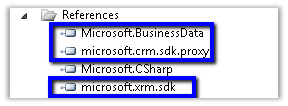
Microsoft.BusinessData can be found at
C:\Program Files\Common Files\Microsoft Shared\Web Server Extensions\15\ISAPI on the SharePoint Server.
[ServiceContract]
 public interface IService1
 {
 [OperationContract]
 IEnumerable<ContactEntity> ReadList();

[OperationContract]
 ContactEntity ReadItem(Guid contactId);

[OperationContract]
 ContactEntity Create(ContactEntity newContact);

[OperationContract]
 void Update(ContactEntity contact);

[OperationContract]
 void Delete(Guid contactId);
 }

 [DataContract]
 public class ContactEntity
 {
 [DataMember]
 public Guid ContactId { get; set; }

[DataMember]
 public DateTime? DateOfBirth { get; set; }

[DataMember]
 public string LastName { get; set; }
 }
Implement the Service Contract
public class Service1 : IService1
 {
 private readonly IOrganizationService _orgService = GetOrganizationService();

public ContactEntity ReadItem(Guid contactId)
 {
 try
 {
 var cols = new ColumnSet(new[] {"lastname", "birthdate"});
 ContactEntity contactRecord = null;
 Entity entity = _orgService.Retrieve("contact", contactId, cols);
 if (entity != null)
 {
 contactRecord = new ContactEntity();
 contactRecord.ContactId = contactId;
 if (entity.Contains("lastname"))
 {
 contactRecord.LastName = entity.Attributes["lastname"].ToString();
 }
 if (entity.Contains("birthdate"))
 {
 contactRecord.DateOfBirth = (DateTime) entity.Attributes["birthdate"];
 }
 }

return contactRecord;
 }
 catch (InvalidOperationException)
 {
 throw new ObjectNotFoundException(
 "Unable to read data for the conatct with ID = " +
 contactId.ToString() +
 ". The contact no longer exists.");
 }
 catch (Exception generalException)
 {
 throw new RuntimeException(
 "There was a problem reading contact data.",
 generalException);
 }
 }

public IEnumerable<ContactEntity> ReadList()
 {
 try
 {
 var queryExpression = new QueryExpression("contact");
 var conditionExpression = new ConditionExpression("statuscode", ConditionOperator.Equal, 1);
 queryExpression.ColumnSet = new ColumnSet(new[] {"contactid", "lastname", "birthdate"});
 queryExpression.Criteria.AddCondition(conditionExpression);

EntityCollection contactCollection = _orgService.RetrieveMultiple(queryExpression);
 var lstContactType = new List<ContactEntity>();
 ContactEntity contactRecord;
 foreach (Entity entity in contactCollection.Entities)
 {
 contactRecord = new ContactEntity();
 contactRecord.ContactId = new Guid(entity.Attributes["contactid"].ToString());
 if (entity.Contains("lastname"))
 {
 contactRecord.LastName = entity.Attributes["lastname"].ToString();
 }
 if (entity.Contains("birthdate"))
 {
 contactRecord.DateOfBirth = (DateTime) entity.Attributes["birthdate"];
 }

lstContactType.Add(contactRecord);
 }

return lstContactType;
 }
 catch (Exception generalException)
 {
 throw new RuntimeException(
 "There was a problem reading contact data.",
 generalException);
 }
 }

public ContactEntity Create(ContactEntity newContact)
 {
 try
 {
 var returnContact = new ContactEntity();
 returnContact.ContactId = Guid.NewGuid();
 returnContact.DateOfBirth = newContact.DateOfBirth;
 returnContact.LastName = newContact.LastName;

var contactRecord = new Entity();
 contactRecord.LogicalName = "contact";
 contactRecord.Attributes["lastname"] = returnContact.LastName;
 contactRecord.Attributes["contactid"] = returnContact.ContactId;
 contactRecord.Attributes["birthdate"] = returnContact.DateOfBirth;
 newContact.ContactId = _orgService.Create(contactRecord);

return returnContact;
 }
 catch (Exception generalException)
 {
 throw new RuntimeException(
 "There was a problem creating a new contact.",
 generalException);
 }
 }


 public void Update(ContactEntity updateContact)
 {
 try
 {
 var contactRecord = new Entity();
 contactRecord.LogicalName = "contact";
 contactRecord.Attributes["lastname"] = updateContact.LastName;
 contactRecord.Attributes["contactid"] = updateContact.ContactId;
 contactRecord.Attributes["birthdate"] = updateContact.DateOfBirth;

_orgService.Update(contactRecord);
 }
 catch (InvalidOperationException)
 {
 throw new ObjectNotFoundException(
 "Unable to update the contact with ID = " +
 updateContact.ContactId.ToString() +
 ". The contact no longer exists.");
 }
 catch (Exception generalException)
 {
 throw new RuntimeException(
 "There was a problem updating the lawyer with ID = " +
 updateContact.ContactId.ToString() + ".", generalException);
 }
 }

public void Delete(Guid contactId)
 {
 try
 {
 _orgService.Delete("contact", contactId);
 }
 catch (InvalidOperationException)
 {
 throw new ObjectNotFoundException(
 "Unable to delete the contact with ID = " +
 contactId.ToString() +
 ". The contact no longer exists.");
 }
 catch (Exception generalException)
 {
 throw new RuntimeException(
 "There was a problem lawyer the customer with ID = " +
 contactId.ToString() + ".", generalException);
 }
 }

public static IOrganizationService GetOrganizationService()
 {
 var organizationUri = new Uri("http://crmserver/orgname/XRMServices/2011/Organization.svc");
 Uri homeRealmUri = null;
 var credentials = new ClientCredentials();
 credentials.Windows.ClientCredential = new NetworkCredential("username", "password", "domain");
 var orgProxy = new OrganizationServiceProxy(organizationUri, homeRealmUri, credentials, null);
 IOrganizationService _service = orgProxy;
 return _service;
 }
Host the Service in the IIS.
Open SharePoint Designer 2013 and connect to the site where we want to create an external content type based on our WCF Service.
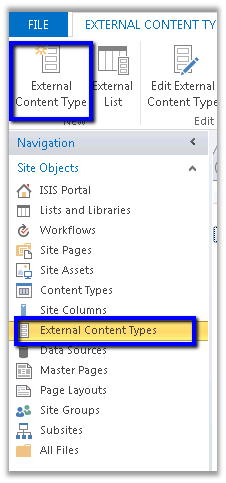
Create a new External Content Type
Specify name for the content type and click on the link for defining operations
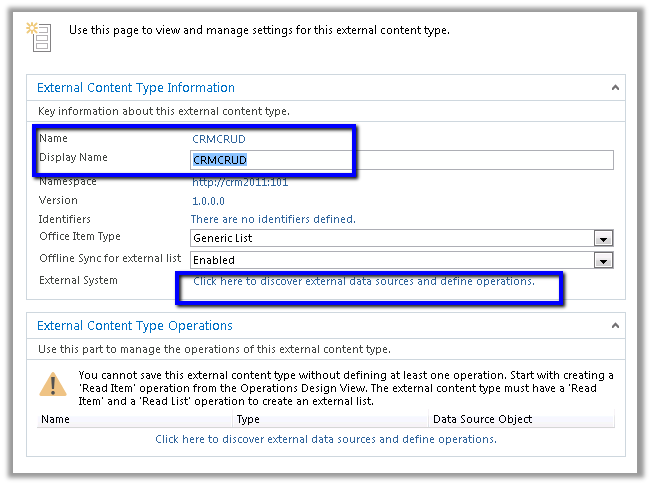
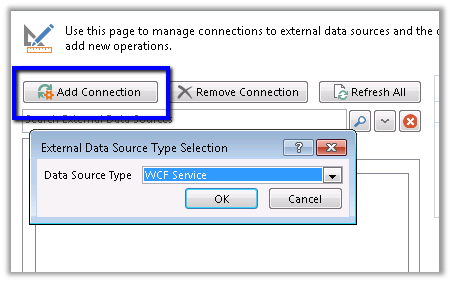
Click on Add Connection and specify WCF Service as the connection type
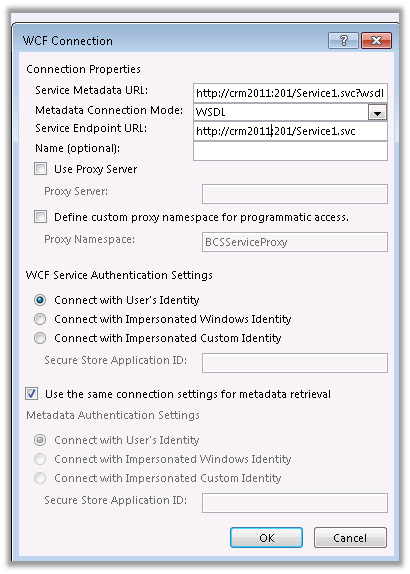
Specify the url of the WCF service
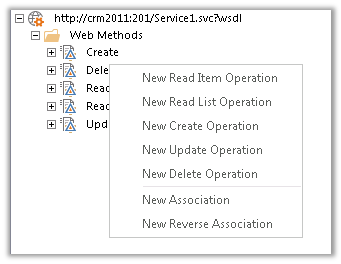
For each of the Web Methods, specify the corresponding operation.
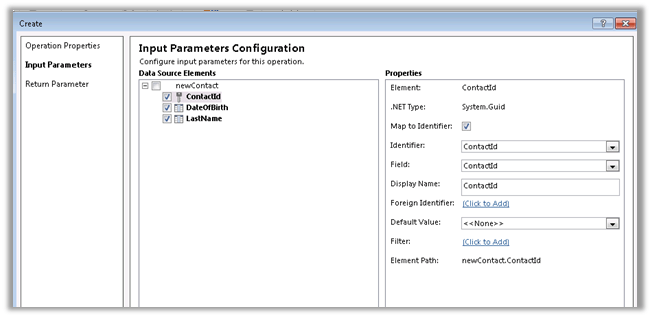
For each of the operations define ContactId as Identifier
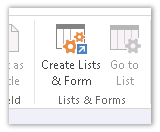
Once defined, select Create Lists and Form button
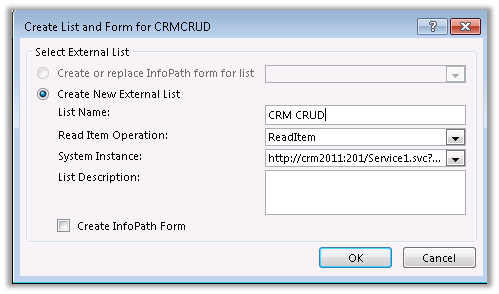
Open the SharePoint site and open the list created
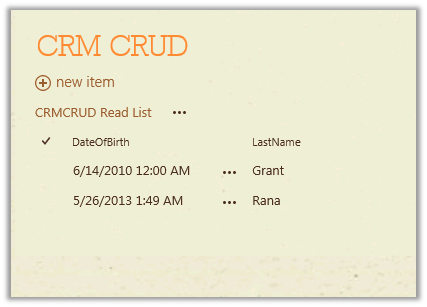
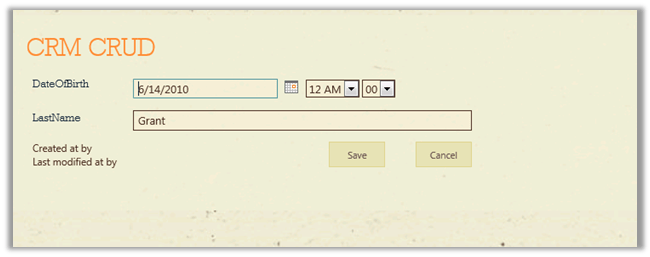
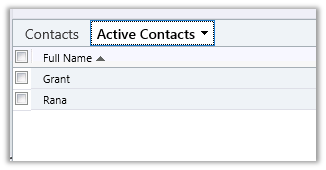
Corresponding contact records in CRM
Hope it helps.





 Nishant Rana's Weblog