Hi,
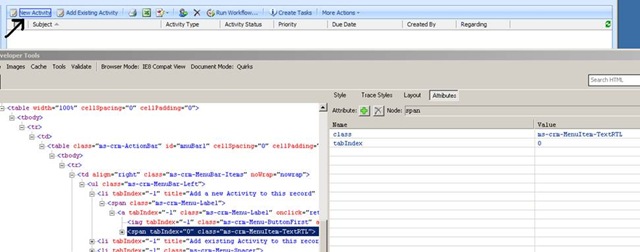
I was trying to figure out what the recalcuate button does in case of Order and Quote form. Got to know that it calculates the total based on the Products added to that record. Behind the scene this is the html code for the recalculate button
<li tabIndex=”-1″ title=”Recalculate” id=”_MBcrmFormSubmitCrmForm1truetruefalse”
onclick=”window.execScript(action)”
action=”crmForm.SubmitCrmForm(1, true, true, false);”>
So basically it calls SubmitCrmForm function.
SubmitCrmForm triggers the save event even if there are no modifications made on the form.
SubmitCRMForm( Mode, Validate, ForceSubmit, closeWindow) // we could use this function but it is unsupported
Different Mode could be -1,2,7,58,59
or alternatively we could use the below function
Save
Code: 1
Function: crmForm.Save();
SaveAndClose
Code: 2
Function: crmForm.SaveAndClose();
Send
Code: 7
Function: send();
SaveAsCompleted
Code: 58
Function: SaveAsCompleted();
SaveAndNew
Code: 59
Function: crmForm.SubmitCrmForm(59, true, true, false);
Bye…




 Nishant Rana's Weblog