was just looking for different ways we can clone a record in CRM.
These are the different articles that i found :-
Cloning records through an ASP.NET page
http://blogs.inetium.com/blogs/microsoftcrm/archive/2009/04/27/cloning-records-in-microsoft-crm-4-0-using-ajax-controls.aspx
Cloning records without any code by making use of self-referential relationship and mapping
http://rc.crm.dynamics.com/rc/regcont/en_us/op/articles/cloneRecords.aspx
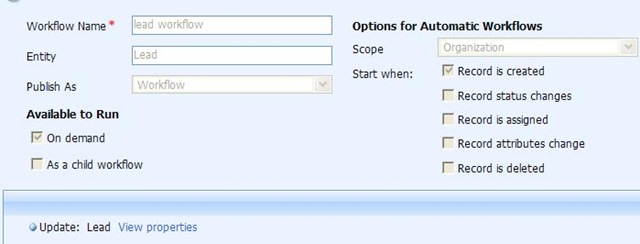
Cloning records through workflow
http://www.dynamicscrmtrickbag.com/2009/08/29/clone-workflow/
Cloning records through JavaScript
http://ronaldlemmen.blogspot.com/2007/05/clone-record.html
And below is the code which i have used to clone Sales Order with all related sales order details
public void CloneSalesOrder(string salesOrderId, CrmService crmService)
{
Guid id = new Guid(salesOrderId);
// get all the attributes values using AllColumns
salesorder originalSalesOrder = (salesorder)crmService.
Retrieve(EntityName.salesorder.ToString(), id, new AllColumns());
salesorder cloneSalesOrder = new salesorder();
// assign the original sales order to the cloned one
cloneSalesOrder = originalSalesOrder;
cloneSalesOrder.name = "Cloned SalesOrder";
// set sales order id and order number as null
cloneSalesOrder.salesorderid = null;
cloneSalesOrder.ordernumber = null;
TargetCreateSalesOrder order = new TargetCreateSalesOrder();
order.SalesOrder = cloneSalesOrder;
CreateRequest request = new CreateRequest();
request.Target = order;
CreateResponse response = (CreateResponse)crmService.Execute(request);
// clone all the line items as well
CloneSalesOrderLineItems(salesOrderId, response.id.ToString(),
crmService);
}
private void CloneSalesOrderLineItems(string objPoId, string
objClonedPoId, CrmService service)
{
CrmService crmService = service;
//Retrieve all the sales order details from the original sales
//order record
ConditionExpression expression = new ConditionExpression();
expression.AttributeName = "salesorderid";
expression.Operator = ConditionOperator.Equal;
expression.Values = new string[] { objPoId.Trim() };
FilterExpression expression2 = new FilterExpression();
expression2.FilterOperator = LogicalOperator.And;
expression2.Conditions = new ConditionExpression[] { expression };
QueryExpression query = new QueryExpression();
query.EntityName = EntityName.salesorderdetail.ToString();
query.ColumnSet = new AllColumns();
query.Criteria = expression2;
BusinessEntityCollection entitys = crmService.RetrieveMultiple(query);
if (entitys != null)
{
// one by one create sales order detail record and set its sales
//order id as the new cloned record id
foreach (salesorderdetail salesorderdetail in entitys.BusinessEntities)
{
salesorderdetail salesorderdetail2 = new salesorderdetail();
salesorderdetail2 = salesorderdetail;
Guid guid = new Guid(objClonedPoId);
salesorderdetail2.salesorderid = null;
salesorderdetail2.salesorderdetailid = null;
Lookup lookup = new Lookup();
lookup.Value = guid;
salesorderdetail2.salesorderid = lookup;
salesorderdetail2.salesorderid.Value = lookup.Value;
TargetCreateSalesOrderDetail detail = new
TargetCreateSalesOrderDetail();
detail.SalesOrderDetail = salesorderdetail2;
CreateRequest request = new CreateRequest();
request.Target = detail;
CreateResponse response = (CreateResponse)crmService.Execute(request);
}
}
}
Bye..






 Nishant Rana's Weblog