How to – Pass parameters to JavaScript Web Resource function in CRM 2011.


Hi,

Suppose we want to pass few values as parameter to our JavaScript function.

Here we have a JavaScript library named new_test which has GetParameters function.
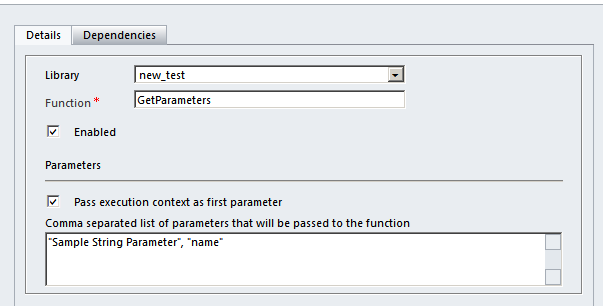
Here we are passing three parameters

  1. Pass execution context as first parameter. (Check box)

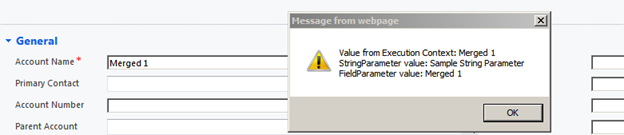
Using getEventSource method we can get the name attribute’s value.

  1. Sample String Parameter” = string value.
  2. name” = string value with schema name of the “name” attribute.

We can use the attribute’s  name in our Xrm.page.getAttribute method.

The JavaScript function

The alert box
Hope it helps!

Advertisements

Showing custom warning message on an entity form in CRM


Hi,

I was searching for a way to show custom warning message in an entity’s form and came across these two helpful posts

For CRM 4 :-

http://social.microsoft.com/Forums/br/crmdevelopment/thread/1791ab40-a1e6-4099-bb4b-6e52a9a45c18

For CRM 2011 : –

http://crm2011wiki.wordpress.com/2012/04/16/showing-custom-alerts-in-notifications-area/

Hope it helps.


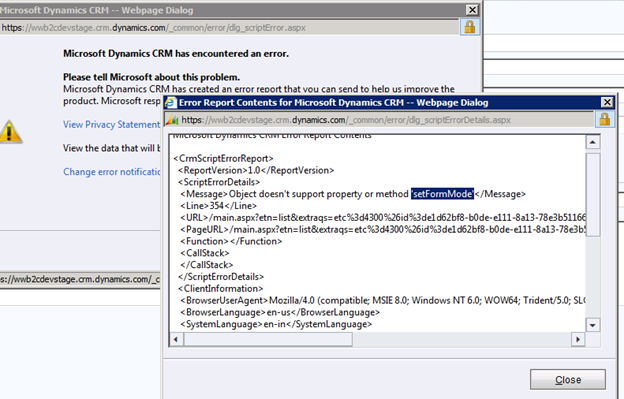
“Object doesn’t support property or method ‘setFormMode’” error while closing the record’s form in CRM 2011.


Hi,

We had recently written a plugin for sending email. In the description of the email we were inserting the URL of the record

string recordUrl = string.Format(“<a href=’{0}/userdefined/edit.aspx?etc=4300&id={1}‘>Click here to open the record</a>”, this.serverName, marketingListGuid.ToString());

While clicking the link the record opens properly, however when we try closing the form’s window we get the below error

We have UR8 installed in our on premise development environment there we don’t get this error, however we are still getting the above error for our online dev and production environment.

http://social.microsoft.com/Forums/lv-LV/crmdevelopment/thread/0c0aa09e-0ea6-4150-8056-a2b7b91f3256?prof=required

Bye.

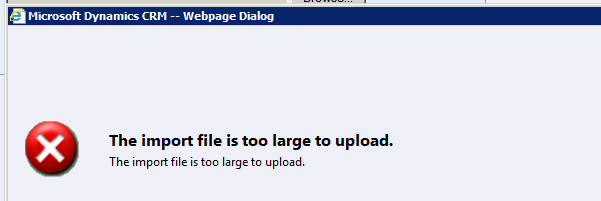
“The import file is too large to upload” error while importing csv file of more than 8 mb in CRM 2011.


Hi,

I was importing a csv file of size 11 mb using import data feature and got the below error.

The unsupported way we can resolve it for our on premise environment is by running the following update query against MSCRM_CONFIG database.

UPDATE ServerSettingsProperties

SET IntColumn =15

where columnname=‘ImportMaxAllowedFileSizeInMB’

Also refer to this support article

http://support.microsoft.com/kb/918609

Bye.

“System.ArgumentException: The specified string is not in the form required for a subject” error while sending mail through plugin in CRM 2011.


Hi,

We were getting the above error in one of our plugin which was using SendEmailRequest to send mail.

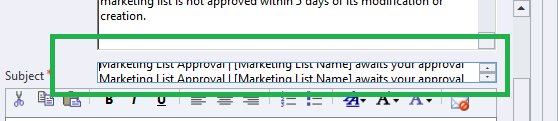
As it turned out it was because of the subject not being in proper format in the template


Hope it helps.

Unhandled Exception: System.ServiceModel.Security.SecurityNegotiationException: SOAP security negotiation with ‘http://../XRMServices/2011/Organization.svc’ for target ‘http://.. /XRMServices/2011/Organization.svc’ failed while using Plugin Registration Tool.


Hi,

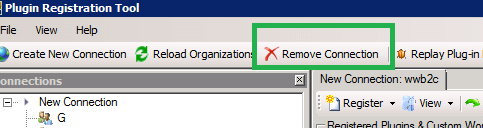
Today I was getting the above error while trying to update one of my plugin assemblies. The password of the admin account had recently changed. So I had to Remove the existing connection and create a new one to get things working.

Bye.