D365: Enable Rule for button with asynchronous API request using promise


Ajit Patra's avatarAjit Patra

Many times, we get requirement to show/hide a button based on certain condition for which we define Enable Rule in Ribbon Workbench.

If we need javaScript code for evaluation then we use Custom Enable Rule mentioning library, method to execute, passing PrimaryControl CRM parameter and additional parameters if necessary.

Sometimes, the evaluation is done real time(based on the logic written) and we return true/false based on which the button remains visible/hidden. At times, we need to make additional API request which is asynchronous in nature e.g. show/hide button based on security role and in this case the result of the method/operation doesn’t affect the visibility of the button.

In this post, we’ll see how we can use promise to fix this issue and the scenario that we’ll take is hide Delete button on Document subgrid if the logged in user doesn’t have “System Administrator” security role.

Since…

View original post 401 more words

Knowledge management enhancements in Dynamics 365 For Customer Service – 2019 Release Wave 2


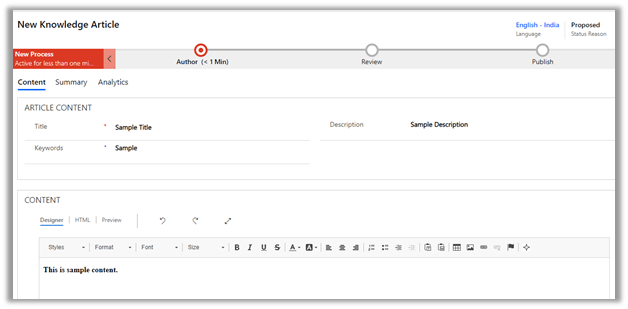
This release adds a new feature called Knowledge Article Template, using which users can quickly create an article by referring the Article Template, which helps in maintaining consistency and can also create their own article template.

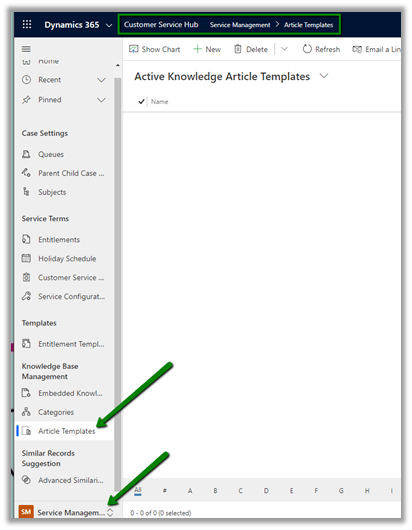
To create an Article Template, navigate to Service Management area and select Article Template

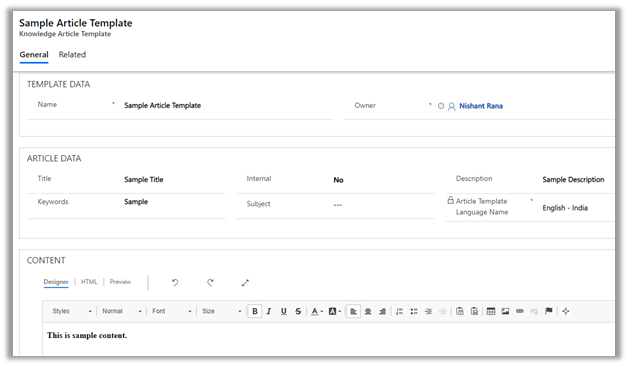
Below is how the Article Template looks like

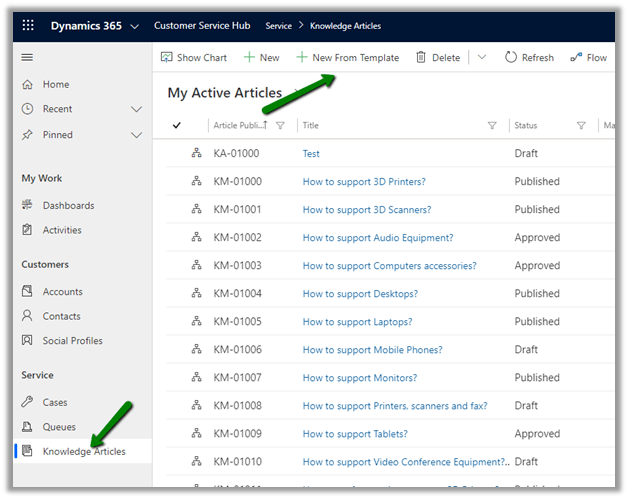
To use it, navigate to Knowledge Articles and click New From Template button

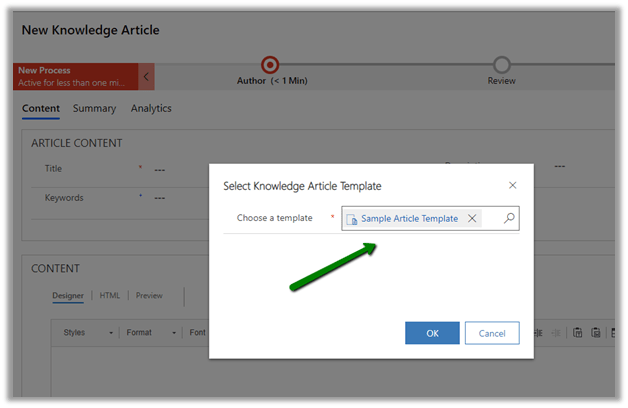
Select the template created earlier

We can see the contents populated from the template

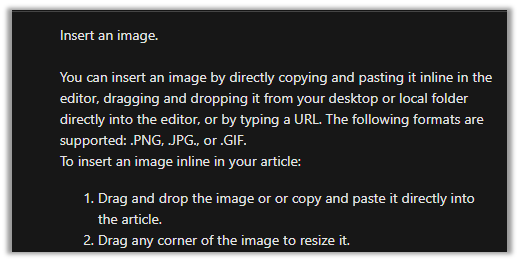
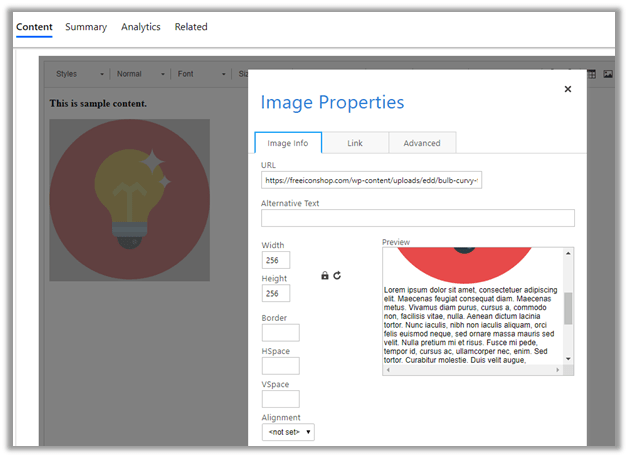
Although the Microsoft document talks about copy and pasting, drag and drop of images from local folder directly to the editor and resizing of the images. It seems that this feature is yet to be added.

Inline Image Editing and Drag and Drop

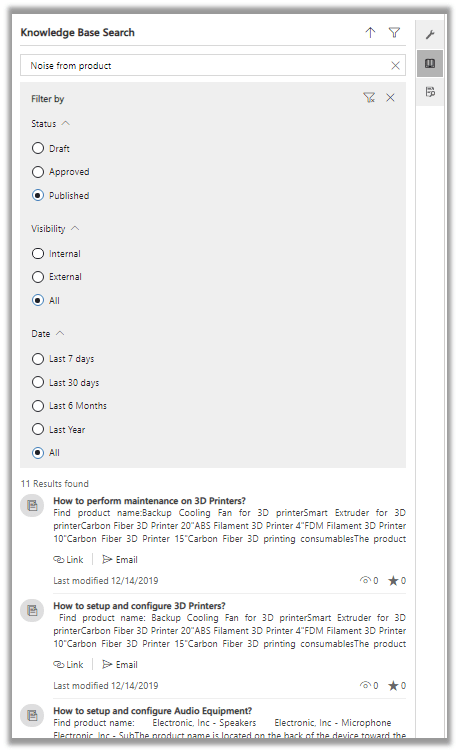
Knowledge search enhancements

  • Improved density to show more articles.
  • Better filtering options.

Hope it helps..

{Know How} Apply Business process flow on create of a record or skip setting of default Process flow based on custom business logic in Dynamics 365 using ProcessId field of record


Debajit's avatarDebajit's Dynamic CRM Blog

Business Process flows are used everywhere and as a Power platform consultant you might be working with them almost everyday.

However sometimes the intricacies of the most mundane stuffs seems to baffle us. And one of them is was this requirement that I recently had. And trust me I found many was not aware of the solution.

So the customer here wanted to apply Business process flow to a record based on some business logic. Let’s understand the full requirement first before I go ahead with the solution.

So the customer have field on Account entity. Let’s say field name is “BPF Indicator”. It’s an option set field. And let’s assume there are three values for this field.

  1. Value 1
  2. Value 2
  3. Value 3

There are three BPF’s for Account. So basically the logic goes like this.

  1. If account is created with Value 1, then BPF 1 should be applied

View original post 377 more words

PackageDeployerWrapper: Import operation time out exception while trying to create a new organization in Dynamics 365 Customer Engagement (On-Premise)


Recently for one our projects,

where had Dynamics CRM On-Premise already installed by the IT team quite sometime back, when we tried create a new organization through Deployment Manager, we got the below error

“Create new Organization (Name=46d256f4-1009-ea11-a2df-00505680070e, Id=FABUAECIBSIT) failed with Exception: System.Exception: Error.ActionFailed Microsoft.Crm.Tools.Admin.InstallPlatformSolutionsAction —> Microsoft.Crm.PackageDeployment.PackageDeployerException: Package BaseCustomControlsCore failed to install on attempt 1. System.AggregateException: One or more errors occurred. —> Microsoft.Crm.MultiTenantPackageDeployment.PackageDeployerException: PackageDeployerWrapper: Import operation timed out. at Microsoft.Crm.MultiTenantPackageDeployment.PdExecutor.Process(PackageDeploymentInputArgs input, JobOutput`1 output, CancellationToken ct) at System.Threading.Tasks.Task.Execute()

— End of inner exception stack trace —

—> (Inner Exception #0) Microsoft.Crm.MultiTenantPackageDeployment.PackageDeployerException: PackageDeployerWrapper: Import operation timed out. at Microsoft.Crm.MultiTenantPackageDeployment.PdExecutor.Process(PackageDeploymentInputArgs input, JobOutput`1 output, CancellationToken ct) at System.Threading.Tasks.Task.Execute()<-”

After trying out all the different permutations and combinations (network things, cleaning and setting up the infra etc.), the way it got resolved was by installing the latest cumulative update.

https://support.microsoft.com/en-ae/help/3142345/microsoft-dynamics-365-onpremise-cumulative-updates

https://support.microsoft.com/en-us/help/4521749/service-update-0-10-for-microsoft-dynamics-365-9-0
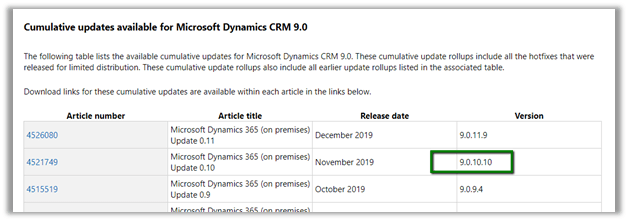
The reason we applied and went for the cumulative updates options as the last one, because, we had our production in the older version and because of multiple constraints we were not planning to upgrade our production server.

Fortunately, the solution from version 9.0.10.10 got imported successfully in production Dynamics CRM organization that were in version 9.0.2.x.

Hope it helps..

Lookup Filter, Error Notifications, Territory entity enhancements in Dynamics 365 for Sales / Customer Service – 2019 Release Wave 2 (Unified Interface)


Let us look at some other enhancements added as part of 2019 Release Wave 2 in the product.

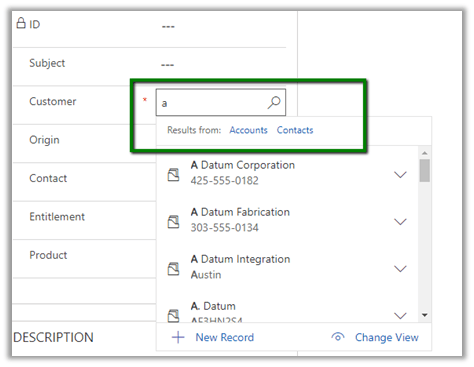
Lookup filter enhancement

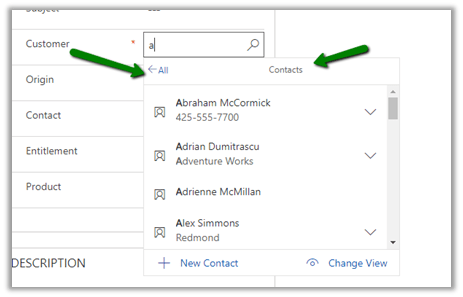
The lookup filter on searching for a specific term will show the different types of record (entity) that are there in the results for filtering. T

This allows the user to easily find the record.


Here on selecting Contact, it will display only the contact records matching the search criteria.


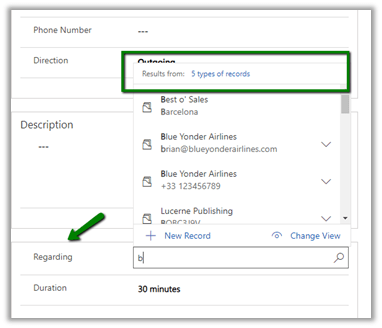
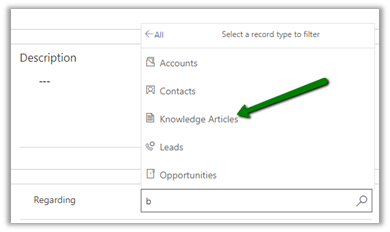
Similarly, Regarding field lookup in Activity à

Will allow filtering based on the type of records found matching the criteria.

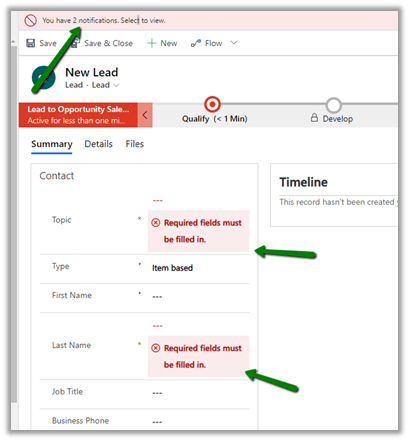
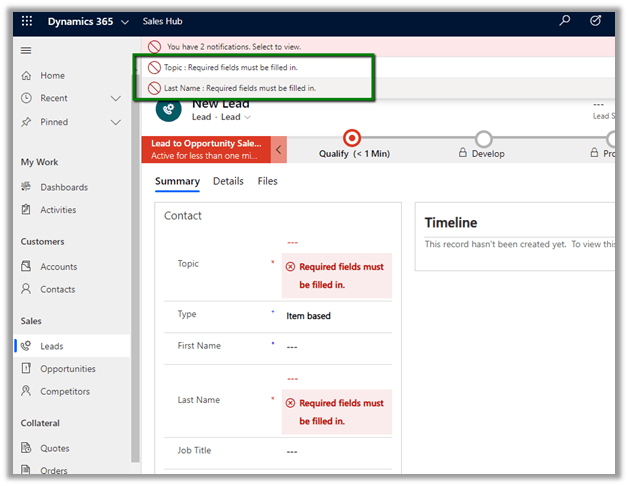
Navigate to error in the form from the navigation bar

The navigation bar shows the errors in the form

Click on the error and it will take us to that particular field without us to figure out the field in the form.

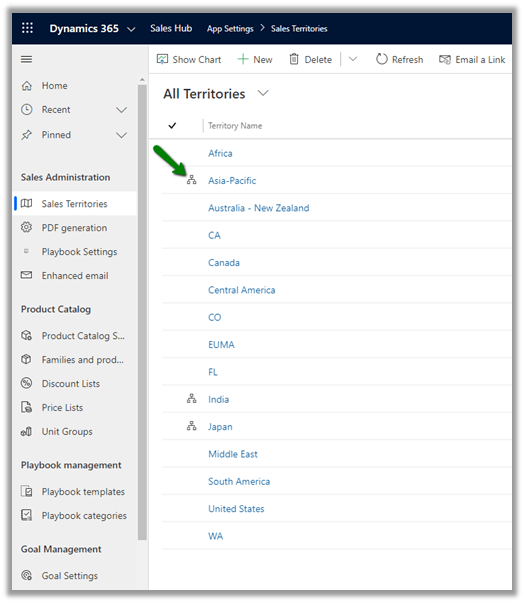
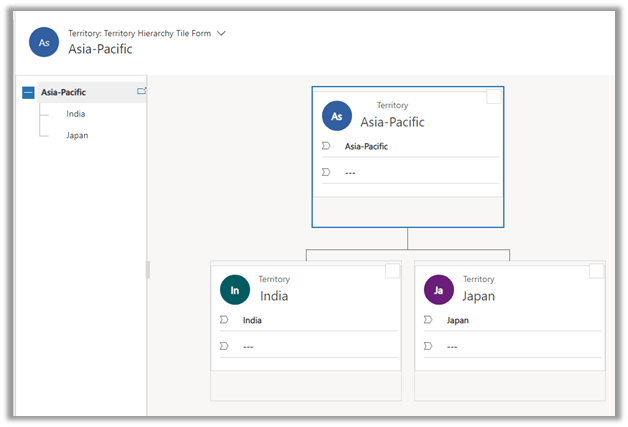
  • Hierarchical relationship support on the Territory Entity

Territory entity now supports Hierarchy.

Hope it helps..
Timeline and Grid control enhancement in Dynamics 365 Customer Service – 2019 Release wave 2 (Unified Interface)


Below are few enhancements made to timeline and grid control as part of 2019 Release wave 2.

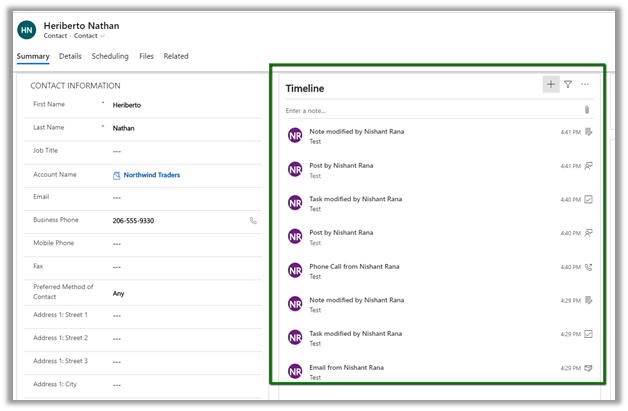
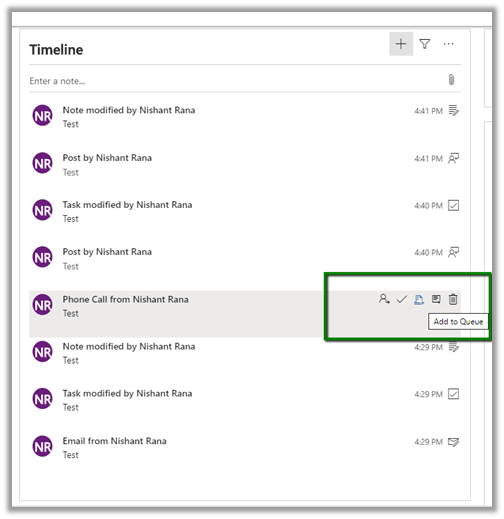
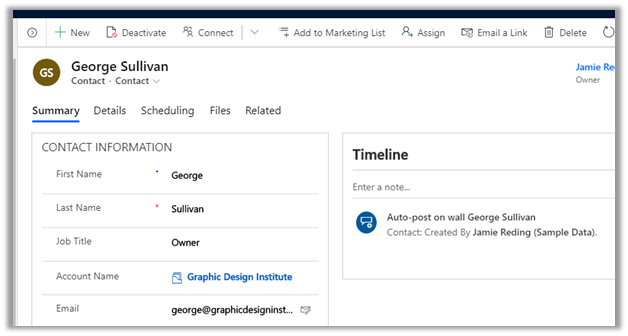
The new timer control shows more customer interactions/records/activities compared to the older version of the control, thus enabling users to have access to much more information without the need for scrolling.

The user can hover over the activity to find the menu options

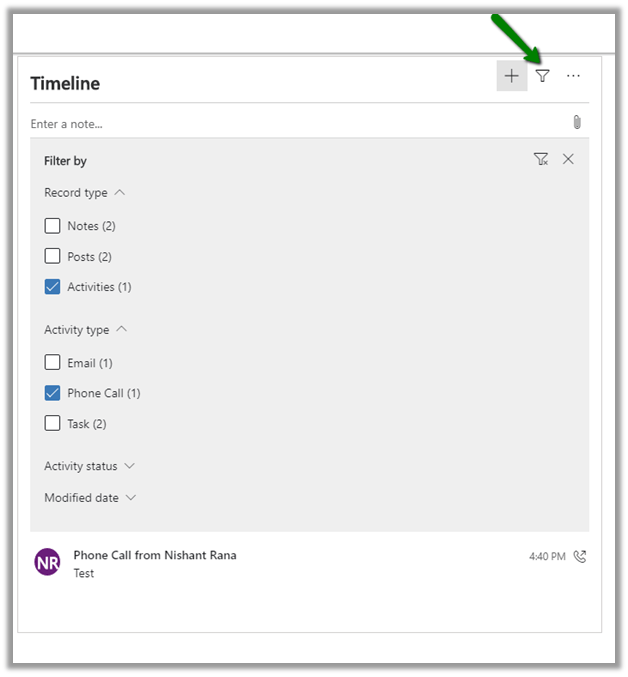
The filter option next to the + button allows users to easily filter and find the appropriate records.

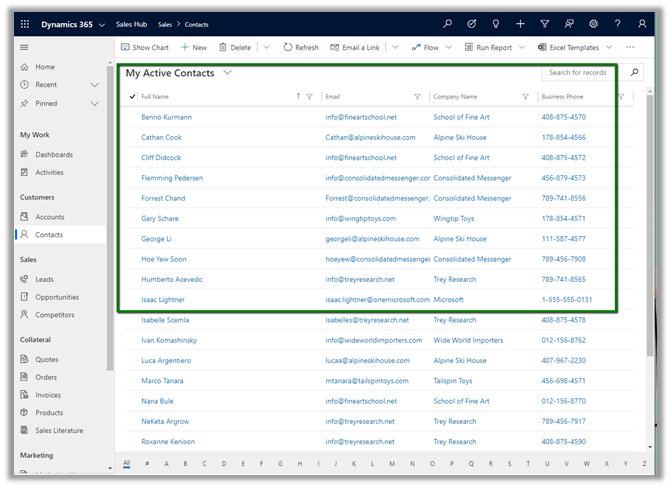
Similarly, grids are more compact allowing more data to be seen.

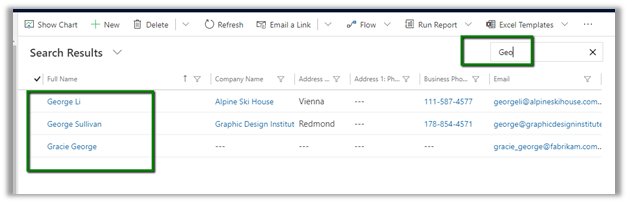
Also, the main grid now remember it’s state

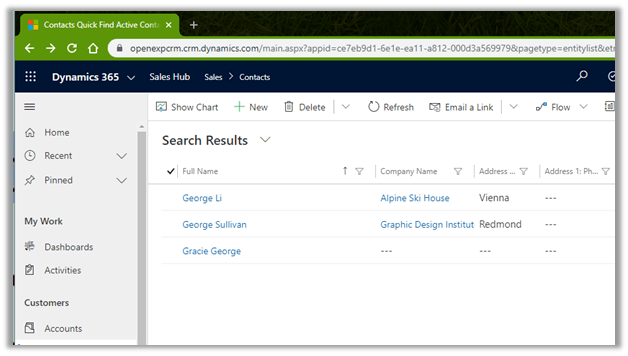
Here we have searched with the keyword “Geo”

Open one of the records in the result

Click on the back button in the browser, the result is still saved

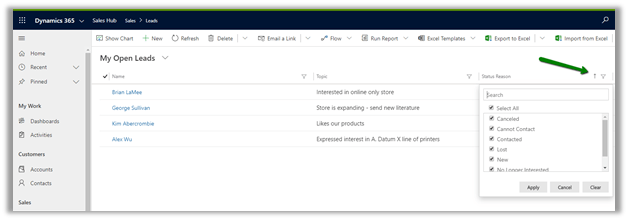
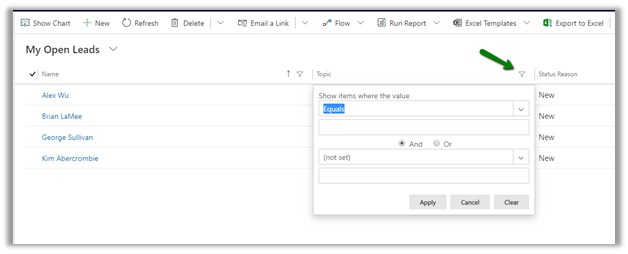
Grid now has improved filtering as well, as shown below à

Hope it helps..