Dynamics 365 Application publishing on App Source


Great article !

Amna Khan's avataramnakhan06

App source is a platform where all the power platform apps and related cloud supported apps that are built on top of Microsoft can be publish. Mostly people use app source to show case their master piece of work in form of product.

To publish an app on app source there are few mandatory steps that should be complete.

Step#01: Managed Solution

Create a solution that includes all the components that needs to be pitch as part of your publish application. Export the solution with Managed properties.

image1Step#02: Create Package using Microsoft Dynamics Package Deployer.

Microsoft dynamics package deployer is part of Nuget package manager for VS 2015, 2012, 2013. In case you have any earlier version of VS then try to upgrade it as it supports .net framework 4.6.2.

Open visual studio as administrator and select new project as defined below;

File > New > Project

Templates > Visual…

View original post 672 more words

Notes on Dynamics 365 for Phones and Tablets app – Part 6 (Form customization)


Check the other articles of this series

Continuing the previous post,

in this post, we’d see how we can configure the forms for mobile apps.

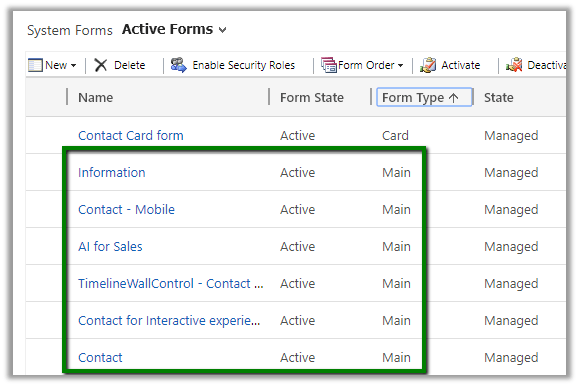
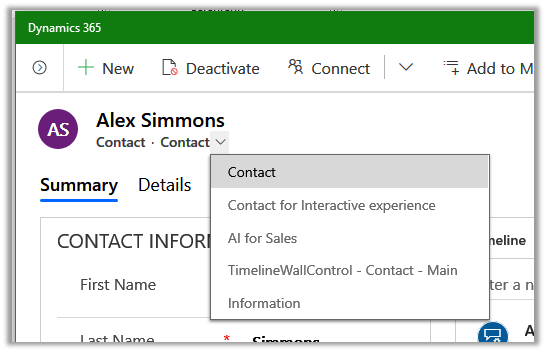
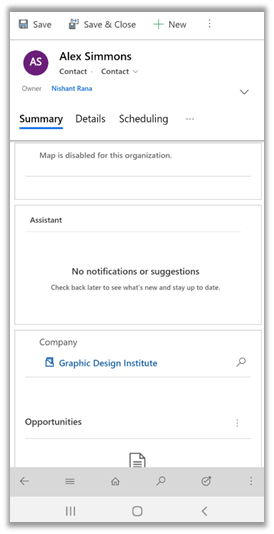
Here, for example, we have taken the Contact entity, which would have below main forms for the contact entity.

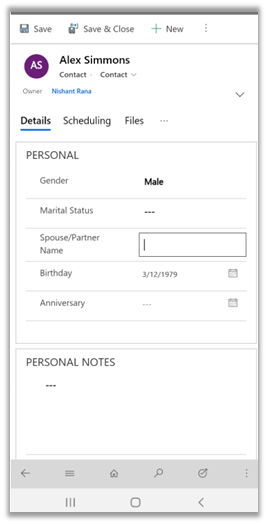
The same would be available for the user (with appropriate security roles) within the tablet app and phone app.

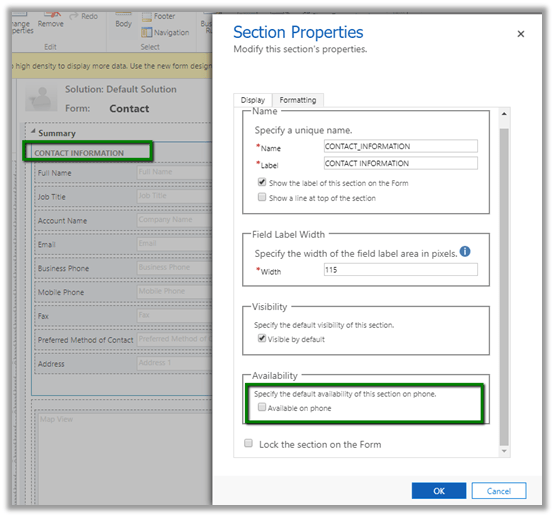
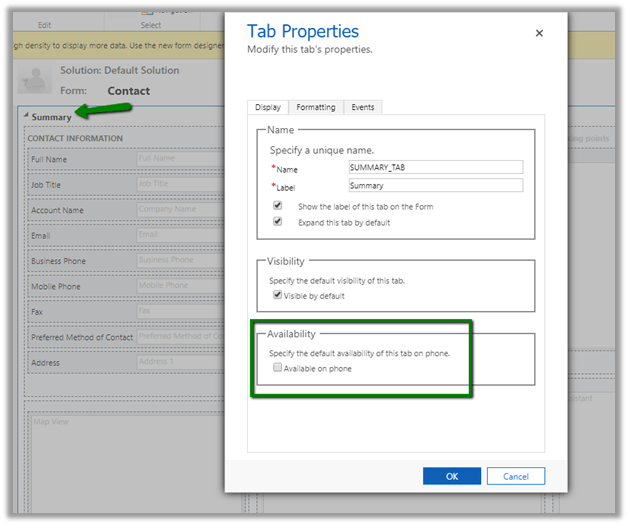
Now for Sections within in Form, we see the option “Available on phone”, let us keep it as unchecked.

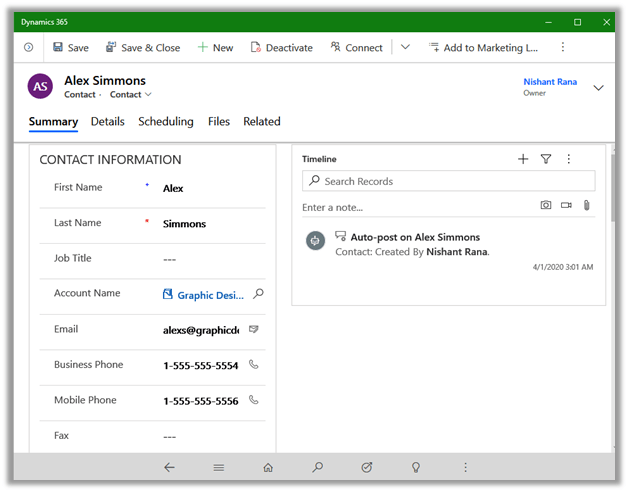
The section would appear within the Tablet app.

The section will not be available for the Phone App users as the name of the option “Available on Phone” suggests.

“Available for phone” option is available for the Tabs as well.

This will hide the tab in the Phone App, but it will be available within the Tablet app.

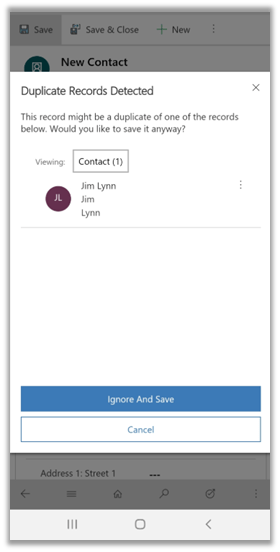
Also, Microsoft document mentions that Duplicate Detection doesn’t work on phones and only works for tablets https://docs.microsoft.com/en-us/dynamics365/mobile-app/set-up-dynamics-365-for-phones-and-dynamics-365-for-tablets#other-differences-with- which doesn’t seem to be the case now.

The Duplicate dialog box works in case of both tablet and phone app. Below is the screen shot of the phone app.

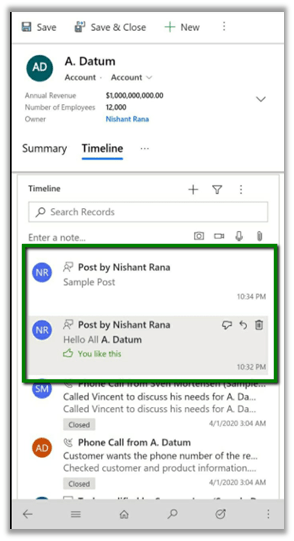
Also, the documentation mentions that Activity Feeds are not available in Tablets but it seems that it now works for both tablet and phone apps.

With a Model-driven app, it seems most of the things are now consistent across the web, mobile and tablet app, with few exceptions, making it easy for both the admin and the end-users to configure and use.

Hope it helps..

Building a Scheduler within Dynamics CE


Using Bulk deletion job as a scheduler ! #nocode

Shobhit Bhatnagar's avatarShobhit's D365 CE blog

One of the talking points during my conversations with customers (be it workshops or 1:1) is to have an ability to perform a business process periodically based on a trigger.

Out of the box D365 CE does not have any way of scheduling a recurring job/process that can execute so usually we start looking outside to avail options of a Azure Web job or a Console Application or something similar.

In this post, I will try to explain a near Out of the box way of simulating Scheduling processes within the realm of D365 CE itself which will only require configurations and no coding at all.

Examples of some of the common business processes that requires a scheduled background process to execute at a specific interval of time could be:

  1. Sending birthday cards/greetings through D365 CE to your customers or contacts.
  2. Setting up reminders X number of days in advance…

View original post 420 more words

Identify deleted entity and attributes in Audit Summary View – Dynamics 365


We recently had an issue where all the data for certain entities got deleted, which is only possible if that entity has been deleted, which could have been triggered by the deletion of the managed solution.

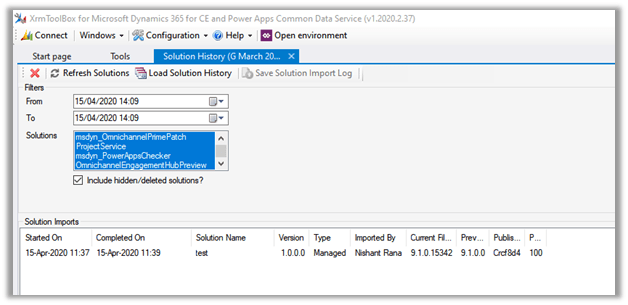
As it was on-premise, we started our analysis with the wonderful Solution History plugin of XrmToolBox.

The Solution History had the information of new managed solution being imported.

But it didn’t capture the delete event for the solution or the entities.

The good thing was that we had the audit enabled, which helped us to figure out the entities deleted and account that was responsible for this delete (accidental).

For online, it is straightforward to track the solution import and delete event, now with the Solution History available in the product itself.

Another thing to remember with regards to the deletion of the managed solution is,

If Solution A has entity A and entity B and this has been imported as managed in Production first, followed by Solution B that has entity A only.

If Solution B is deleted only Entity A will be deleted as entity B is still being referenced by Solution A.

Check the below blog post to understand the installation order and solution layering.

https://nishantrana.me/2018/11/11/installation-order-for-solutions-patches-in-dynamics-365-customer-engagement/

https://debajmecrm.com/2019/05/23/unearthing-solution-layering-feature-of-dynamics-365-how-are-the-good-old-concepts-of-patching-and-cloning-related-to-it/

Hope it helps..

Timeline control enhancements in Dynamics 365 Customer Service – 2019 Release wave 2 (Unified Interface)


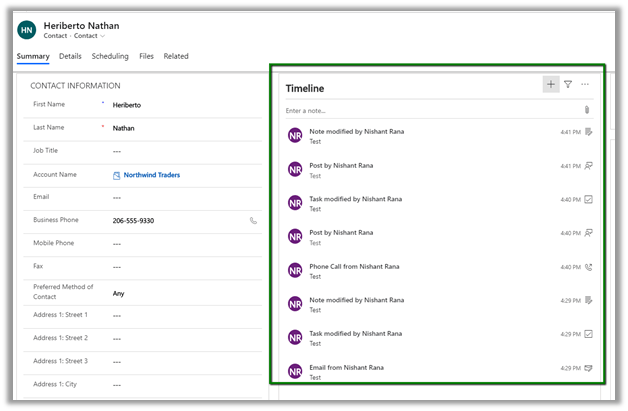
The new timer control shows more customer interactions/records compared to the old version of the control, thus enabling to seem much more information without the need for scrolling.

The user can hover over the activity to find the menu options

The filter button next to the + button allows users to easily filter and find the appropriate records.

Comparing to the older version (shown below), we also have less whitespace in the newer version along with the change in the location of the filter pane and different actions option for the records.

https://nishantrana.me/2020/02/25/rich-notes-and-filter-enhancements-in-dynamics-365-timeline-control-2020-release-wave-1/

https://nishantrana.me/2019/12/31/dynamics-365-2019-release-wave-2-blog-posts/

https://nishantrana.me/2020-release-wave-1/

Hope it helps..

DataFlow – Behind the Scenes


Thomas Sandsør's avatarCRM Keeper

I have been posting a lot from the Data Flow in Power Platform, because I needed to use it internally. So far this tool is extremely interesting, but I am not sure it is 100% clear to me how it all works.

This is why i decided to import 94.000 contacts to 1 account, to see how fast/slow it was. I also wanted to monitor how much this affects the API or any other stuff in the CDS/Dynamcis base. This post is mostly for my own curiosity.

I decided to start with a Dynamics instances that didn’t have any users active, and no data. The following data is gathered from https://admin.powerplatform.microsoft.com.

Data:
Excel rows = 94884
Excel file size 4,7 megabytes

Excel File for Sample Data – Source for my list. I did clean it a bit before importing it in, and added a column for Account Number =…

View original post 404 more words