

Recently, we had a requirement to track the Current and Previous contracts for a Contact in our Dataverse environment. To achieve this, we created two separate N:1 relationships between the Contact and Contract tables
- custom_currentcontractid → Contact’s Current Contract
- custom_previouscontractid → Contact’s Previous Contract
So far, so good.
Soon after, we noticed a strange issue: “When creating a Contact from a Contract record (via the Quick Create form), both Current Contract and Previous Contract fields were being automatically populated — with the same Contract record”. This was unexpected, especially since neither field was present on the Quick Create form!
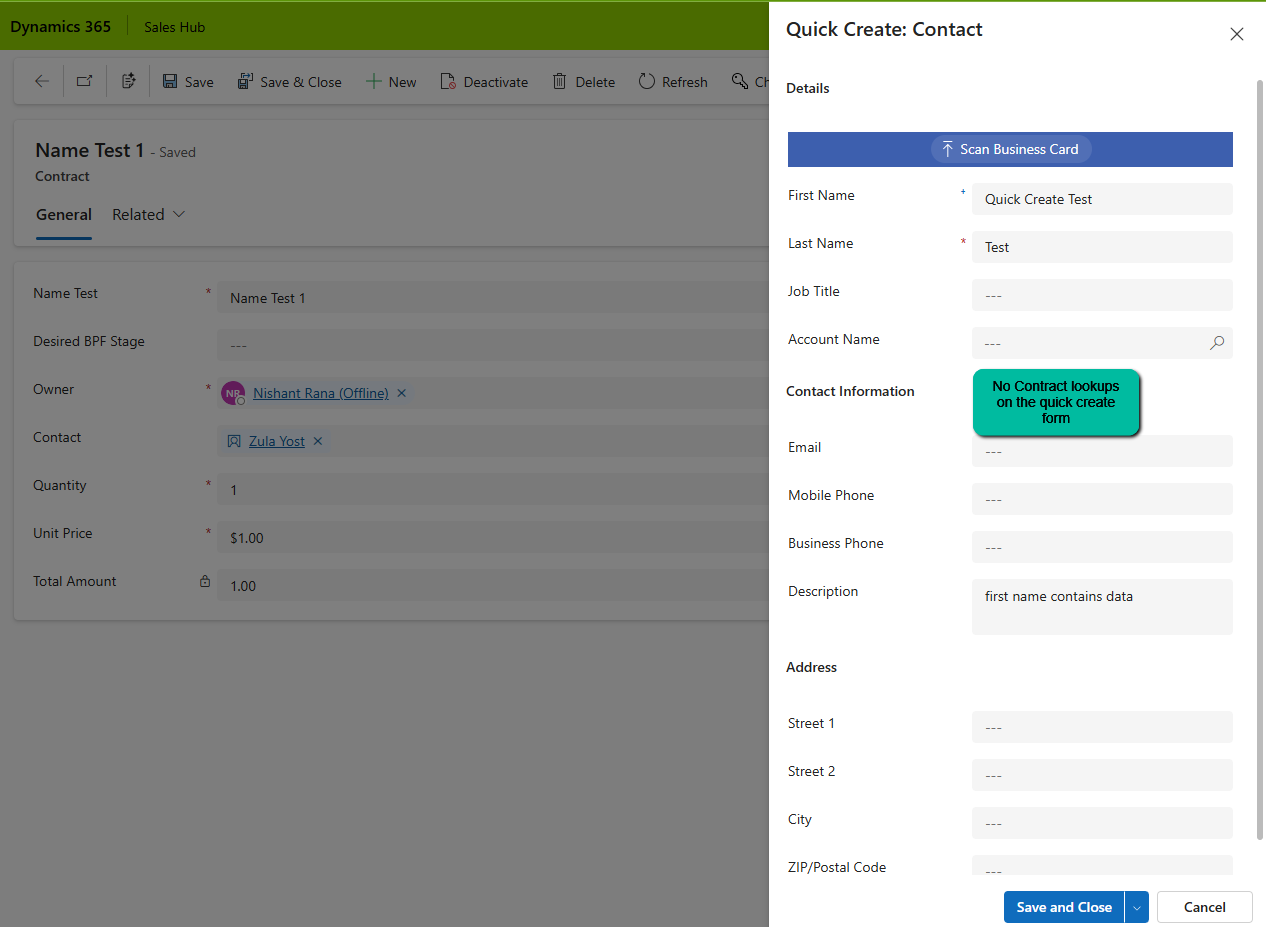
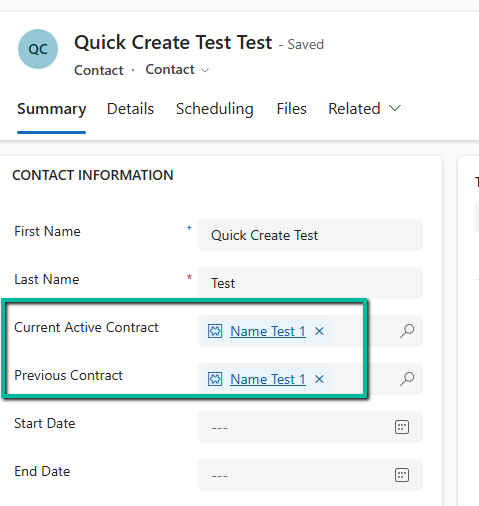
After saving and closing, when we open the record, we can see both the lookup auto-populated with the contract record in context.
On adding these lookups in the Quick Create form, we can see that Dataverse is auto-populating it with the contract in context.
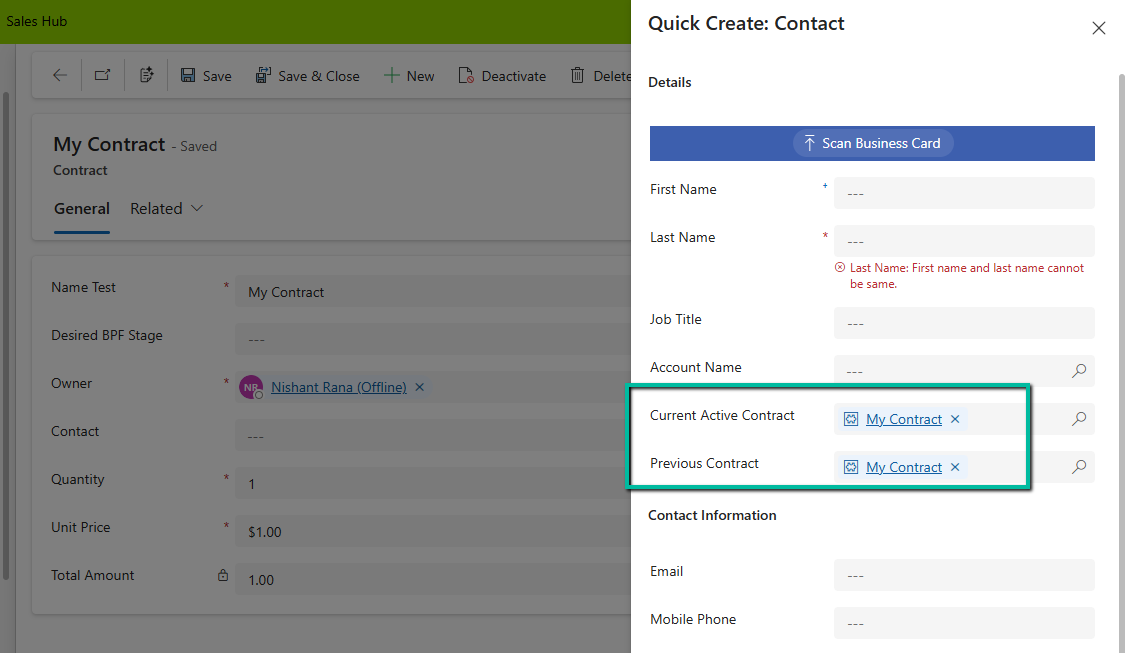
When we open a Quick Create form from a record (in our case, from a Contract), Dataverse passes the entity reference context to the Quick Create form. And here’s the catch, If the target entity (Contact) has multiple lookups to the source entity (Contract), Dataverse tries to populate them all.
This behavior is based on relationship metadata, not on what’s visible on the form. So even though we didn’t include the Current Active Contract or Previous Contract on the Quick Create form, Dataverse filled both with the same value.
If we have the fields on the quick create form we can make use of JavaScript on the onload to clear the values.
function clearBothContractLookups(executionContext) {
    var formContext = executionContext.getFormContext();

    // Check if in Quick Create mode (formType = 1)
    if (formContext.ui.getFormType() === 1) {
        var parentRecord = formContext.data.entity.getEntityReference();

        // If opened from a Contact, clear BOTH lookups
        if (parentRecord && parentRecord.entityType === "contact") {
            // Clear Current Contract
            if (formContext.getAttribute("new_currentcontract")) {
                formContext.getAttribute("new_currentcontract").setValue(null);
            }

            // Clear Previous Contract
            if (formContext.getAttribute("new_previouscontract")) {
                formContext.getAttribute("new_previouscontract").setValue(null);
            }
        }
    }
}
However, like in our case as we did not have these fields on the quick create form, and we didn’t want to have these populated during the creation of the Contract, as these fields were supposed to be populated later, we wrote a Pre-Create Plugin on Pre Operation for it.
public class ClearBothContractLookups : IPlugin
{
    public void Execute(IServiceProvider serviceProvider)
    {
        IPluginExecutionContext context = (IPluginExecutionContext)serviceProvider.GetService(typeof(IPluginExecutionContext));

        if (context.InputParameters.Contains("Target") && context.InputParameters["Target"] is Entity)
        {
            Entity contact = (Entity)context.InputParameters["Target"];

               // Clear BOTH fields if they exist
                if (contact.Contains("new_currentcontract"))
                    contact["new_currentcontract"] = null;

                if (contact.Contains("new_previouscontract"))
                    contact["new_previouscontract"] = null;

              // or remove them from the input parameters
                  contact.Attributes.Remove("new_currentcontract");
                  contact.Attributes.Remove("new_previouscontract");

            }
        }
    }
}
Hope it helps..
Discover more from Nishant Rana's Weblog
Subscribe to get the latest posts sent to your email.
Share It -


 Nishant Rana's Weblog
One thought on “Handling Unexpected Lookup Auto-Population in Quick Create Forms (Dynamics 365)”