

The new Smart Grid Preview feature allows us to find, filter, and sort data with natural language.
To enable it navigate to Environment >> Settings >> Features inside Power Platform Admin Center and turn on Natural Language Grid and View Search.

After enabling it we will see a search box on the grid page where we can type in questions about our data in plain English.

Let’s say we need to find “Contacts from the company Contoso”. Normally, this would mean defining the filters/query. But with the Smart Grid’s natural language search, we just type the request, and the system filters the view accordingly.
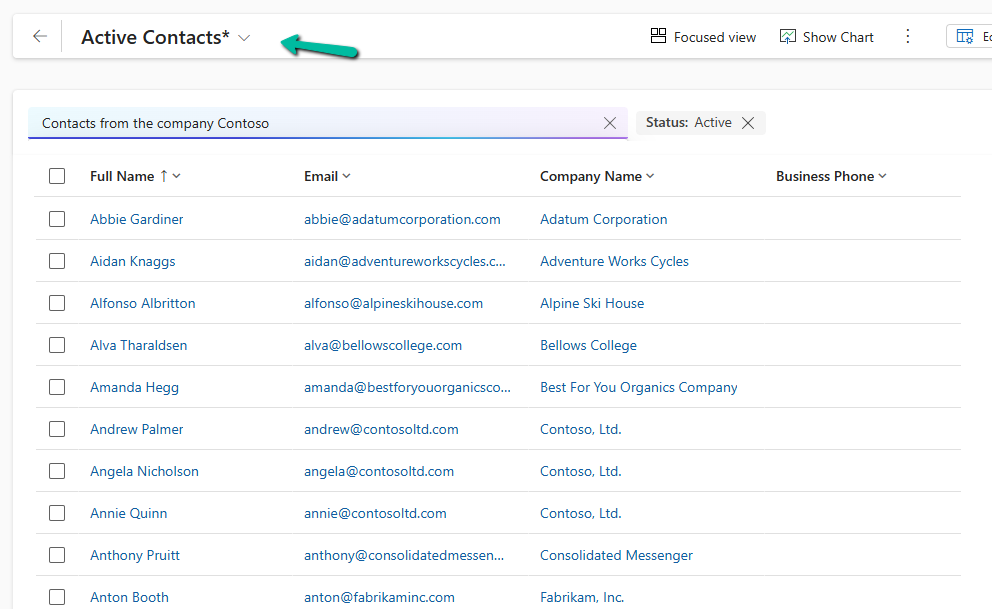
The result –
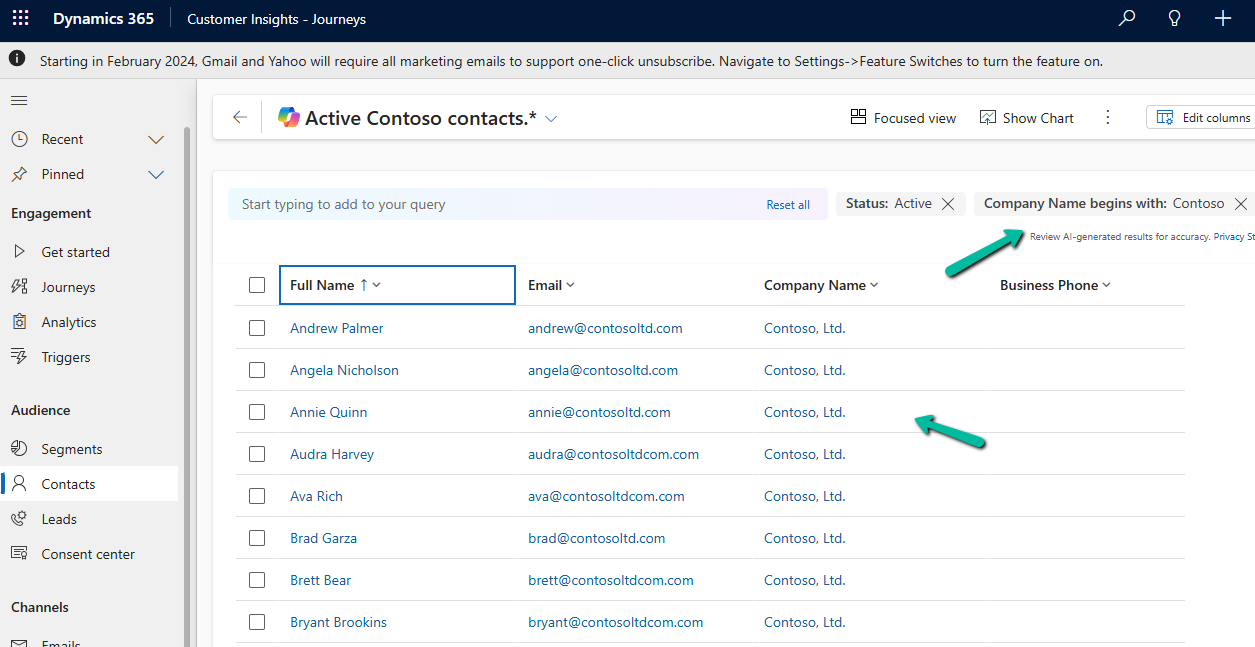
We can also use it to sort data.
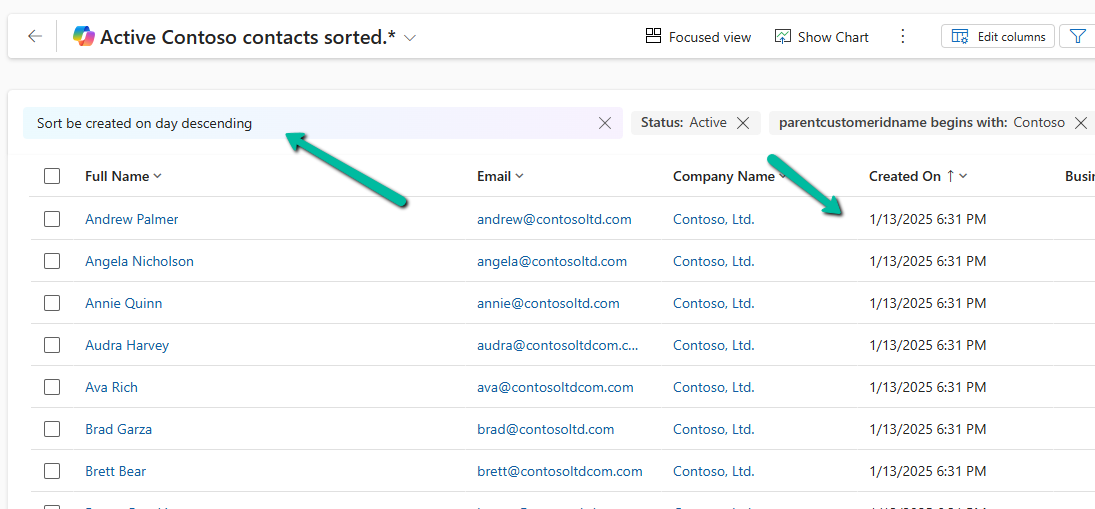
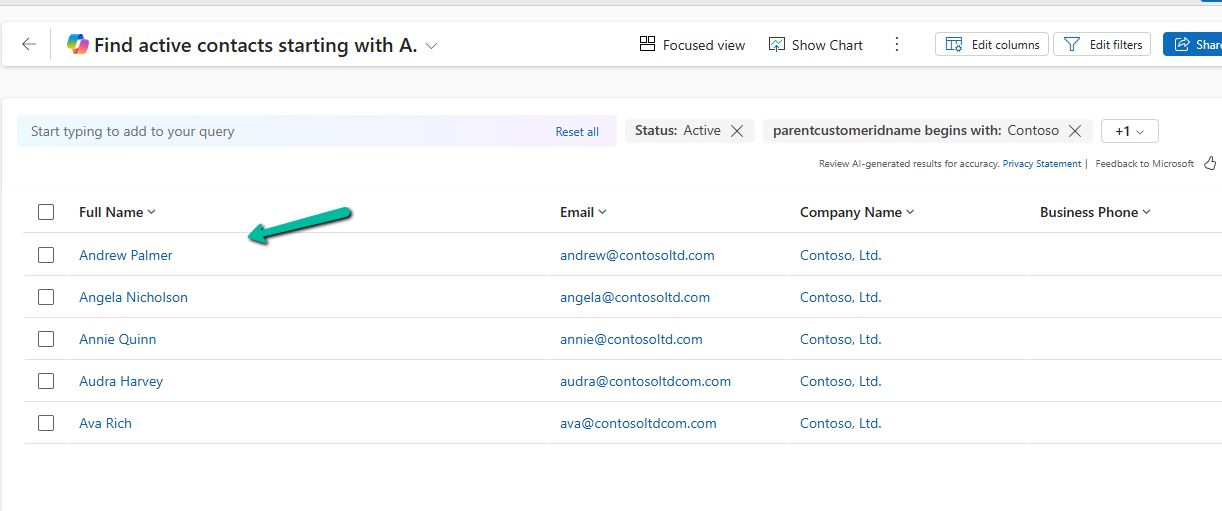
Another example

The result –
Using natural language search has loads of benefits:
- Ease of Use: Do complex searches without needing to be tech-savvy.
- Speed: Find what you need quickly without navigating through multiple filters.
- Accessibility: Makes data interaction easy for everyone, even if you’re not a tech pro.
As it’s still in preview, there are a few things the Smart Grid Preview doesn’t support yet:
- Query Aggregation
- Query Grouping
- Adding Columns
Remember, it’s still a work in progress and not ready for full production use.
Get more details here
Hope it helps ..
Discover more from Nishant Rana's Weblog
Subscribe to get the latest posts sent to your email.
Share It -


 Nishant Rana's Weblog
2 thoughts on “Check Out the Natural Language Grid and View search”