

Suppose we have the following whole number fields, where Field C is the calculated column and is the sum of Field A and Field B

Field C calculated column –

However, if any of the fields used for calculation is null, Field C will also show null.
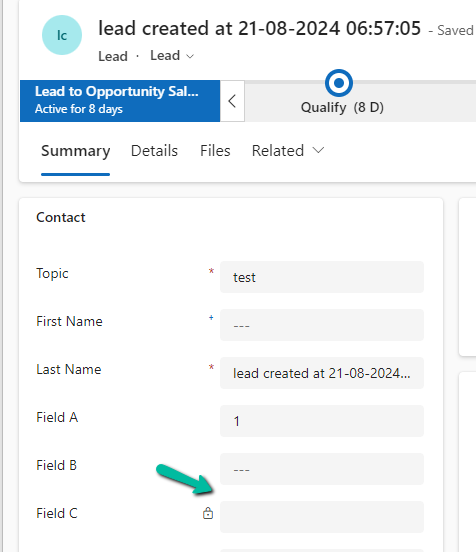
The way we can resolve it is to put a null check in the formula.
We have created a new calculated column with the below definition.


The other option that we can consider is using JavaScript / Business Rules / Additional Calculated Columns to set the default value to 0 in case of null, for the fields being used for calculation.
In the case of 0 also, the calculated columns will work properly.
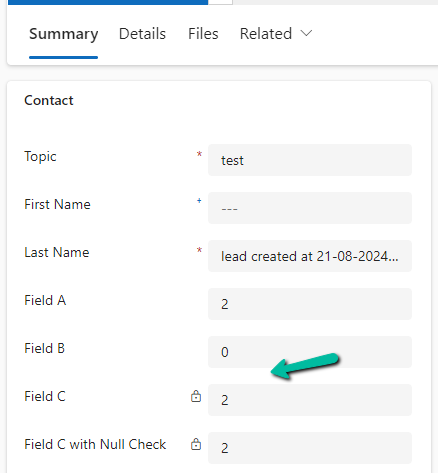
Finally, now that we have Fx Formula Columns available we can make use of them instead of Calculated Columns.

The formula columns work properly and we do not have to put the null check.


Get more details on Fx Formula Columns
Hope it helps..
Discover more from Nishant Rana's Weblog
Subscribe to get the latest posts sent to your email.
Share It -


 Nishant Rana's Weblog
One thought on “How to deal with the Calculated columns having Null values (Dynamics 365 / Dataverse)”