

While running an SSIS Package that creates Quote Product records, we got the below error –
CRM service call returned an error: The number of decimal places on quantity needs to be 0 or less
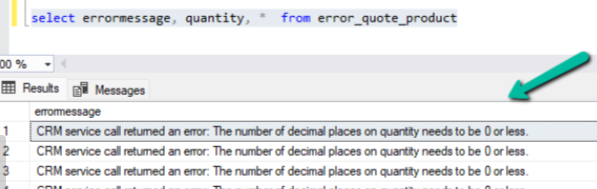
If we see the decimal places seem to be specified properly for the quantity field in the source file as we had other records created properly from the source.

Well this occurs when we try to add Quote Product and specify decimal precision in quantity which is more than what has been specified in the associate product.
Below we can see the decimal supported is 0 for the product associated to the quote product record.
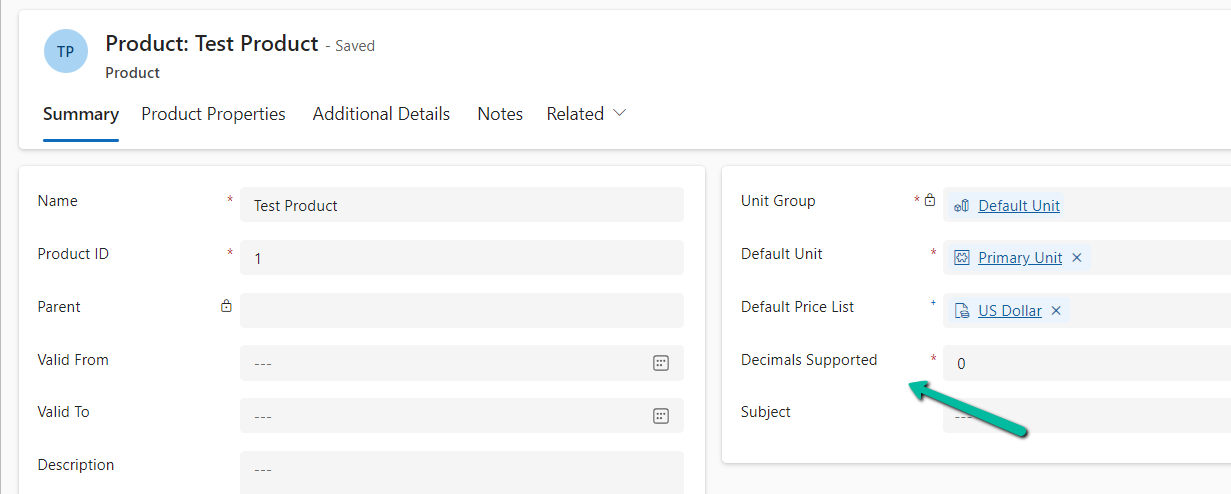
To fix this problem, either we have to increase the decimal supported value or remove decimal precision from the quantity in the quote product based on the product in question.
Hope it helps..
Discover more from Nishant Rana's Weblog
Subscribe to get the latest posts sent to your email.
Share It -


 Nishant Rana's Weblog
One thought on “Fixed – CRM service call returned an error: The number of decimal places on quantity needs to be 0 or less for Quote Product (Dynamics 365 / Dataverse/SSIS)”