

We now have the version support for Cloud Flows in Power Automate.
This feature is only available in the new editor.
Let us start by creating a simple flow, the creation part will happen in the existing editor.

Let us save the flow, and select Edit >> Details in a new tab to open it in the new designer inside Power Automate Maker Portal

- Version History
- Save Draft
- Publish

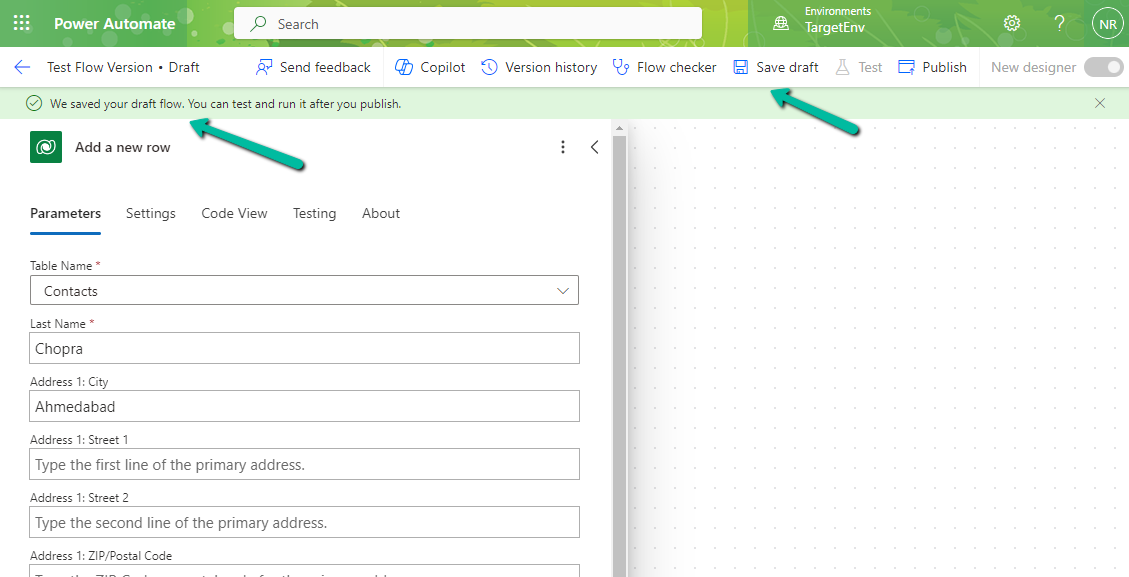
Below we have made changes to the flow and clicked on Save Draft.
Clicking on Save Draft changes the flow to Draft and shows the message “We saved your draft flow. You can test and run it after you publish”
From the Version History, we can see the Latest Version, Published Version, and the Past Published version, with the option to Restore it.

We can save a draft of a flow even with errors now.

Check for more details – Draft and Versioning for Cloud Flows
Hope it helps..
Discover more from Nishant Rana's Weblog
Subscribe to get the latest posts sent to your email.
Share It -


 Nishant Rana's Weblog
One thought on “Versioning and Drafts for Solution-based Cloud Flows – Power Automate”