

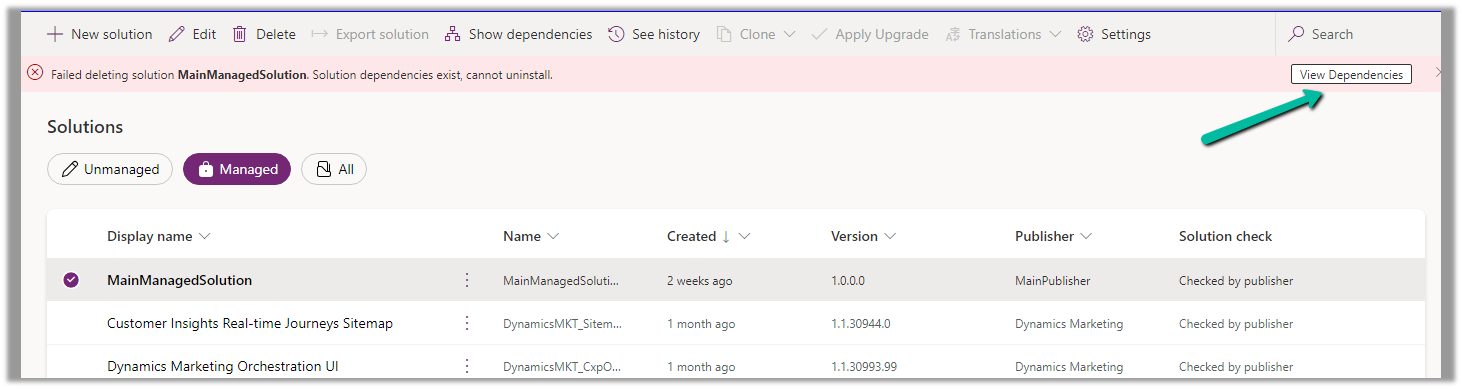
Recently while trying to delete a managed solution from one of our environments, we got the below error.

Failed deleting solution MainManagedSolution. Solution dependencies exist, cannot uninstall.
Click on View Dependencies.
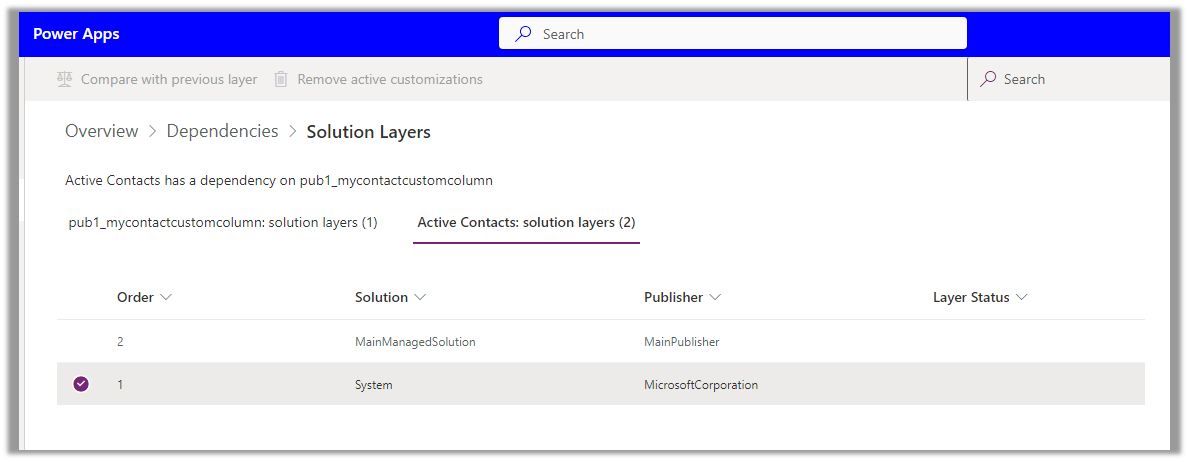
Click on See solution layers

We can see Active Contacts has a dependency on the custom column, and it is part of an unmanaged layer (default solution) in this case.
Click on Remove active customizations

This will delete the unmanaged customization done in the Active Contact view in the environment. (removes the custom column from the Active Contact view)

Trying again, this time we can delete the Managed solution.


Get more details – Remove an unmanaged layer
Hope it helps..
Advertisements
Discover more from Nishant Rana's Weblog
Subscribe to get the latest posts sent to your email.
Share It -


 Nishant Rana's Weblog
One thought on “Failed deleting solution. Solution dependencies exist, cannot uninstall / Remove unmanaged layer– Dynamics 365 / Dataverse”