
Recently we were evaluating StresStimulus, the load testing tool, for our performance testing requirements. The tool is quite user friendly and intuitive and in a matter of few minutes (and few clicks), we were up and running.
Get the tool (trial) here
https://www.stresstimulus.com/download
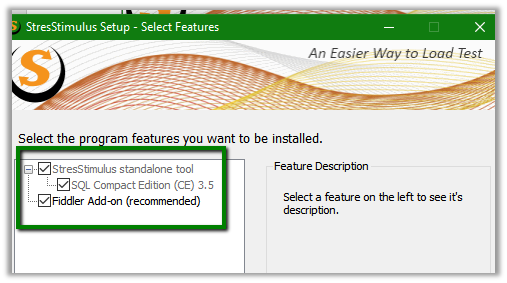
Install it with the Fiddler Add-On (recommended) option checked. It also has stand alone tool along with the fiddler add-on,
Once installed, open the fiddler, go to StresStimulus tab and click on Record Test Case …

This opens us the Test wizard from us, here we have selected Web Browser – Chrome as the recording source for Dynamics CRM.

Specify the Dynamics CRM URL and other options as required and click on Record

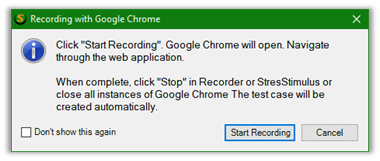
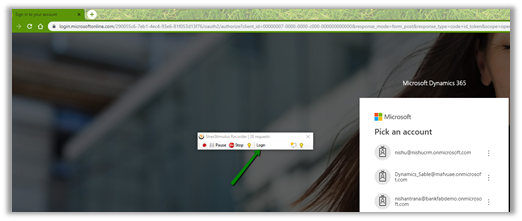
During recording we can specify various transaction, or basically events that we are capturing inside the recording toolbar. Here clicking on Start Recording will open Chrome for us with Dynamics CRM URL specified. We have specified “Login” in the transaction box to capture set of actions specific to login.
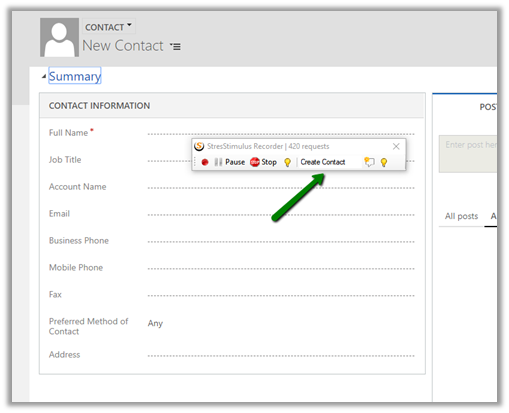
After login, we want to capture creation of Contact Create, we can specify the same in Recorder tool bar and continue creating the contact record in CRM.
Similarly, we can record other events, once done, click on Stop to stop the recording.
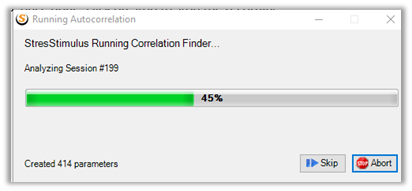
Do check out this post à
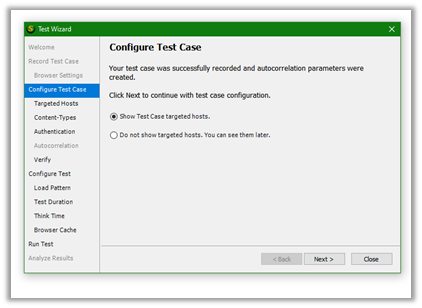
On successful autocorrelation parameters are created we can configure our test case.
The first button gives us the option of removing the unwanted host by auto checking the hosts.
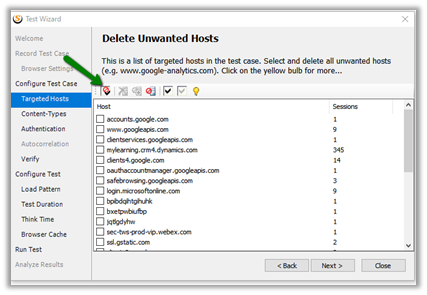
Click on delete to remove the unwanted hosts auto selected for us.


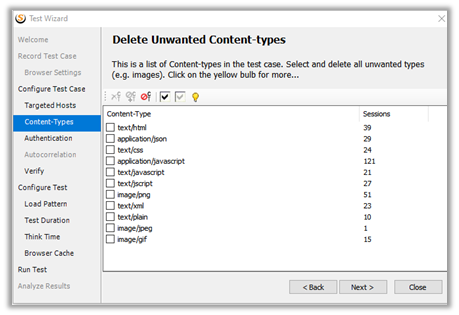
Next we are presented with the option of selecting the content types to include in the test case.
Followed by Server authentication credentials. (in our case we ignored it)

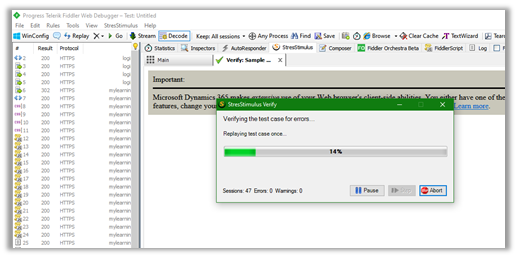
As the last step we can verify the test case, which replays the test case to check for any errors, before we can save it or run it.

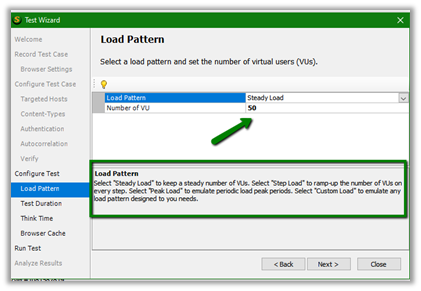
Next after successful verification, we can define Load Pattern and Number of VU (Virtual user)
Here we have specified Steady Load with 50 Users. The other options available are Step Load, Peak Load and Custom Load. We can request trial to receive 7 day license, which allows us to specify 50 VU, else the download version is limited to 3 VU.
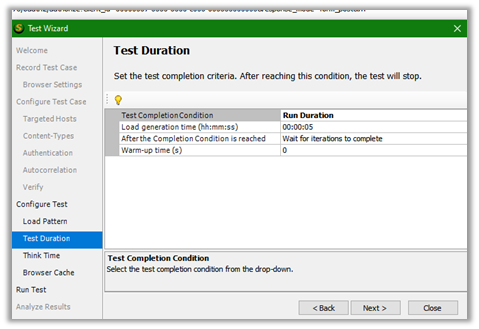
We are leaving the Test Duration values as default
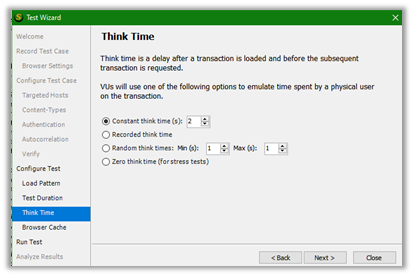
Same for the think time i.e. 2 minutes.
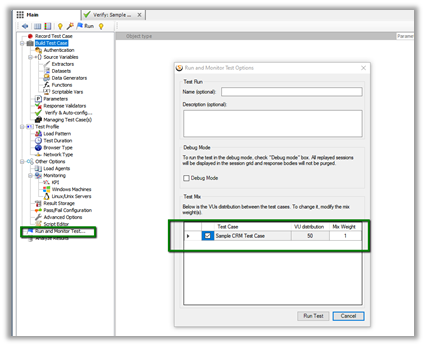
Finally, we can click on Run Test to run our test configured. We can also run the test from Run and Monitor Test Options
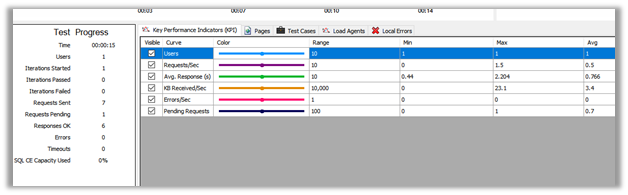
We can see our Test Run in action

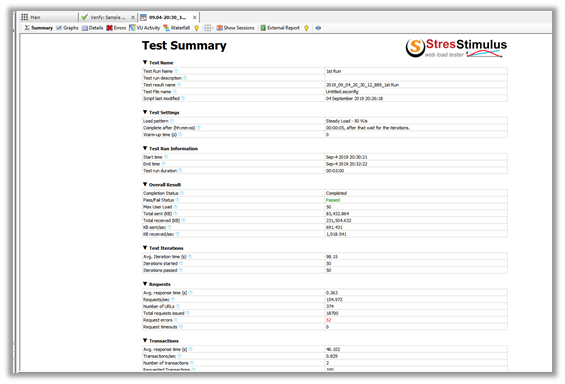
Once the test run completes, we are presented with the Test Summary
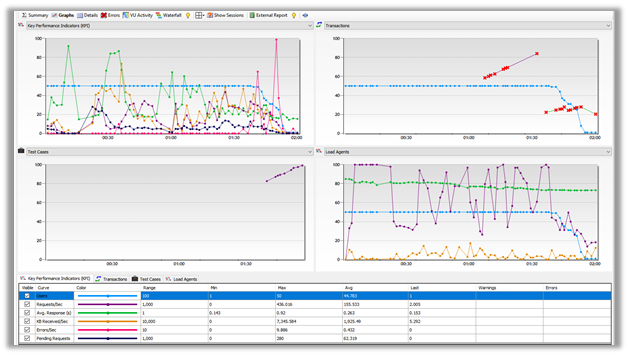
Graphs tab
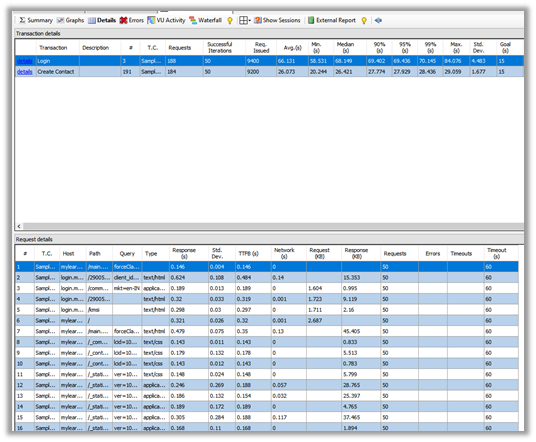
Details Tab
VU Activity Tab

Back in CRM we can see the records created as a part of test run.

We can also compare results of different test run.
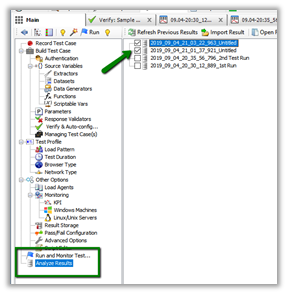
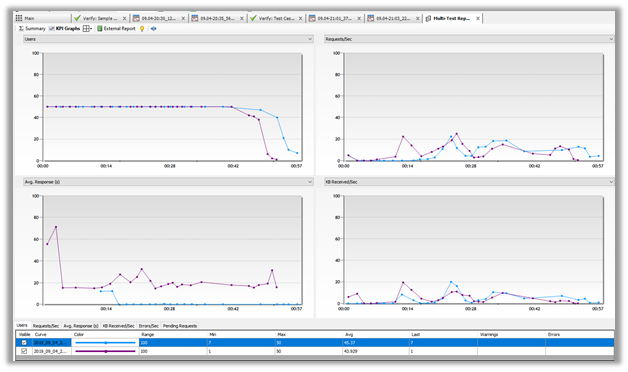
Below is our multi-test report.

Same report in Graph Form.
Get all the details here
https://www.stresstimulus.com/load-testing-tool/dynamics-crm-performance-testing
Hope it helps..
Discover more from Nishant Rana's Weblog
Subscribe to get the latest posts sent to your email.
Share It -


 Nishant Rana's Weblog
Wow! I absolutely have to test this! Thank you Nishant !
LikeLike