
Hi,
We recently got a requirement to show the logged in user’s profile picture along with the name on the Welcome Menu on the top right.
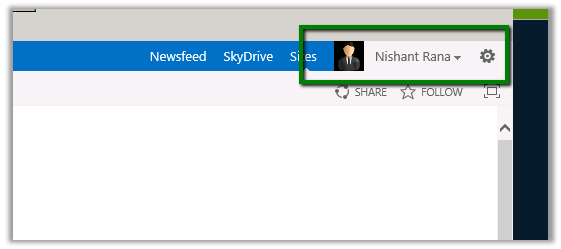
We followed these steps to implement it.
- Open the master page used by the Site (Site Settings àMaster Pages and page layouts à Select the master page file à right click and download a copy.
- Add the following tags in the master page.
<%@
Register
Tagprefix=”SPSWC”
Namespace=”Microsoft.SharePoint.Portal.WebControls”
Assembly=”Microsoft.SharePoint.Portal, Version=15.0.0.0, Culture=neutral, PublicKeyToken=71e9bce111e9429c”
%>

<SPSWC:ProfilePropertyLoader
runat=”server”
/>
<SPSWC:ProfilePropertyImage
PropertyName=”PictureUrl”
style=”float: left; height: 20px;“
ShowPlaceholder=”true”
id=”PictureUrlImage”
runat=”server”/>

Saving and uploading the master page.
Hope it helps.
Discover more from Nishant Rana's Weblog
Subscribe to get the latest posts sent to your email.
Share It -


 Nishant Rana's Weblog
I added your code to my masterpage, but nothing is showing. What is the property of the “PictureUrl”? Where is it being called from? Did you implement this with AD? Seems like some steps are missing. I’d appreciate any help/clarity you can give.
LikeLike
A weird loop-hole in female psychology
that makes hot women want to sleep with ordinary men
over and over again. Watch the video>>
LikeLike
Not working in HTML master page.. I used as
<!–SPM:–>
<!–SPM: –>
Giving parse error as control not found. Please help me..
LikeLike
1234
LikeLike
poor blog.
LikeLike