

This feature added to Timeline control allows us to take notes even before creating/saving the record/form.
Select the Timeline control, then Notes properties, and check the “Enable to author a note before saving the form” option.
Save and publish the change.
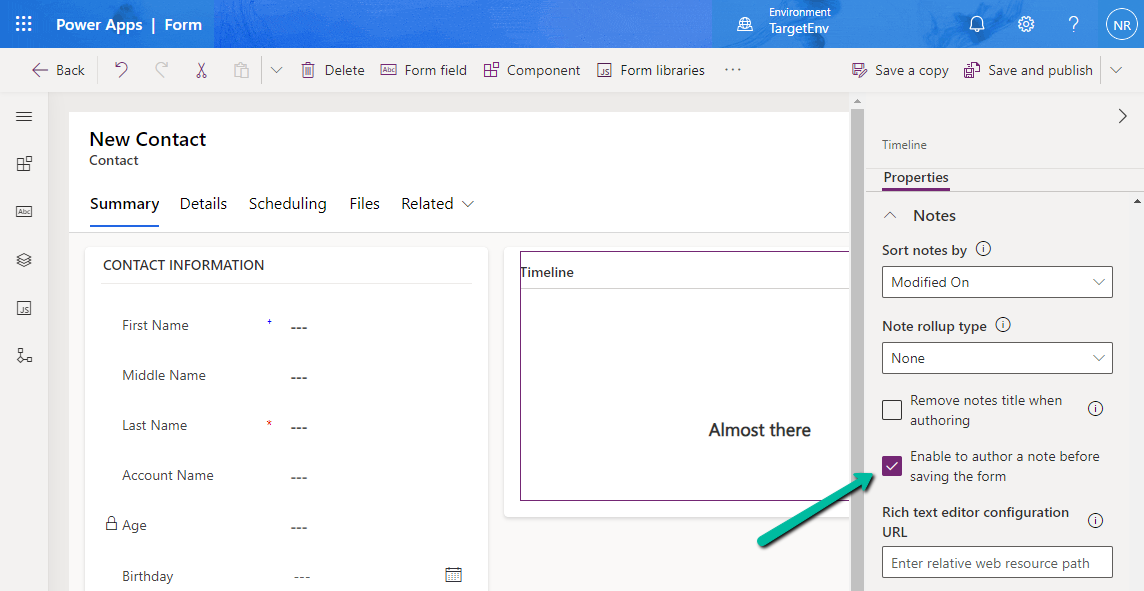
Before –

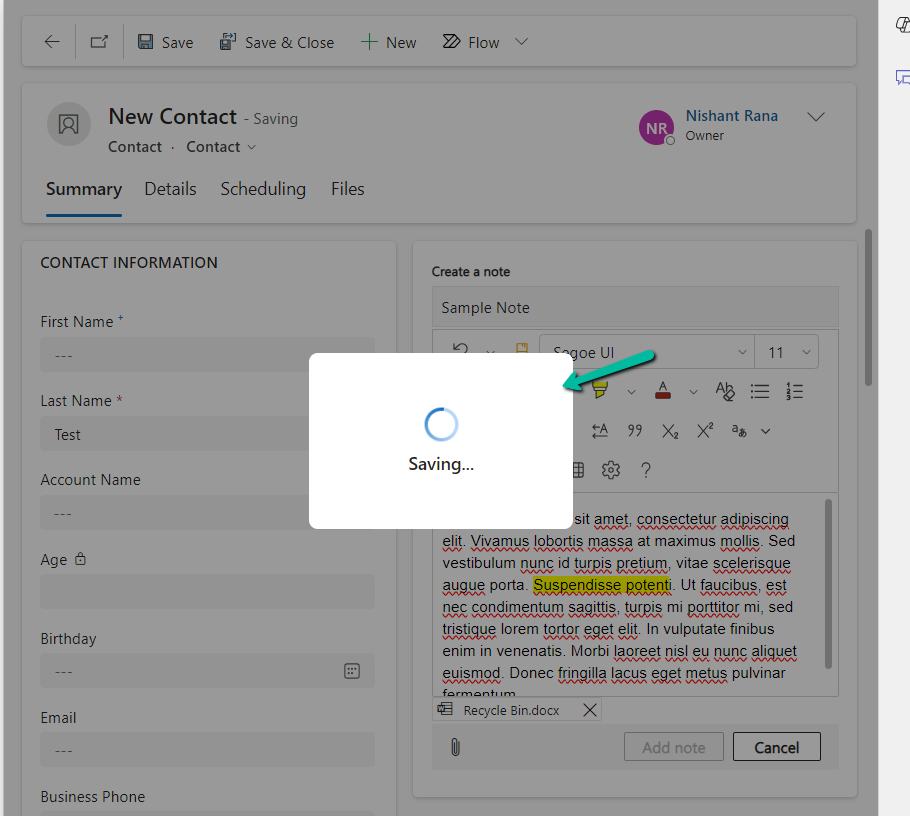
Now after enabling the author note before saving option, we can see the option to create a note enabled on the create form.

We can enter the details and also upload an attachment.

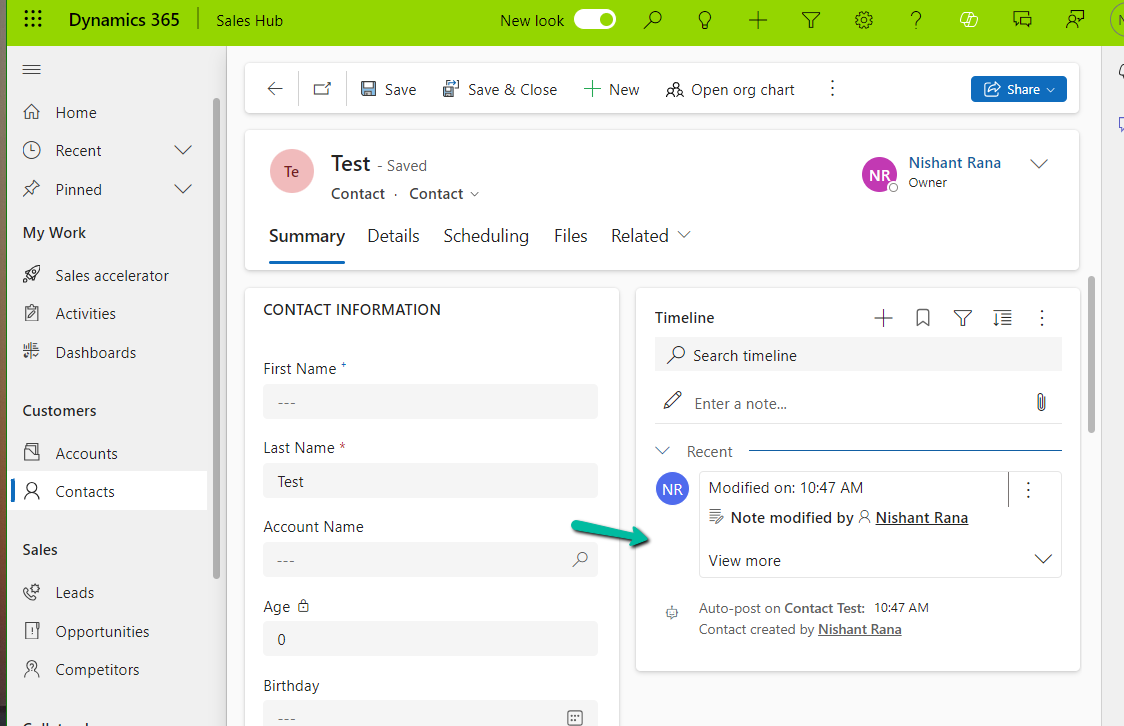
On Saving the record, we can see the notes added to the record.
Also, check
- Notes Control – https://nishantrana.me/2023/05/10/notes-control-dynamics-365/
- Attachment Control – https://nishantrana.me/2023/05/08/new-attachment-control-dynamics-365/
- Due open activities – https://nishantrana.me/2023/05/09/due-open-activities-control-dynamics-365/
Hope it helps..
Advertisements

 Nishant Rana's Weblog