Fixed – “Action cannot be performed. This quote is not owned by Dynamics 365 Sales” in Dataverse / Dynamics 365


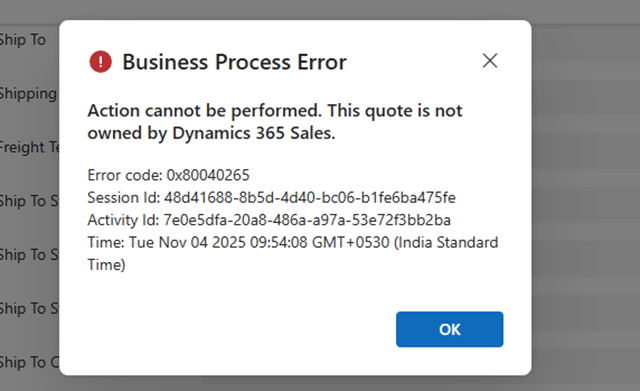
Recently, while working with Quotes in Dynamics 365 Sales integrated with Supply Chain Management (SCM) through Dual-write, we encountered an interesting error while trying to activate an existing quote.

When attempting to activate Quote, the system threw the following error message:
Checking the Plugin Trace Log, we found the following details:

Entered Microsoft.Dynamics.SCMExtended.Plugins.QuotePreUpdate.Execute(), Correlation Id: 97636eb7-a10c-4503-918f-6dd7b8c1a671, Initiating User: 2953f4a9-ffca-ea11-a812-000d3a6aa8ae

QuoteService: PreUpdate.

Validate calling user $2953f4a9-ffca-ea11-a812-000d3a6aa8ae.

Calling user not DataIntegrator

Feature: Dynamics. AX.Application.SalesQuotationD365SalesFeature; Enabled: True

QuoteService: update from CE.

Validate calling user $2953f4a9-ffca-ea11-a812-000d3a6aa8ae.

Calling user not Dual-write.

SCM plugin exception: Action cannot be performed. This quote is not owned by Dynamics 365 Sales., at Microsoft.Dynamics.SCMExtended.Plugins.Services.QuoteService.ValidateIntegrationOwnerOnStateCodeChange(LocalPluginContext localContext, Guid quoteId)

Interestingly, this issue occurred only for old quote records — the ones created before Dual-write was enabled.

All newly created quotes after enabling Dual-write worked perfectly fine and could be activated without any error.

When comparing both sets of records, we noticed one key difference:

The msdyn_quotationownership (Ownership) field was blank for old quotes, while it was populated for the new ones.

This field plays an important role once Dual-write is enabled. The Microsoft.Dynamics.SCMExtended.Plugins.QuotePreUpdate plugin checks the Ownership field during operations like quote activation to validate the integration source.

If this field is empty, the plugin assumes the quote doesn’t belong to Dynamics 365 Sales and blocks the action, resulting in the error we saw.

Here we simply needed to set the missing ownership field.
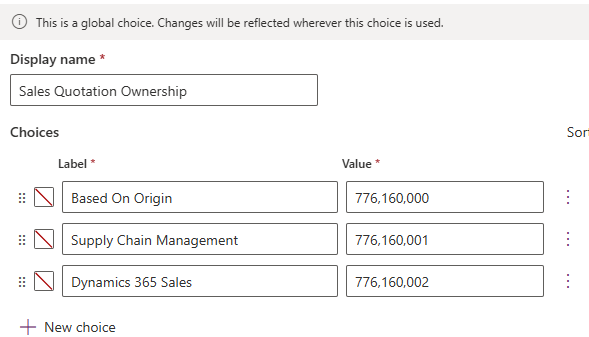
A screenshot of a computer

AI-generated content may be incorrect.

To resolve the issue, we bulk updated all old quotes to set the missing Ownership (msdyn_quotationownership) field to Dynamics 365 Sales.

Once updated, the system immediately allowed us to activate quotes successfully — no more errors.

Hope it helps..

Advertisements

Fix – The FnO Integration solution install failed. HCMScheduling and HCMSchedulingAnchor solutions must be installed. See Field Service documentation for details (Dynamics 365 Field Service)


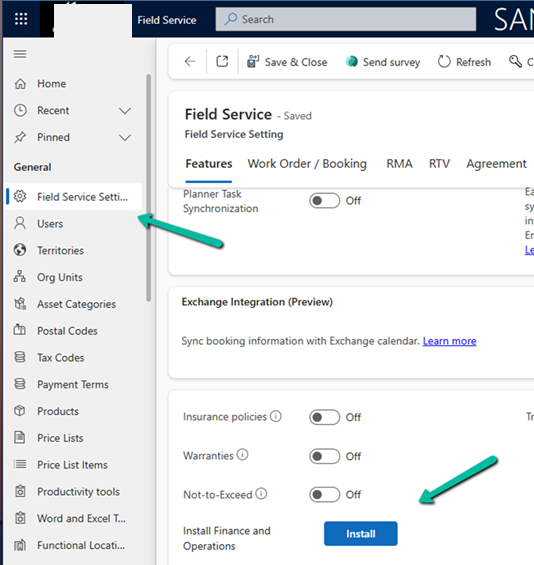
While trying to install Finance and Operations from Field Service Settings, we might encounter the following error.

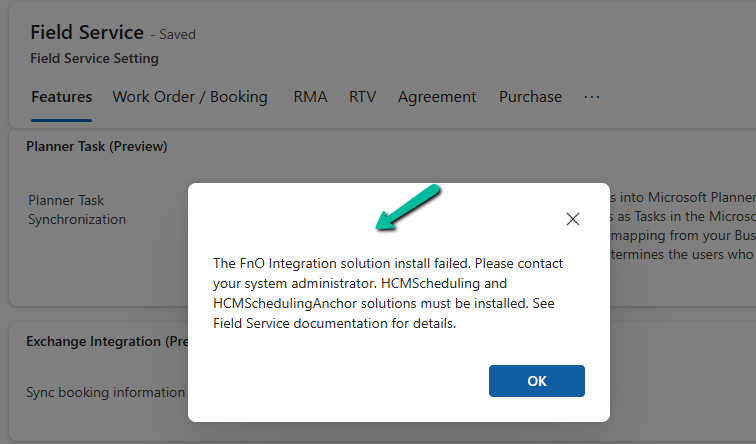
“The FnO Integration solution install failed. Please contact your system administrator. HCMScheduling and HCMSchedulingAnchor solutions must be installed. See Field Service documentation for details.”

A screenshot of a computer

AI-generated content may be incorrect.

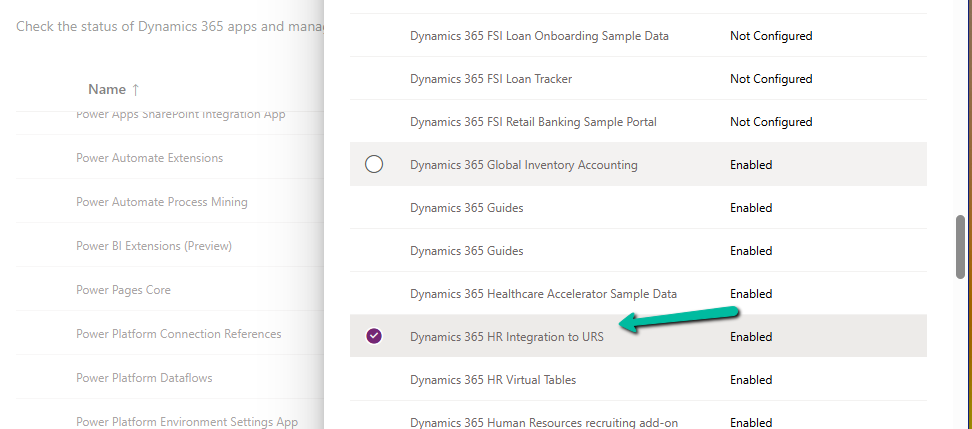
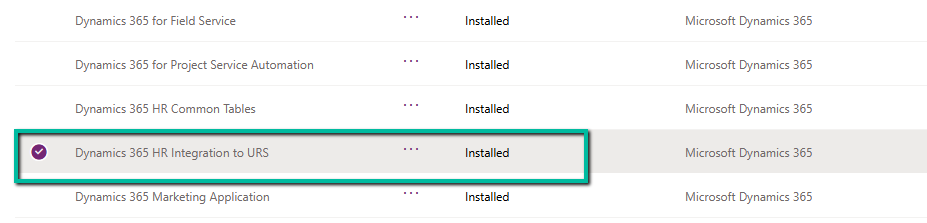
To fix it, we need to install the “Dynamics 365 Human Resources integration to URS” app.

A screenshot of a computer

AI-generated content may be incorrect.

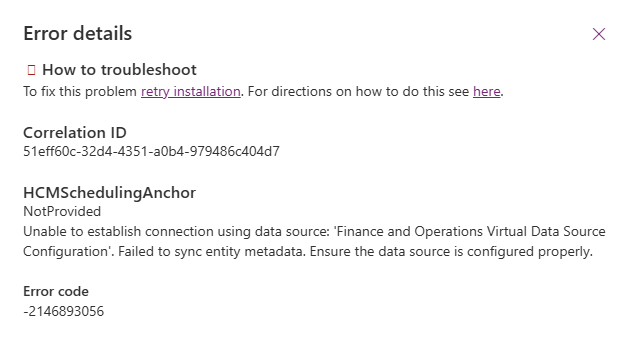
However, while trying to install Dynamics 365 HR Integration to URS app, we got the following error –

HCMSchedulingAnchor

NotProvided

Unable to establish connection using data source: ‘Finance and Operations Virtual Data Source Configuration’. Failed to sync entity metadata. Ensure the data source is configured properly.

A screenshot of a computer

AI-generated content may be incorrect.

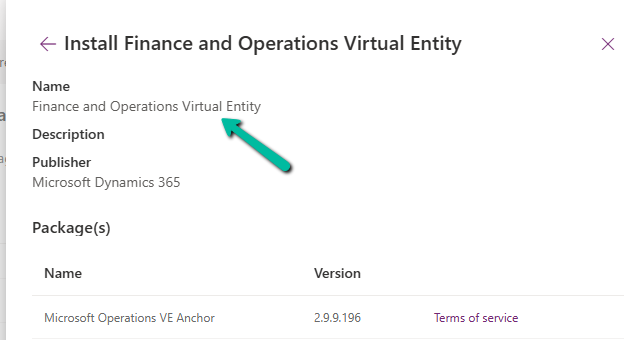
The fix was to install the Finance and Operations Virtual Entity app first.

A screenshot of a computer

AI-generated content may be incorrect.
A close up of words

AI-generated content may be incorrect.

After installing Finance and Operations Virtual Entity, we were able to install the Dynamics 365 HR Integration to URS app successfully.

A screenshot of a computer

AI-generated content may be incorrect.

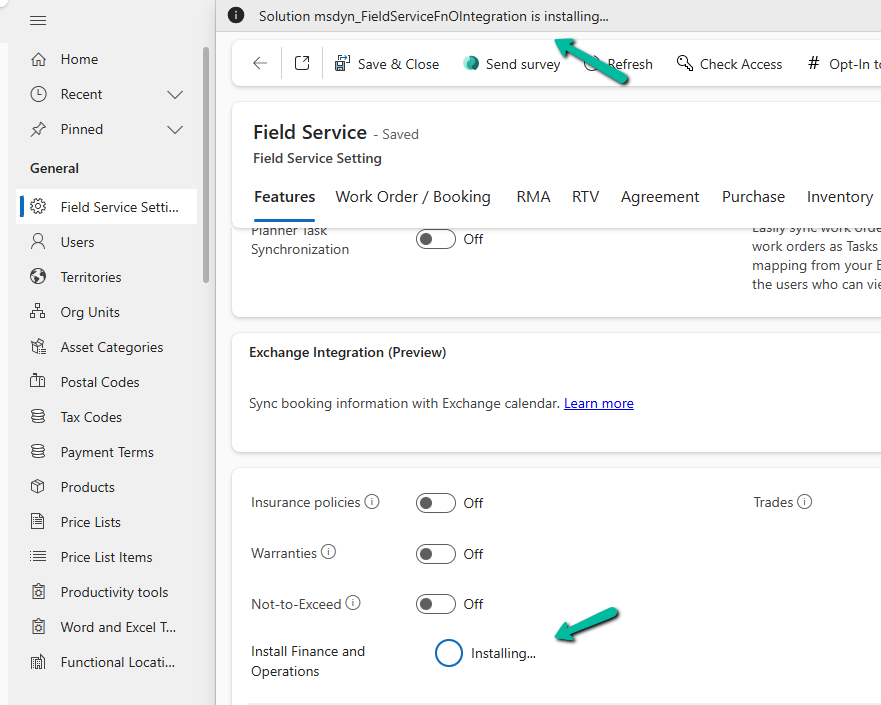
That finally allowed us to install the FnO Integration (msdyn_FieldServiceFnOIntegration) in our Environment.

A screenshot of a computer

AI-generated content may be incorrect.

Hope it helps..

Advertisements

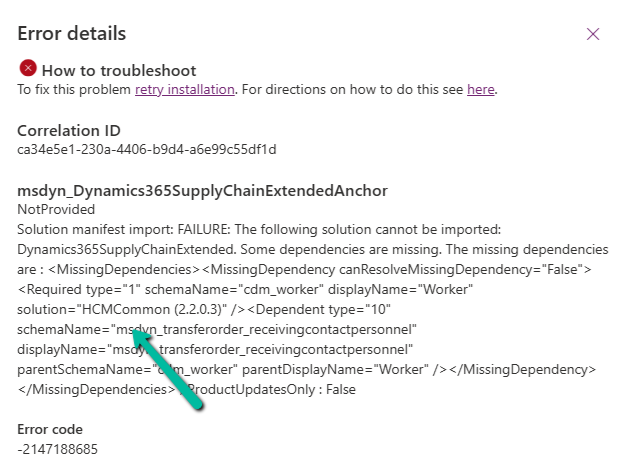
Fixed – The following solution cannot be imported: Dynamics365SupplyChainExtended. Some dependencies are missing – HCM Common (Dynamics 365)


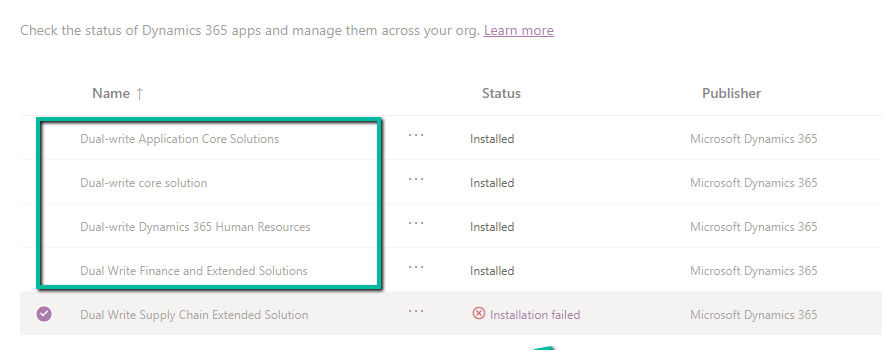
While trying to install the Dual Write Supply Chain Extended Solution, we got the following error.

We had below apps already installed before installing the Supply Chain Extended Solution.

  • Dual-Write Application Core Solutions
  • Dual-write core Solution
  • Dual-write Dynamics 365 Human Resources
  • Dual-write Finance and Extended Solutions
A screenshot of a computer

AI-generated content may be incorrect.

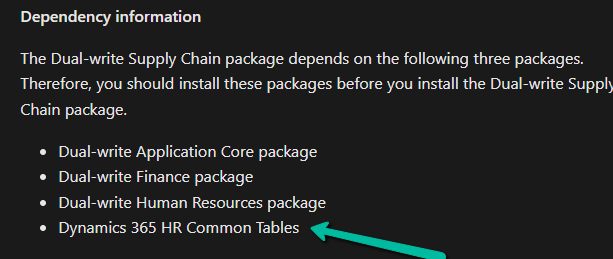
Upon going through the documentation, we realized we were missing one dependent package.

A screen shot of a computer

AI-generated content may be incorrect.

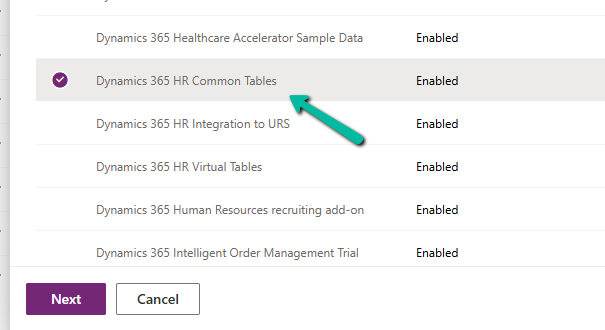
We installed the Dynamics 365 HR Common Tables package first, and then on retrying the installation of Supply Chain package we didn’t get any error.

A screenshot of a computer

AI-generated content may be incorrect.

Hope it helps..