Using AddQueryOption to write oData query in Silverlight (CRM 2011)


Hi,

The easiest way to write oData query is to make use of this wonderful tool developed by Rhett Clinton:-

http://crm2011odatatool.codeplex.com/

The query generated by tool can be used in Jscript. They can also be used to write DataServiceQuery in Silverlight project using AddQueryOption.

Here are few examples: –

  • The query to get the subject and city of all the lead records

http://servername/orgName/xrmservices/2011/OrganizationData.svc/LeadSet?

$select=Address1_City,Subject

Now while writing DataServiceQuery simple set the first parameter of AddQueryOption as $select and the value part of it as the second parameter.

var queryLead = context.LeadSet.AddQueryOption("$select", "Address1_City,Subject") as DataServiceQuery<Lead>;


  • The query to get the subject and city of all the lead records where subject contains string ‘test’

http://sname/orgname/xrmservices/2011/OrganizationData.svc/LeadSet?

$select=Address1_City,FullName&$filter=substringof(‘test’,Subject)

Here we will add two query option one for select and other for filter criteria

var queryLead = context.LeadSet
.AddQueryOption("$select", "Address1_City,Subject")
.AddQueryOption("$filter", "substringof('test',Subject)")
as DataServiceQuery<Lead>;


  • The query to get the subject of all the lead records along with owner’s Business Unit Name (i.e. related entity)

http://sname/orgname/xrmservices/2011/OrganizationData.svc/LeadSet?

$select=Subject,lead_owning_user/BusinessUnitId&$expand=lead_owning_user

Here we are making use of expand to get the data from the related entity

var queryLead = context.LeadSet
.AddQueryOption("$select", "Subject,lead_owning_user/BusinessUnitId")
.AddQueryOption("$expand", "lead_owning_user")
as DataServiceQuery<Lead>;

To run the query and loop through the records returned we can make use of following code:-

DataServiceCollection<Lead> leads = new DataServiceCollection<Lead>();
leads.LoadCompleted += (s, ea) =>
{

foreach (Lead lead in leads)
{
MessageBox.Show(lead.Subject);
MessageBox.Show(lead.lead_owning_user.BusinessUnitId.Name);
}

};

leads.LoadAsync(queryLead);

Hope this helps.

Sample code to parse JSON Date Format


Hi,

Just sharing a sample code to parse JSON Date Format (e.g. “\/Date(628318530718)\/”) to Date.


entity = JSON.parse(retrieveReq.responseText).d;

if (entity['BirthDate'] != null) {

var jdate = parseJsonDate(entity['BirthDate']);
 var year = jdate.getFullYear();
 var month = jdate.getMonth() + 1 < 10 ? '0' + (jdate.getMonth() + 1) : (jdate.getMonth() + 1);
 var date = jdate.getDate() < 10 ? '0' + jdate.getDate() : jdate.getDate();
 var dateString = month + '/' + date + '/' + year;

 alert(dateString);
 }

function parseJsonDate(jsonDate) {
 var offset = new Date().getTimezoneOffset() * 60000;
 var parts = /\/Date\((-?\d+)([+-]\d{2})?(\d{2})?.*/.exec(jsonDate);

if (parts[2] == undefined)
 parts[2] = 0;

if (parts[3] == undefined)
 parts[3] = 0;

return new Date(+parts[1] + offset + parts[2] * 3600000 + parts[3] * 60000);
 }

}

Bye.

Using Client HTTP Stack with oData in Silverlight (CRM 2011)


Hi,

Just sharing a simple example that uses Client HTTP Stack while developing Silverlight web resource.

The good thing with this is that we don’t have to upload and publish the web resource for every change. However if the Siliverlight component is running in the context of the form and interacting with it then in that case we will have to upload and publish it.

Steps : –

Create a Silverlight application and add service reference to the oData service of CRM 2011.

Go to Settings |Customizations | Developer Resources

Get the url of the OrganizationData service

Add Service Reference to the URL

The context would be named as OrganizationNameContext.

Now in the MainPage.xaml set the url of the OrganizationData and Set up the context in the following manner.

 public partial class MainPage : UserControl
 {

private GGContext context;
 private String orgDataServerUrl;

public MainPage()
 {
 InitializeComponent();

// set the server url
 orgDataServerUrl = "http://server:port/GG/XRMServices/2011/OrganizationData.svc";

// set the context
 context = new GGContext(new Uri(orgDataServerUrl));

// set up the Client Http Stack
 context.HttpStack = System.Data.Services.Client.HttpStack.ClientHttp;
 context.UseDefaultCredentials = false;
 context.Credentials = new NetworkCredential("administrator", "password", "domain");
 }
 . . . .

Put the following clientaccesspolicy.xml in the following location

“..\Program Files\Microsoft Dynamics CRM\CRMWeb”

<?xml version="1.0" encoding="utf-8"?>
<access-policy>
 <cross-domain-access>
 <policy>
 <allow-from http-request-headers="*">
 <domain uri="*"/>
 </allow-from>
 <grant-to>
 <resource path="/" include-subpaths="true"/>
 </grant-to>
 </policy>
 </cross-domain-access>
</access-policy>

Once we are done with development we can set up the context in the following manner

 public partial class MainPage : UserControl
 {

private GGContext context;
 private String orgDataServerUrl;

public MainPage()
 {
 InitializeComponent();

// get the Server Url
 orgDataServerUrl = this.GetServerUrlFromContext();

// setup Context
 context = new GGContext(
 new Uri(String.Format("{0}/xrmservices/2011/organizationdata.svc/",
 orgDataServerUrl), UriKind.Absolute));

//This is important because if the entity has new
 //attributes added the code will fail.
 context.IgnoreMissingProperties = true;

}

private string GetServerUrlFromContext()
 {
 try
 {
 // If the Silverlight is in a form, this will get the server url.
 ScriptObject xrm = (ScriptObject)HtmlPage.Window.GetProperty("Xrm");
 ScriptObject page = (ScriptObject)xrm.GetProperty("Page");
 ScriptObject pageContext = (ScriptObject)page.GetProperty("context");

String serverUrl = (String)pageContext.Invoke("getServerUrl");

// The trailing forward slash character from CRM Online needs to be
 // removed.
 if (serverUrl.EndsWith("/"))
 {
 serverUrl = serverUrl.Substring(0, serverUrl.Length - 1);
 }

return serverUrl;
 }
 catch
 {
 return String.Empty;
 }
 }
 }

Hope this helps.

Sample Code to Cancel All the Open Activities for a particular record in CRM 2011.


Hi,

Just sharing a sample code that could be used to cancel all the open activities for a particular record.

 private void CancelChildActivities(Guid entityRecordGuid, IOrganizationService service)
 {
 QueryExpression qe = new QueryExpression();
 qe.ColumnSet = new ColumnSet(new string[] { "activityid", "activitytypecode" });
 qe.EntityName = "activitypointer";

FilterExpression filterStateCode = new FilterExpression();
 filterStateCode.FilterOperator = LogicalOperator.Or;
 filterStateCode.AddCondition("statecode", ConditionOperator.Equal, "Open");
 filterStateCode.AddCondition("statecode", ConditionOperator.Equal, "Scheduled");

FilterExpression filter = new FilterExpression();
 filter.FilterOperator = LogicalOperator.And;
 filter.AddCondition("regardingobjectid", ConditionOperator.Equal, entityRecordGuid);
 filter.AddFilter(filterStateCode);

qe.Criteria = filter;

RetrieveMultipleRequest request = new RetrieveMultipleRequest();
 request.Query = qe;
 RetrieveMultipleResponse response = (RetrieveMultipleResponse)service.Execute(request);

foreach (Entity activity in response.EntityCollection.Entities)
 {
 CancelActivity(activity, service);
 }

}

 private void CancelActivity(Entity entity, IOrganizationService service)
 {
 EntityReference moniker = new EntityReference();

if (entity.LogicalName == "activitypointer")
 {
 if (entity.Attributes.Contains("activityid") & entity.Attributes.Contains("activitytypecode"))
 {
 moniker.LogicalName = entity.Attributes["activitytypecode"].ToString();
 moniker.Id = (Guid)entity.Attributes["activityid"];

SetStateRequest request = new SetStateRequest();
 request.EntityMoniker = moniker;
 request.State = new OptionSetValue(2);
 request.Status = new OptionSetValue(-1);
 SetStateResponse response = (SetStateResponse)service.Execute(request);
 }
 }

}

Bye.

Customization (Unsupported) of Lookup in CRM 2011.


Hi,

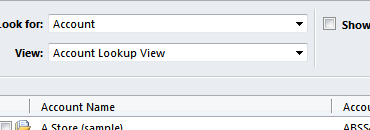
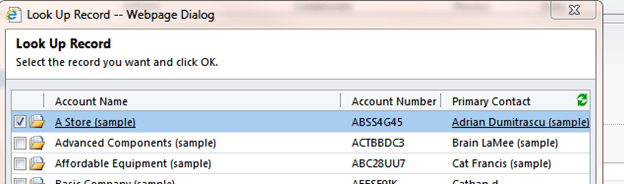
For disabling view button, disabling “look for” option or hiding Button in lookup we can make use of JavaScript.

We need to refer to our lookup through DOM in our onload event and set its attributes (unsupported).

Suppose our lookup id is customerid

document.getElementById(“customerid”).setAttribute(“disableViewPicker“, “1”);


document.getElementById(“customerid”).setAttribute(“disableQuickFind“, “1”); 


document.getElementById(“customerid”).setAttribute(“_lookupbrowse“, “1”); 

Hiding New Button

function myHideLookupButton()

{

crmForm.all.customerid.attachEvent(“setadditionalparams“,HideButton);

}

function HideButton()

{

crmForm.all.customerid.AddParam(“ShowNewButton“, 0);

}

Bye.

Filtered lookup for n:n relationship.


Hi,

Daniel Cai has recently posted about his solution for filtered lookup in case of n:n relationship in his blog.

It works like a charm.

Do check it out.

http://danielcai.blogspot.com/2011/12/filtered-lookup-for-existing-button-of.html

Bye.