

The Timestamp frequency defines when the Booking Timestamp record should be created from the Bookable Resource booking record.
- Per Booking Status Change
- Per Field Service Status Change

By default, it is Per Field Service Status Change, in this case, the Booking Timestamp will be created on the change of Field Service Status.
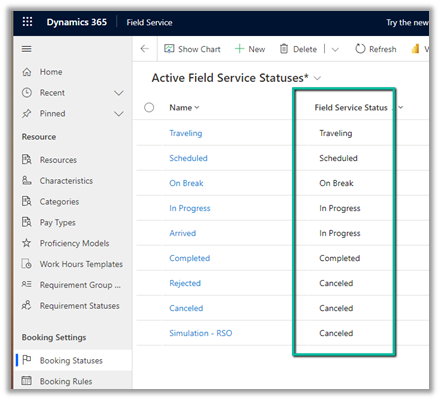
Let us update a Bookable Resource Booking record’s status from In Progress to Arrived.

Here we will not see any Booking Timestamp record created as the Field Service Status remains the same – “In Progress”
On changing it to On Break, we can see a new booking timestamp record created as that changes the Field Service Status.
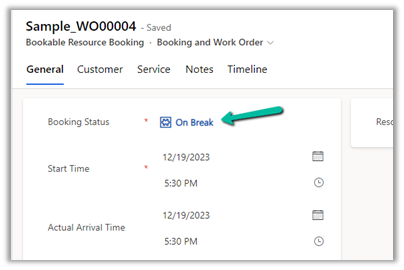
The booking timestamp record :-

In the case of Timestamp Frequency as “Per Booking Status Change”, the booking timestamp record will be created on the change of the booking status in the Bookable Resource Booking record.

Also in the case of “Pre Booking Status Change”, the booking timestamp record created will have the Booking Status captured which is blank in the case
of “Per Field Service Status Change” as shown below

Get more details
Hope it helps..
Discover more from Nishant Rana's Weblog
Subscribe to get the latest posts sent to your email.
Share It -


 Nishant Rana's Weblog
One thought on “Timestamp Frequency (Field Service Settings) in Dynamics 365 Field Service”