

Recently we had to update the display name of one of the users.
Below are the steps to achieve the same –
Login to Microsoft 365 admin center with System Administrator account.
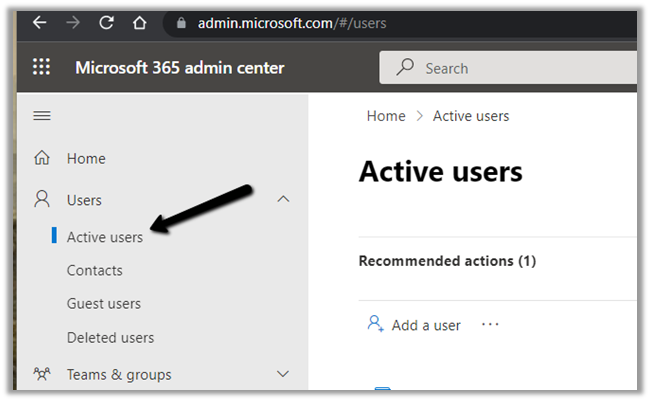
Navigate to Active Users
Select the user, click on ellipsis (…) and select Manage Contact Information

Edit the details and click on Save changes.

After successful update.

We can see the display name changed for the user and the same reflected at other places immediately.

Hope it helps..
Advertisements
Discover more from Nishant Rana's Weblog
Subscribe to get the latest posts sent to your email.
Share It -


 Nishant Rana's Weblog
One thought on “How to – Change the display name of user in Microsoft 365”