

Recently we were getting the below pop up in Windows every time after restart.
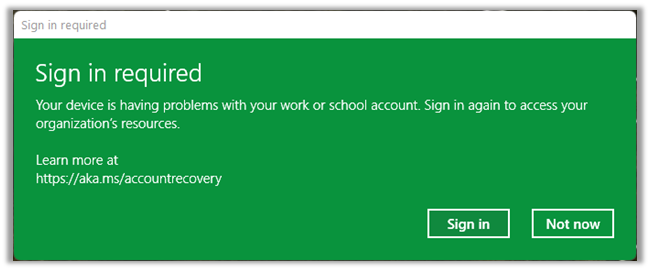
The fix was to Disconnect the work / school account.
Navigate to Accounts è Access work or school

Click on Disconnect the work or school acount.

That fixed the issue for us.
Hope it helps..
Advertisements
Discover more from Nishant Rana's Weblog
Subscribe to get the latest posts sent to your email.
Share It -


 Nishant Rana's Weblog
This isn’t really a workaround especially for devices that are Intune joined.
LikeLike
My Intune joined computer does not show the option to “Disconnect”.
LikeLike
The thing is, I don’t even have a school account connected to my computer. Never did. Also for me the pop up is red. Idk, I think it’s some virus or something. Please reply to this. Need help.
LikeLike
this is helpful, Thanks!
LikeLike