
With the reference panel section, users can move across the different grid and quick view control that are part of it at a single place instead of scrolling.
- Reference Panel is a new type of section that can be added on form.

- Only one reference panel can be added per form.

- It is a single column section.
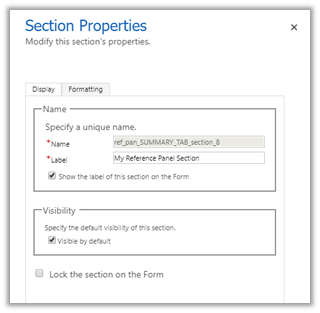
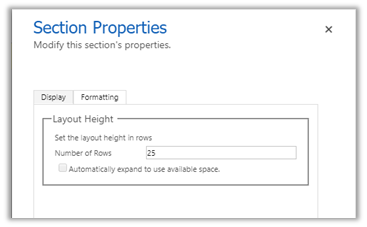
- Multiple Sub-grid and Quick View control can be added to it.
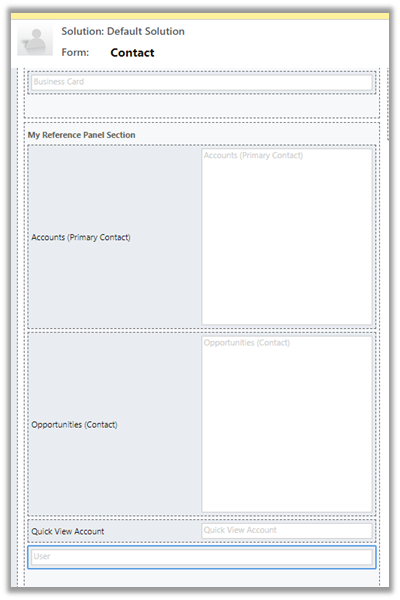
Make sure to apply the appropriate icon.

- The default tab will be the first control added.
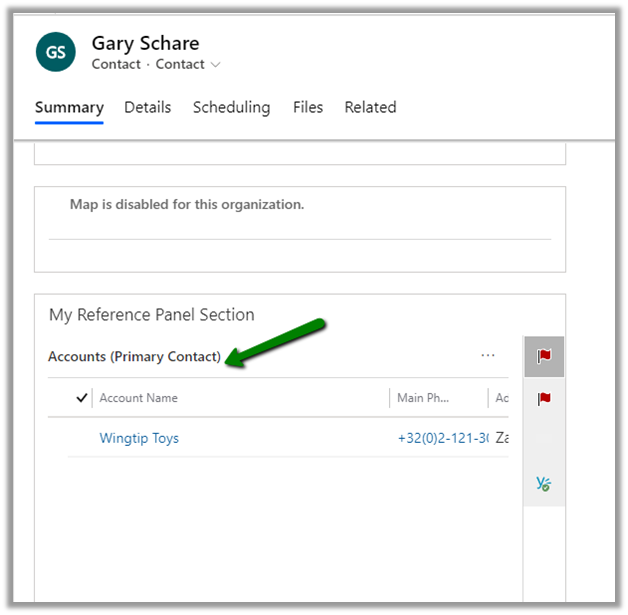
- The other tab will follow the same order in which they are added.

More on sections
https://www.youtube.com/watch?v=ubEIAgKFzLo
Hope it helps..
Advertisements
Discover more from Nishant Rana's Weblog
Subscribe to get the latest posts sent to your email.
Share It -


 Nishant Rana's Weblog
2 thoughts on “Reference Panel section for Forms in Dynamics 365”