
Recently while scheduling our SSIS Packages in SQL Server Agent Jobs we got the below error
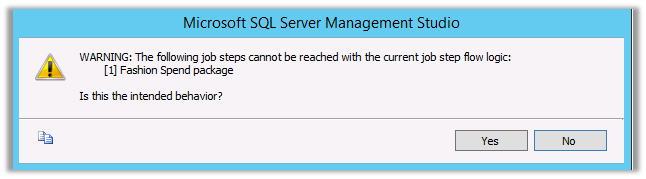
WARNING: The following job steps cannot be reached with the current job step flow logic:
[1] Fashion Spend package
We just need to make sure that we have set correct package in the Start Step properties in Job Properties Dialog Box
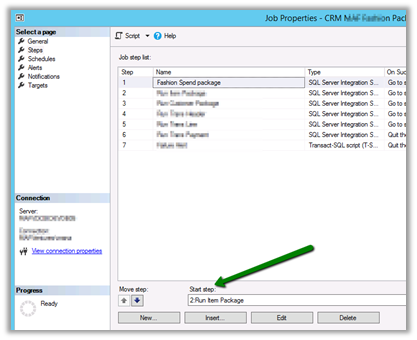
To: –
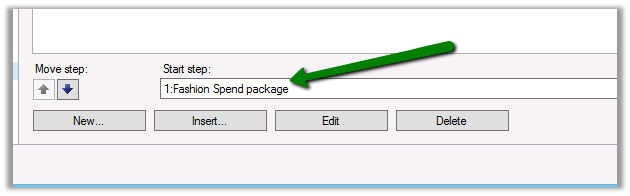
Hope it helps..
Advertisements
Discover more from Nishant Rana's Weblog
Subscribe to get the latest posts sent to your email.
Share It -


 Nishant Rana's Weblog
upssss no encontraba por que me salía eso, y solo era eso. muchas gracias
LikeLike
Thanks mate!!! Silly of Agent to not suggest that this probably is not what you want (after changing step order manually)
LikeLike
You are mi hero. Thanks
LikeLike