
Hi,
I have always find it difficult to figure out the place where I need to change the Site URL property for a SharePoint solution, a web part in this case, for deployment.

To change the Site URL property , Select the SharePoint project then àgo to View à Properties Window
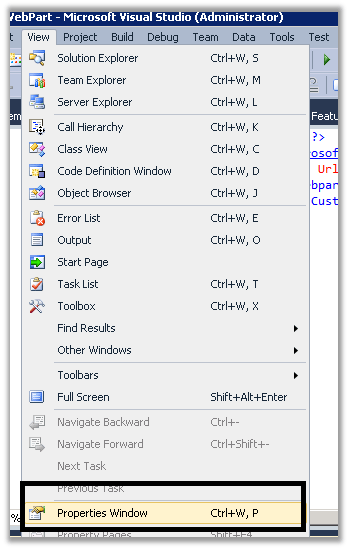
We’d find the property there. Update it.
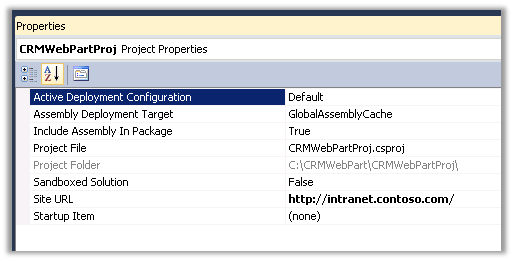
Happy Deploying.
Discover more from Nishant Rana's Weblog
Subscribe to get the latest posts sent to your email.
Share It -


 Nishant Rana's Weblog
What should I do when encountering the error “Cannot connect to the SharePoint site. Make sure that this is a valid URL and the SharePoint site is running on the local computer. If you moved this project to a new computer or if the URL of the SharePoint site has changed since you created the project, update the Site URL property of the project”? regard Telkom University
LikeLike