

Recently while trying to Activate a Workflow we got the below error –
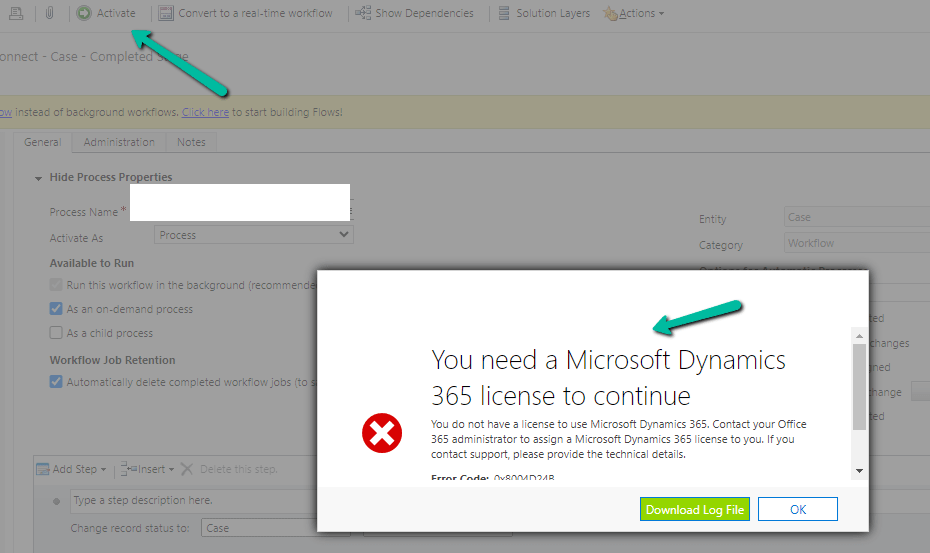
Turn on failed. The user with SystemUserId=xxxxxxxx-483e-eb11-bf70-000d3a795b83 in OrganizationContext=xxxxxxxx-a88f-4f40-b654-7bab4d5c1f95 is not licensed. Please contact your system administrator to add license to this user for the action to succeed. SystemUserAccessMode=0 is not either of (NonInteractive=4, SetupUser=1). User IsDisabled=True, IsLicensed=False. ImpersonatingSystemUserId=xxxxxxxx-9fe2-47b8-84a9-d87c65dc9dfd.
The user account through which we were trying to do so had a System Administrator role, however, it turned out that it was because of the Owner of the Workflow. The system user record set as Owner of the workflow was Inactive.

Assigning it to the other active user, fixed the issue for us.
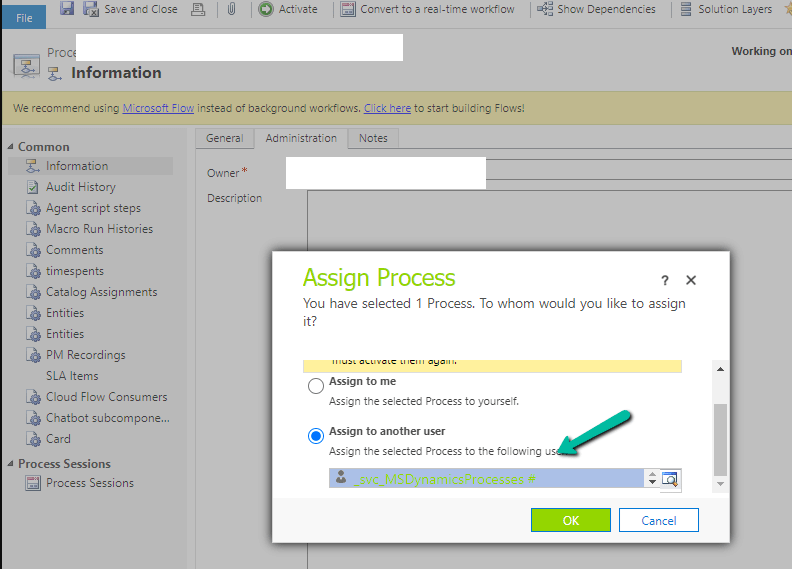
We were able to activate the Workflow than.
Hope it helps..


 Nishant Rana's Weblog