
Occasionally we will face the issue where the Taskbar is overlapping the maximized screen / full screen.
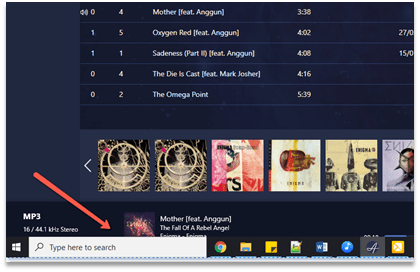
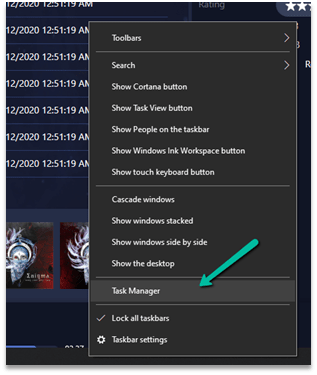
The trick that has always worked for us is to open the Task Manager (right click the tool bar and select Task manager)
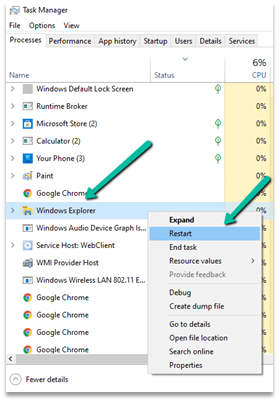
Right click and Restart the Windows Explorer.
Hope it helps..
Discover more from Nishant Rana's Weblog
Subscribe to get the latest posts sent to your email.
Share It -


 Nishant Rana's Weblog
2 thoughts on “Fixed – Taskbar overlapping / showing in Full Screen in Windows 10”