
SSIS has various data flow transformation components that make it easy to manipulate the source data before it can be sent to the destination for processing.
Below are some of the most frequently used one
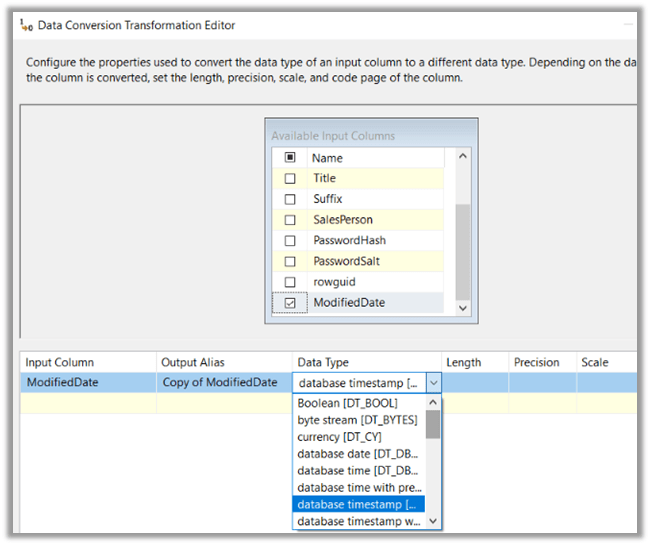
- Data Conversion
For changing the data type of the source column.
Simply select the input column and then specify the data type for it.
For e.g., if our source has one of the date columns as a string, we can apply Data Conversion transformation to convert its data type to Date.
- Derived Column
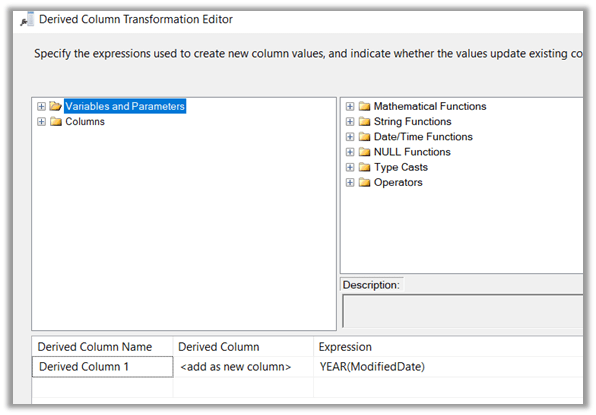
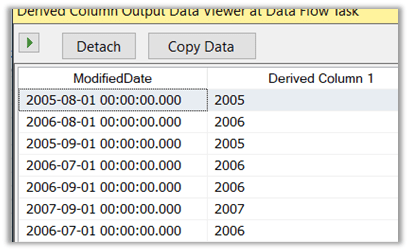
Can be used if we want to apply the expression to the source column and create a new column or update the existing column.
For e.g. we are interested in the Year part of the Modified Date column. For this we can use the Year Date/Time function, get the year part and add it as a new column.
- Percentage Sampling and Row Sampling
To reduce the number of rows in the pipeline.
Percentage Sampling allows us to define the percentage of rows for sampling. It generates two output, one output for the rows that are selected and the other for the unselected.
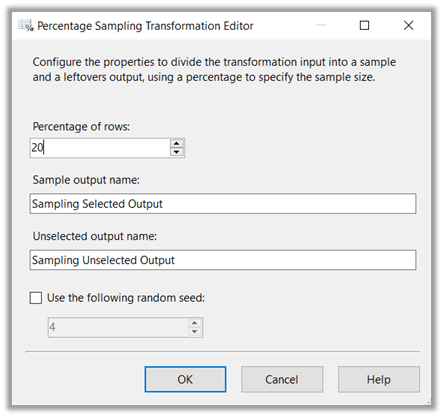
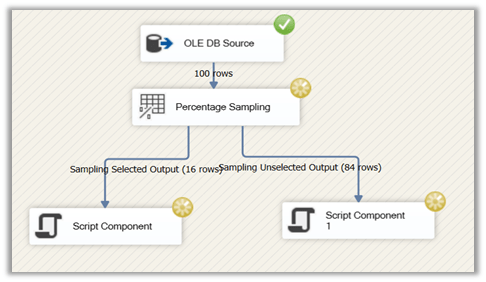
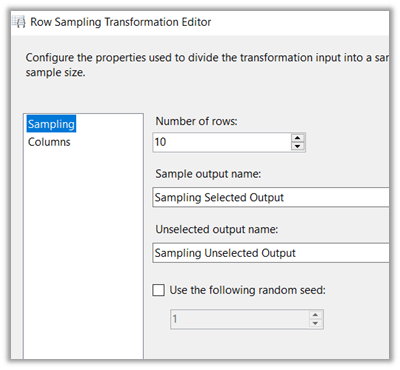
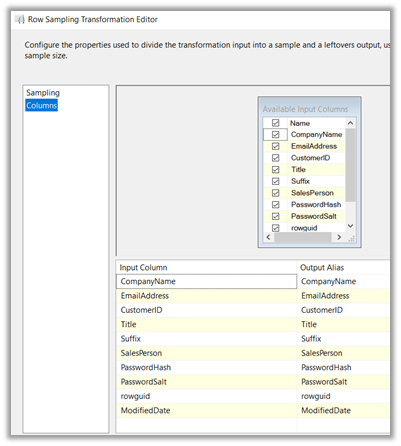
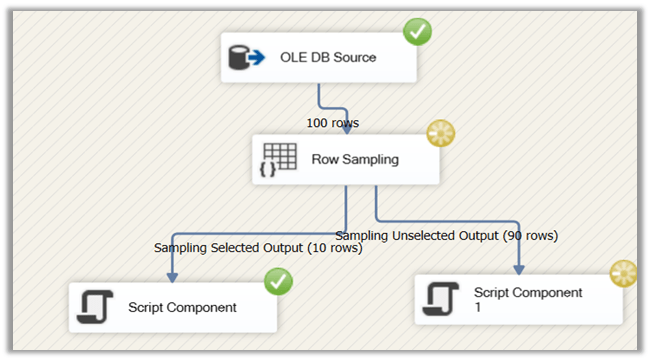
Similarly, Rows Sampling allows us to specify the number of rows directly instead of a percentage. It also gives the option to select the columns.
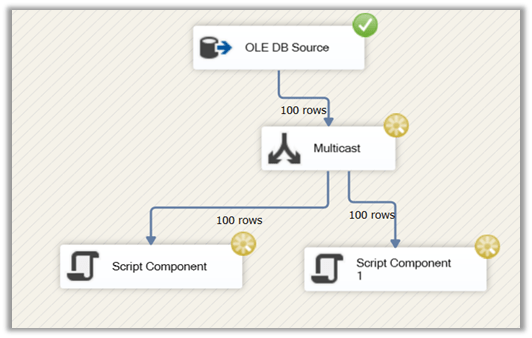
- Multicast
Multicast can be used to pass the same data to multiple destination as shown below.
- Lookup Transformation.
- Conditional Split Transformation
- Sort and Aggregate Transformation
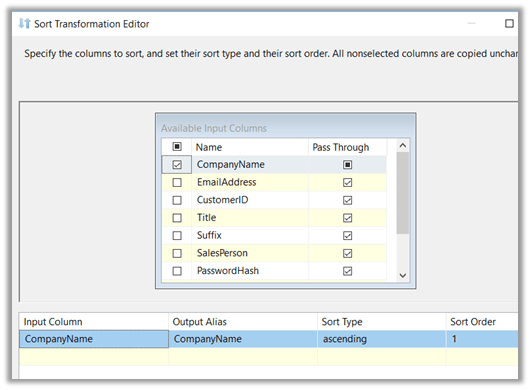
Sort transformation can be used to specify sorting for the data. In the case of SQL, we can specify sort in the query itself however in case of working with flat files, this function can be handy.
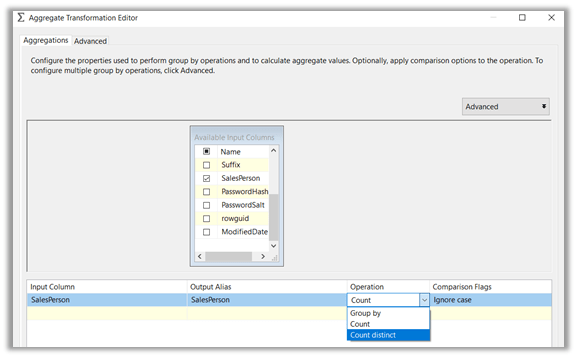
To perform aggregation on the source data we can use Aggregation transformation.
- Union All
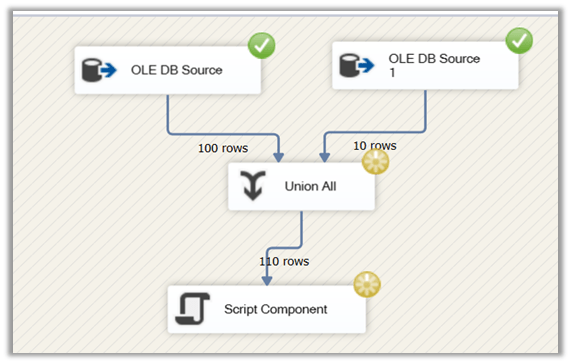
Union All allows us to combine data from multiple sources. Here the column structure should be identical of the sources. The data from the first source is passed to the destination, followed by the data from the second.
We’d covered some of the common transformation components in this post, in the next post we’d try to cover the remaining frequently used transformation.
Hope it helps..
Discover more from Nishant Rana's Weblog
Subscribe to get the latest posts sent to your email.
Share It -


 Nishant Rana's Weblog
3 thoughts on “Data Flow Transformations in SSIS”