
Hi,
After installing and configuring the SharePoint 2013 server on my of VM’s, created a new site collection and did some search and got the below error.

Then realized that we need to create the Enterprise Search Service Application first to get the Search Service running.
Open Central Administration à Select Application Management à Service Applications à Manage Service Applications

Create a new Search Service Application
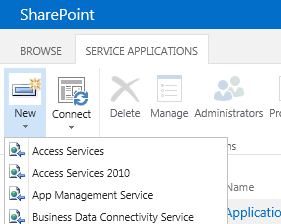
Once created,
Open the application and set up the Content Sources in it and start the crawl.
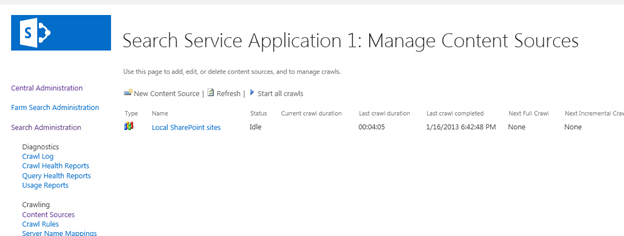
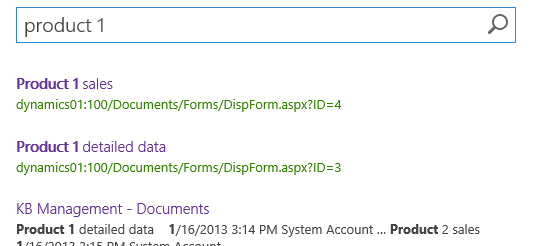
Once the crawling was complete, the search results showed up properly.
Bye.
Discover more from Nishant Rana's Weblog
Subscribe to get the latest posts sent to your email.
Share It -


 Nishant Rana's Weblog
Republicou isso em Sharepoint 4 BR.
LikeLike
I keep getting an error when trying to do what you say above.
An unhandled exception occurred in the user interface.Exception Information: An object of the type Microsoft.SharePoint.Administration.SPIisWebServiceApplicationPool named “Search Service Application 1” already exists under the parent Microsoft.SharePoint.Administration.SPIisWebServiceSettings named “SharePoint Web Services”. Rename your object or delete the existing object
the problem is there is no other one named that…
LikeLike
Its More Simple:
check which SSA your site used go to CA >> Web App >> Service Connections >> Check if it is connected to SharePoint SSA or FAST SSA
https://social.technet.microsoft.com/Forums/office/en-US/d16c75b8-3d7e-48da-878d-e62913b9393b/error-the-search-request-was-unable-to-connect-to-the-search-service?forum=sharepointadminprevious
LikeLike