Using Output Timezone property of CDS/CRM Source Component in SSIS


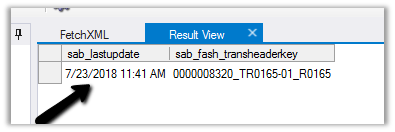
In Dynamics 365 CE, the data time field’s value will always be returned in UTC time when retrieved through the Organization Service.

Just go through this insightful article to learn more about CRM Date Time.

https://www.powerobjects.com/2012/06/07/crm-2011-truths-about-datetime/

For e.g.

Within application à

Inside CRM
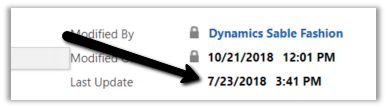
Now to get it in Local Time of the User we can use LocalTimeFromUTCTimeRequest class.
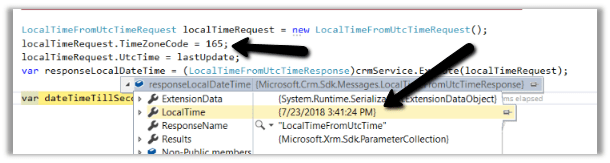
https://www.inogic.com/blog/2013/06/how-to-convert-the-datetime-in-local-and-utc-date-time-format/

Now the good thing is if we are using CDS/CRM Source Component of KingswaySoft’s SSIS Integration Toolkit, it has the Output Timezone property.
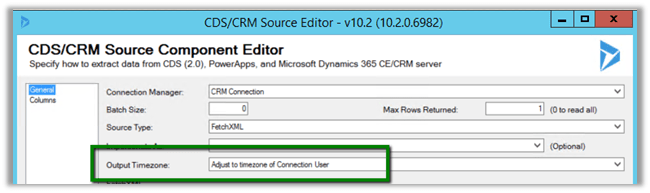
It has following 3 values.
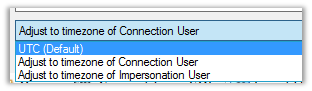
Here UTC (Default) will return the value in UTC and Adjust to the time zone of connection user or the impersonation user will return values based on the user’s time zone. This property makes it extremely intuitive and easy to work with DateTime field within Dynamics 365 CE.

Hope it helps..

Fixed – Unable to Login to Dynamics CRMOrganizationWebProxyClient is nullOrganizationWebProxyClient is null error while using CrmServiceClient


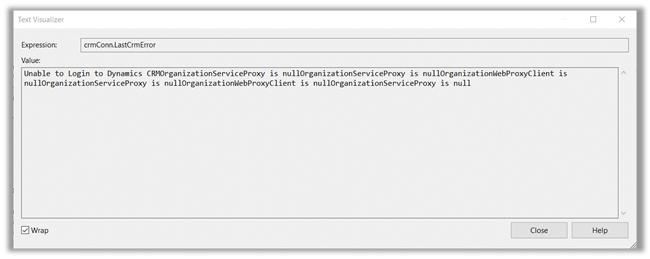
Recently for a console application we got the below error while using CrmServiceClient.

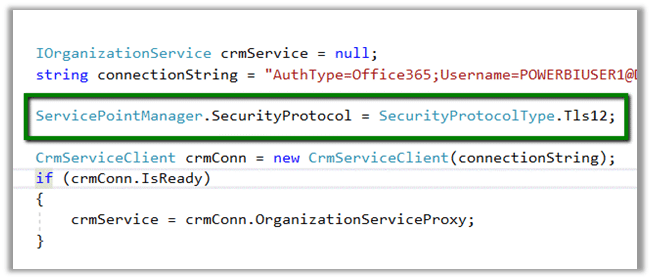
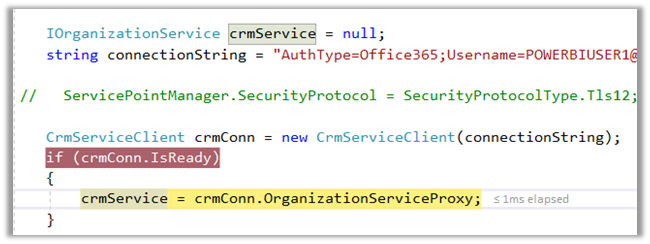
The possible reason is we haven’t specified that security protocol TLS12 to be used in our console application and it is still targeting .NET Framework 4.5.2.

Add the following line of code to get it working if that is the case.

If we are using Visual Studio 2017, simply change the Target Version to .NET Framework 4.6 or higher. It internally defaults to Tls12, so we do not need to specify it explicitly.

https://support.microsoft.com/en-ae/help/4051700

Hope it helps..

Blockchain as a Service (BaaS- Azure) Introduction


Aishwarya C Ramachandran's avatarUpskill your Tech Skills

Just to save you some time – read the article if you would like answers to the below questions 😊

  • What is Blockchain?
  • What is Blockchain a solution to?
  • Different types of Blockchain
  • Why is Blockchain secure?
  • How does blocks get built in a ‘Block-chain’?

Happy reading!

What is Blockchain

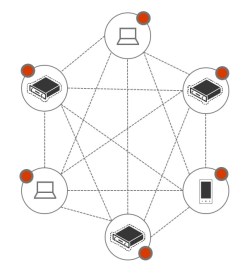
In physical terms – Blockchain is essentially a network of computers. Each computer in the network accepts, confirms and stores transactions in a synchronized chain of confirmed transaction blocks. Each block applies cryptographic proofs and hashes – thus making the blocks / transactions in the blockchain / network immutable.

Pic1

What is Blockchain a solution to?

 Blockchain allows for all parties involved to agree on the current state of something of value without any possibilities for dispute.

Blockchain caters to the above need perfectly because: –

  1. It is immutable – Transactions; remain on the blockchain; it is not…

View original post 745 more words

Microsoft Common Data Service : CDS


Nice introduction to CDS !

Aishwarya C Ramachandran's avatarUpskill your Tech Skills

Before you go ahead, read this article if you would like the below questions answered: –

  1. What business problem does the CDS solve?
  2. How does the common Data Service(CDS) work?
  3. How can I get access to it?

Business Pain points

CDS brings together all data from different departments/ databases into 1 repository

CDS provides accurate end-to-end views of data from across systems

Today, even mature companies face issues of ‘disconnected data’. HR holds different attributes about the same set of data as Finance does. How would it look if in one place we can find information about an employee from every aspect (HR, Finance, Sales Performance etc.)

Pic1

How does CDS work?

At the core of the common data service is the Common Data Model.

The common data model comes prepopulated with many business entities that are useful across a variety of business and application domains. These entities can be…

View original post 435 more words

The collection of variables locked for read and write access is not available outside of PostExecute error in SSIS


We might get this error while trying to access a ReadWrite variable within Script Component outside Post Execute.

Here we were using it within ProcessInputRow method

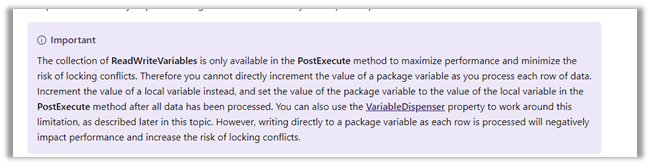
As per the official documentation – the reason for this error is because ReadWriteVariables are only available inside PostExecute method for improved performance and minimizing locking.

https://docs.microsoft.com/en-us/sql/integration-services/extending-packages-scripting/data-flow-script-component/using-variables-in-the-script-component?view=sql-server-2017

Updating the code to use PostExecute method fixed the issue for us.

Hope it helps..

How to – Use OverriddenCreatedOn or Record Created On field to update Created On field in Dynamics 365


While working in data migration project, when creating records in the target system, we would want the “created on” field to hold the original value instead of it being set to the actual value when it was created in the target system, which is set by the system or the platform itself.

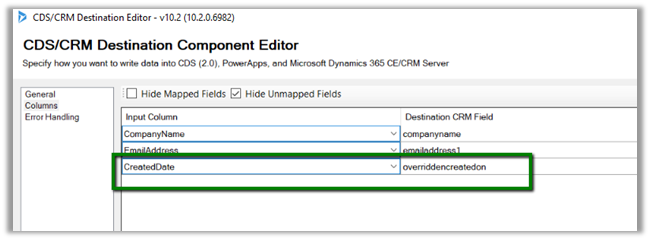
Suppose we are having the “created on” field in our source SQL Server Table and we are creating the lead records in our target Dynamics 365 organization using KingswaySoft’s CRM Destination Component.

Here we have mapped the CreatedDate of our source table to overrriddecnreatedon field of Lead entity.

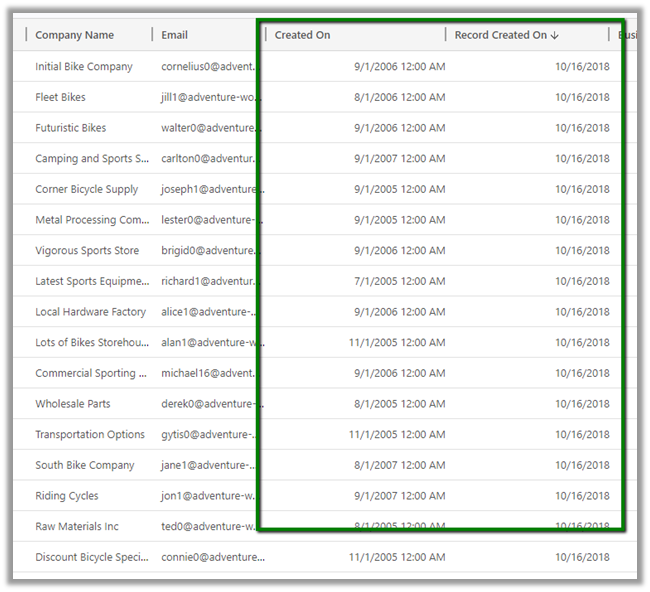
On executing the package, back inside Dynamics 365, we can see the following values for Created On and Record Created On (overrriddecnreatedon) field for the lead records.

Record created on will have the time when the record was created in Dynamics 365 and Created On field will have the values that we passed from our source SQL Table.

Get all the details here

https://blogs.msdn.microsoft.com/emeadcrmsupport/2012/08/01/the-truth-about-override-created-on-or-created-by-for-records-during-data-import/

Hope it helps..

Advertisements