

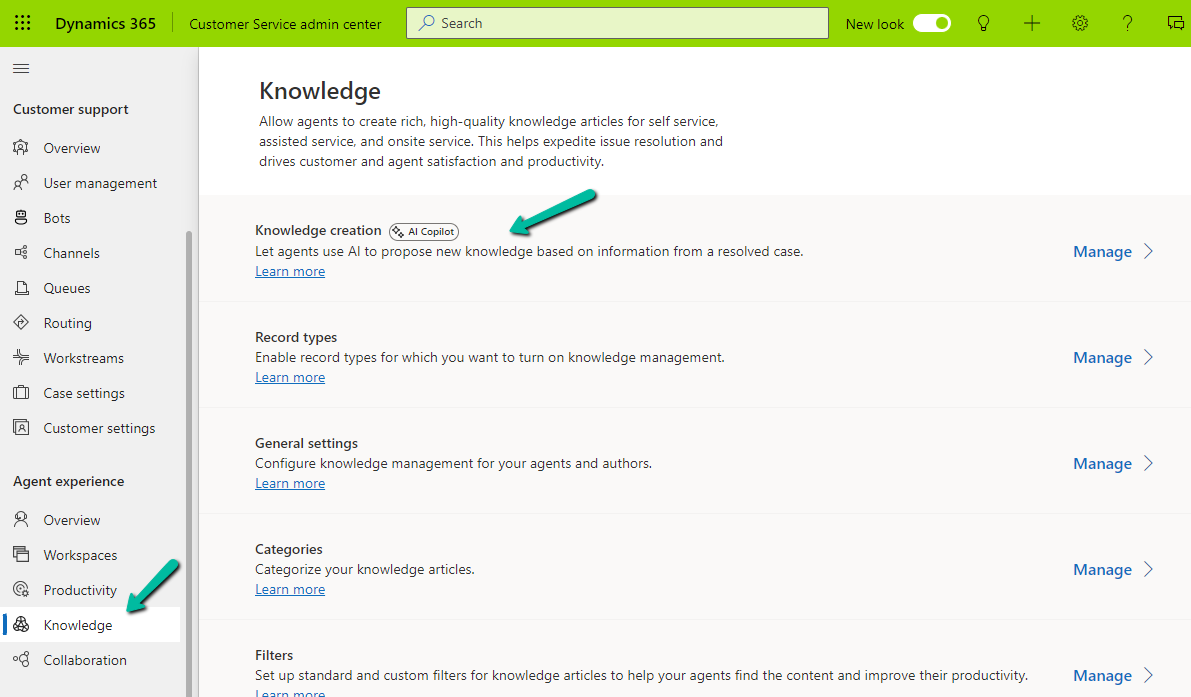
To enable the feature of generating knowledge articles through Copilot, navigate to Customer Service Admin Center >> Agent Experience >> Knowledge >> Knowledge Creation
Agree to the terms and select Opt-in

Set it up by checking the options

With this feature enabled, now when we resolve the case, we will get the option to create a new knowledge article, based on the details provided in the resolution.

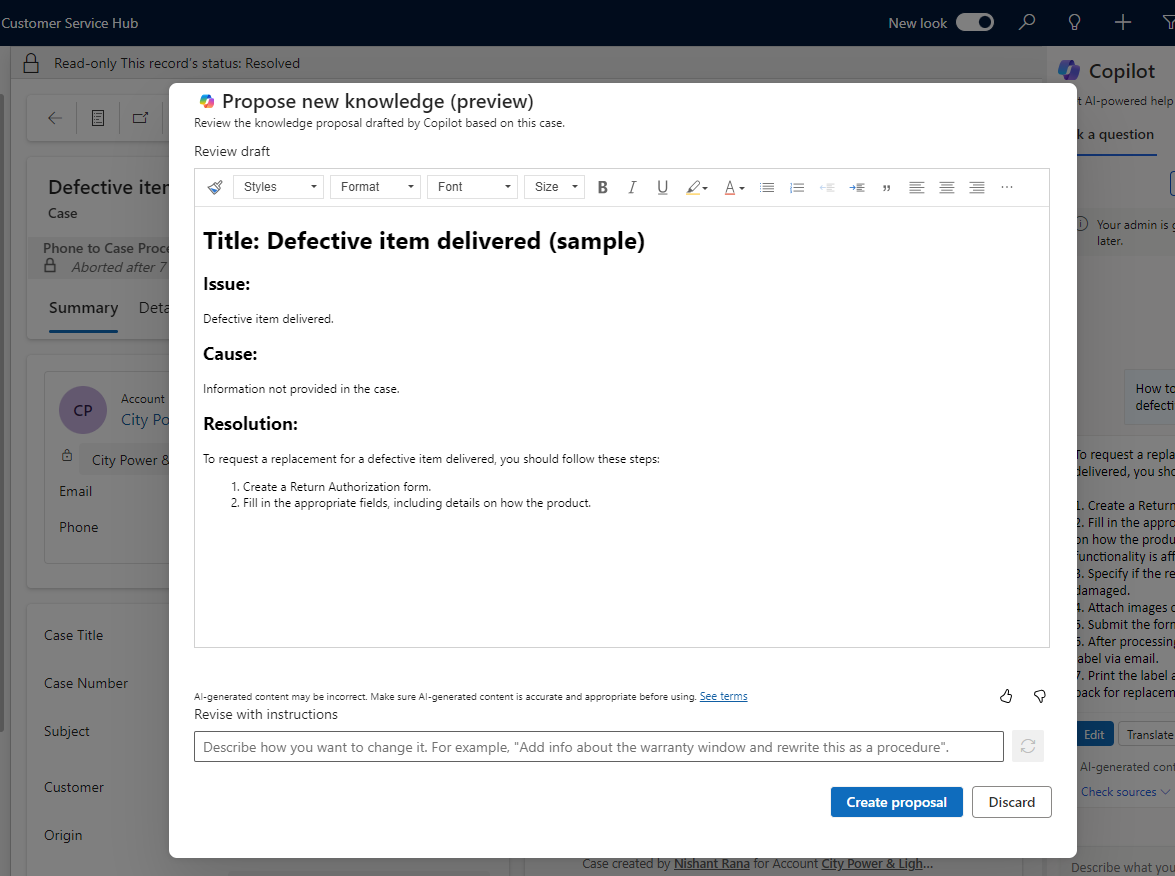
Clicking on Resolve will open the Propose new knowledge dialog box, with a draft of the proposal.
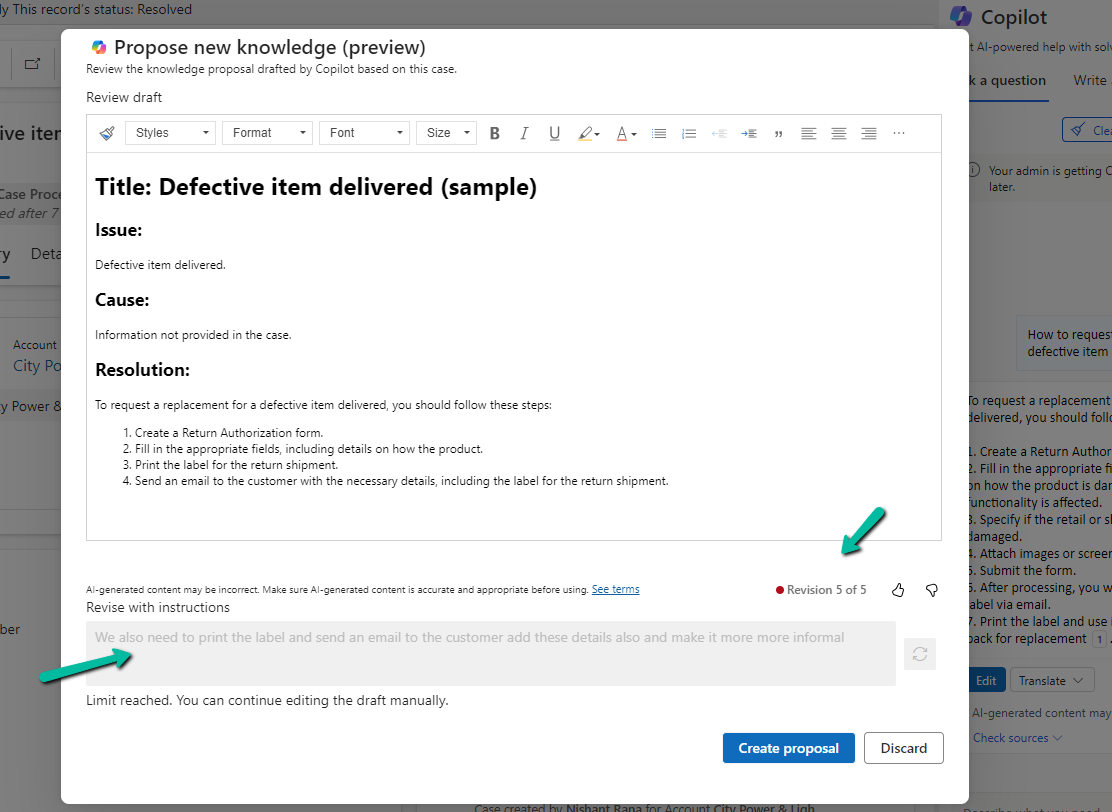
We can also revise the content with the instructions, here max 5 revisions are allowed.
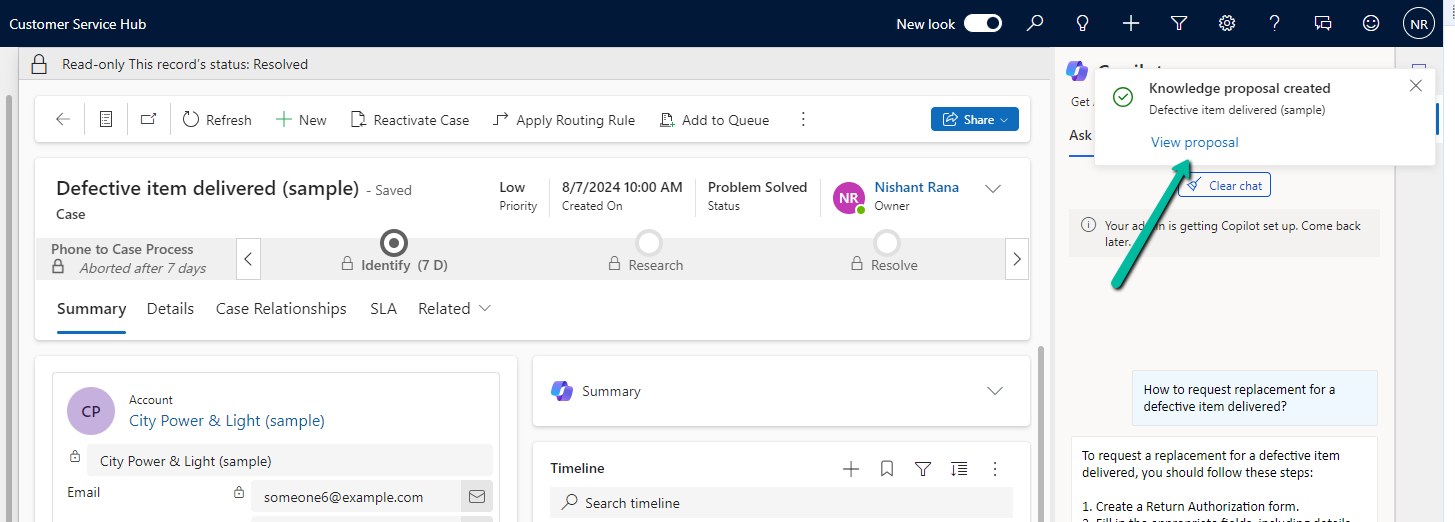
Click on Create Proposal will create the record and show the notification on the form with the link to it.
Get all the details here
Hope it helps..
Discover more from Nishant Rana's Weblog
Subscribe to get the latest posts sent to your email.
Share It -


 Nishant Rana's Weblog
One thought on “Use Copilot to generate knowledge articles from resolved cases – Dynamics 365 Customer Service”