

As we are aware the classic themes do not apply to the new modern refreshed look, however using the new modern themes at least for now we can modify the app header.
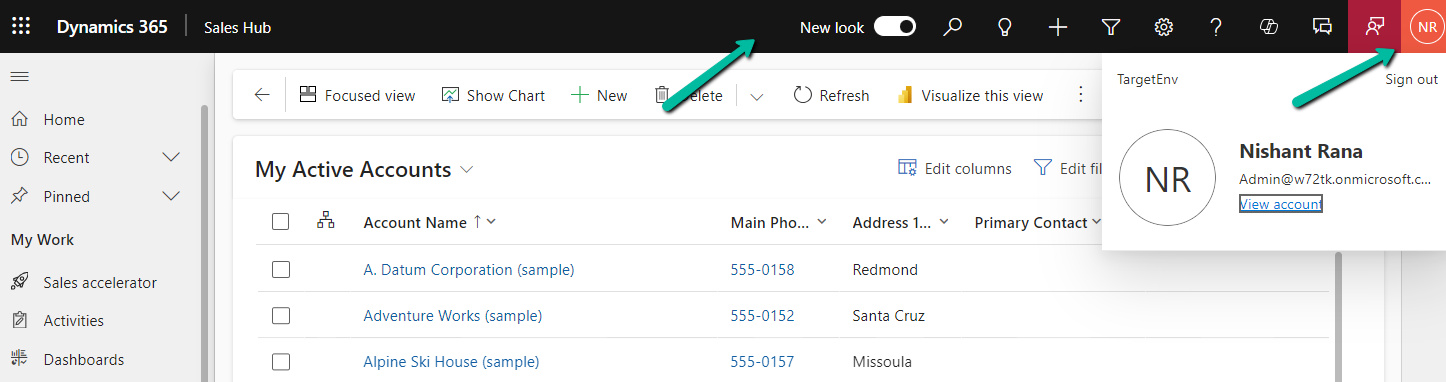
For this 1st we need to create an XML Web Resource with the below tags that apply to the AppHeaderColors tag. We can specify the colors of our choice.
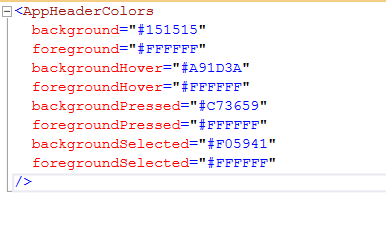
<AppHeaderColors
  background="#151515"
  foreground="#FFFFFF"
  backgroundHover="#A91D3A"
  foregroundHover="#FFFFFF"
  backgroundPressed="#C73659"
  foregroundPressed="#FFFFFF"
  backgroundSelected="#F05941"
  foregroundSelected="#FFFFFF"
/>
Below is our web resource created for it.

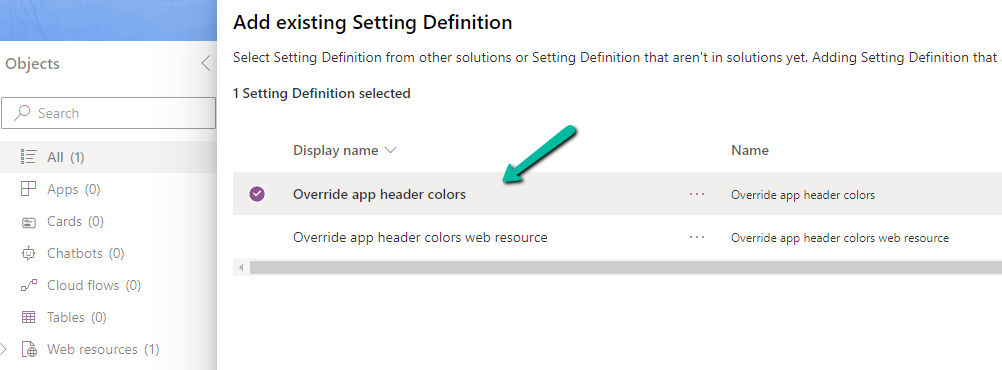
Next, add the Override app header colors setting definition to the solution
And for the environment value specify the schema name of the web resource.
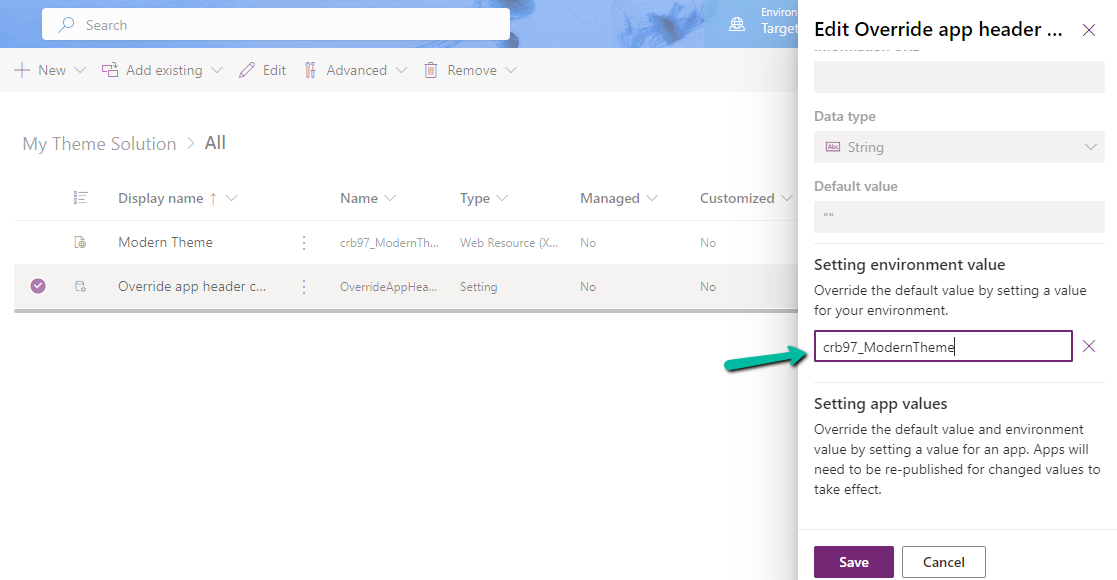
Save and Publish the customizations.
Before –
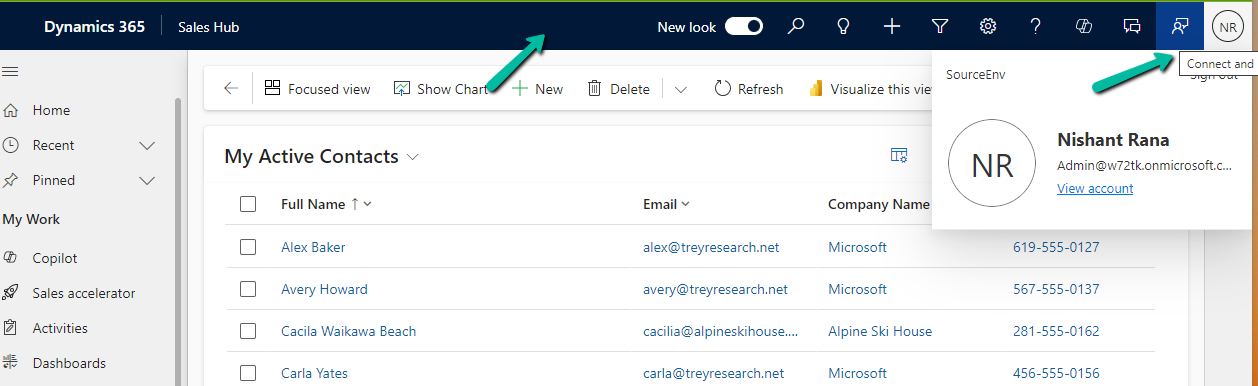
After –
Get more details on modern themes
Also check out the wondeful XrmToolBox Plugin – Modern Theme Builder https://www.xrmtoolbox.com/plugins/Greg.Xrm.ModernThemeBuilder/
Hope it helps..
Discover more from Nishant Rana's Weblog
Subscribe to get the latest posts sent to your email.
Share It -


 Nishant Rana's Weblog
One thought on “Applying Modern themes to the Modern Refreshed look (app header)– Model-driven App / Dynamics 365”