
Suppose a package has been running for quite a long time or has been mistakenly run and we would like to stop its execution.
To do so
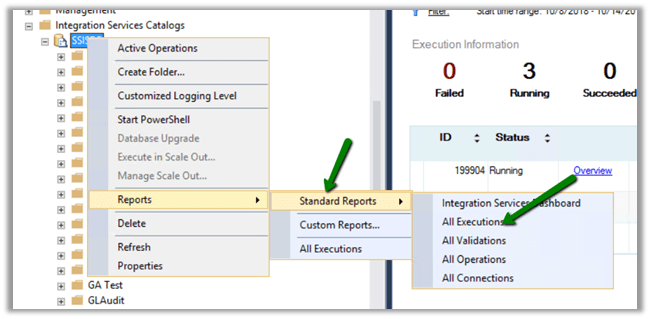
- Right Click on SSISDB
- Select All Execution Reports
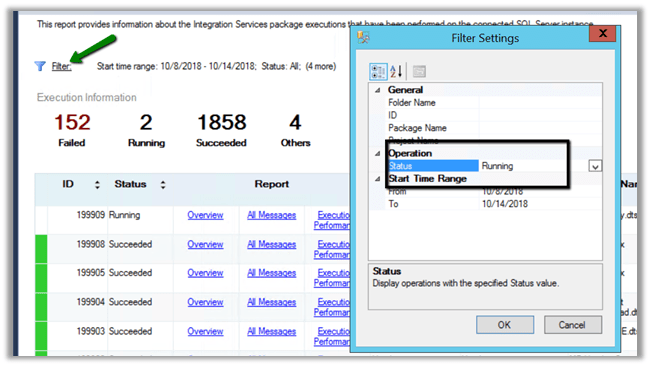
- Filter it to see all the Running packages
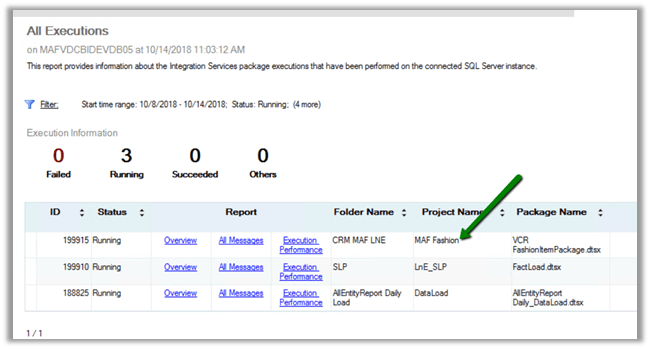
- We can see our all the running packages there.
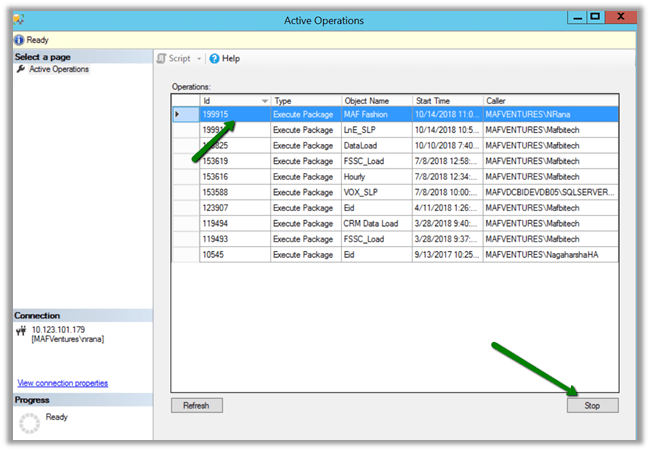
- Now to stop any specific package, right click SSISDB and select Active Operations
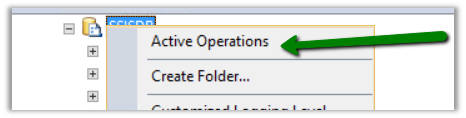
- From the Active Operation window, select the running job and click on Stop button to stop its execution.
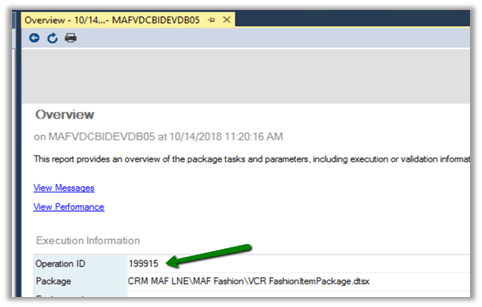
- Another option is to use the stored procedure à get the operation id of the running package and execute the stored procedure
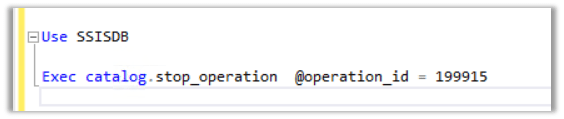
Exec catalog.stop_operation @operation_id = 199915
Hope it helps..
Discover more from Nishant Rana's Weblog
Subscribe to get the latest posts sent to your email.
Share It -


 Nishant Rana's Weblog
3 thoughts on “How to – Stop SSIS Package Execution in SSISDB”