
CRM 2013 – The Upgraded Metadata Browser

I was playing around the new CRM 2013 SDK and thought I’d spend some time one the revamped metadata browser. Like in the CRM 2011 SDK, the Metadata browser is provided as a Managed Solution located in the folder “Your SDK FolderToolsMetadataBrowser”
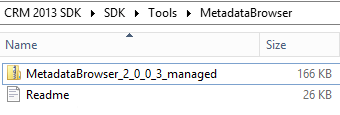
Once you’ve installed the solution in your CRM application, you have to open it in order to get the links to the Metadata web resources in the configuration page.

The Metadata Browser now has two pages:
- Metadata Browser (displays a master/detail view of all the entities in the system)
- Entity Metadata Browser (displays details about a selected entity)
The key features of the tools are highlighted in the configuration page (see copy below). It is extremely helpful for developers, lightweight built on HTML/JavaScript and has a lot of nice features (details below). So if were looking for an alternative to the popular Silverlight Metadata browser built…
View original post 227 more words
Discover more from Nishant Rana's Weblog
Subscribe to get the latest posts sent to your email.
Share It -


 Nishant Rana's Weblog
buy tramadol buy ultram tramadol online – tramadol online missouri
LikeLike