
Fixed – VS402356: You do not have the permissions required to perform the attempted operation on this process (Azure DevOps)


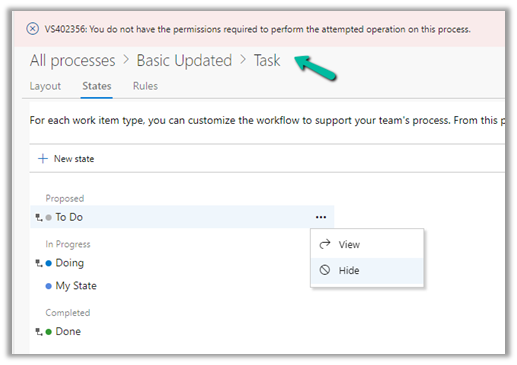
We would get the below error while trying to modify states in the Azure DevOps process.

VS402356: You do not have the permissions required to perform the attempted operation on this process
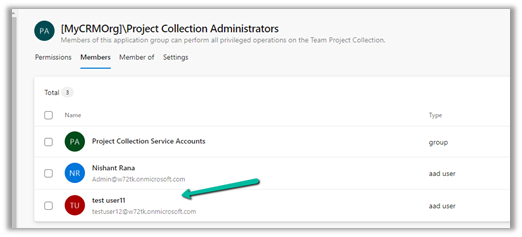
To fix this we can add the user to the Project Collection Administrators group.
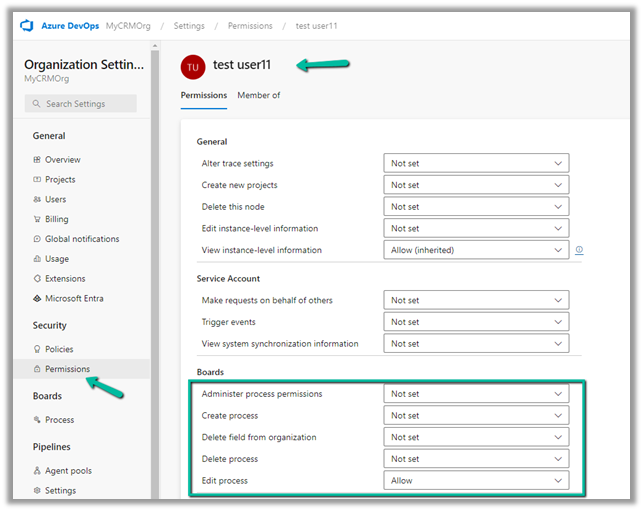
Or better give Process specific permission to the user
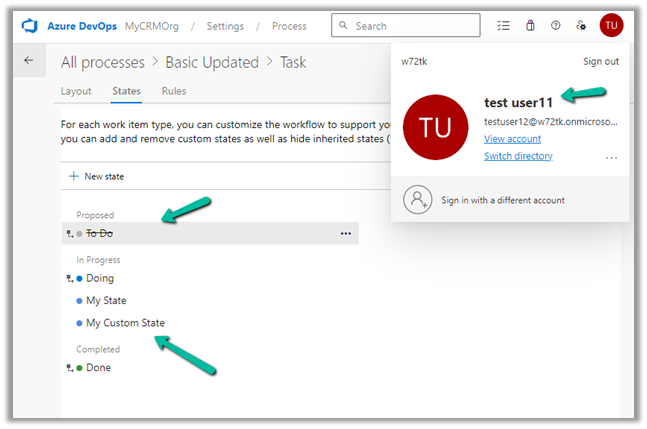
As a result the user can now add and update the process.
Hope it helps..

Advertisements

Enable classic editor for build/release pipelines in Azure DevOps


If you see the classic editor option missing, while creating the pipeline, it is because it would be disabled in the organization settings.

To enable it navigate to Organization Settings >> Pipelines >> Settings

After switching off the settings, we can see the classic editor option.

Get more details –

Hope it helps..

Advertisements