Recently one of our users was getting the below error while trying to access the VSTS Project.
401 NOT AUTHORIZED and the following account does not have sufficient permissions to complete the operation. The following permissions are needed to perform this operation. View project level information.

Here we can see the users being added to the project team and the team having all the appropriate rights.
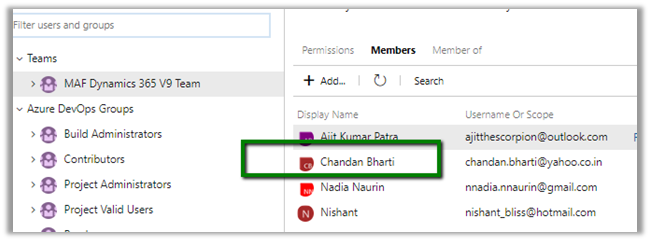
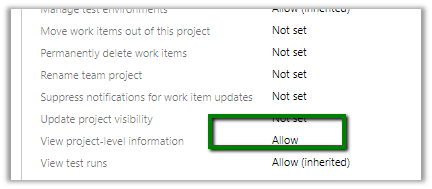
Adding the user to other groups i.e. Build Administrators, Contributors, Project Administrators etc. also didn’t help.
Also, inside Manager Users section.
https://[[subscription]].visualstudio.com/_admin/_users
We selected the user and clicked on Manage Projects to check his access.

It showed the user being part of Project Administrators – VSTS Groups.

Still user was getting the same 401 Unauthorized error.
https://developercommunity.visualstudio.com/content/problem/342094/401-unauthorized-error-for-a-user-added-to-project.html
https://developercommunity.visualstudio.com/content/problem/76468/cant-connect-to-tfs-401-not-authorized.html
Not sure what happens in the background and it takes time for the change to propagate. We have faced this issue many times with certain set of our users (one thing we have noticed that these users had their Gmail or Yahoo id associated to VSTS). For some users it has always worked properly (one using Outlook, Hotmail and Corporate account)
Hope it helps..






 Nishant Rana's Weblog