
2019’s Wave 2 release have really put things where they should be. Once I enabled Early Opt-in while writing this post, this is a great feature for Sales people I came across and couldn’t resist sharing with you all – Contextual Email Communication! So kindly wait until updates are automatically applied to your org or try the same in your Sandbox first.
Isn’t going exclusively to Activity/Email entity extremely off-putting? I mean, you navigate away from your record you were working on and that isn’t productive, is it?
That’s when Contextual Email window comes in really handy. Here’s how you enable it in your 2019 Updates.
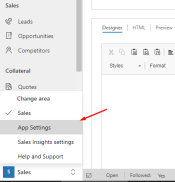
App Settings in Sales Hub
- In your Sales Hub, navigate to App Settings.
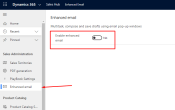
- Among other settings, look for Enhanced email and flick the switch from off to On.
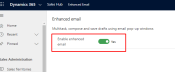
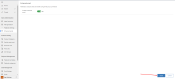
- Then click Apply at the bottom right and you’re set!
Contextual/Enhanced Email
Now, when you’re…
View original post 69 more words
